

At a glance
What it is for
The inbox keeps the notifications MaihueGO sends inside the app: a coupon that is now in the wallet, a redeemed coupon, a notice about the account. The customer can read them again whenever they want, even if they missed the push or never allowed push on their phone. The bell on Home shows at a glance how many are still unread.How to get there
- From Home: tap the bell at the top right of the blue header, next to the MaihueGO logo.
- From the Account tab: tap Notifications. Its description changes to “You have 3 unread notifications” when something is unread.
- With the Liquid Glass bar (flag
maihuego-application-liquid-glass, for now in development only): the inbox is the Alerts tab of the bottom bar, in place of Account, and carries the unread count. The screen is still titled Notifications. Home no longer shows the bell and Account opens from the greeting avatar. As a tab it has no back arrow.
What the customer sees
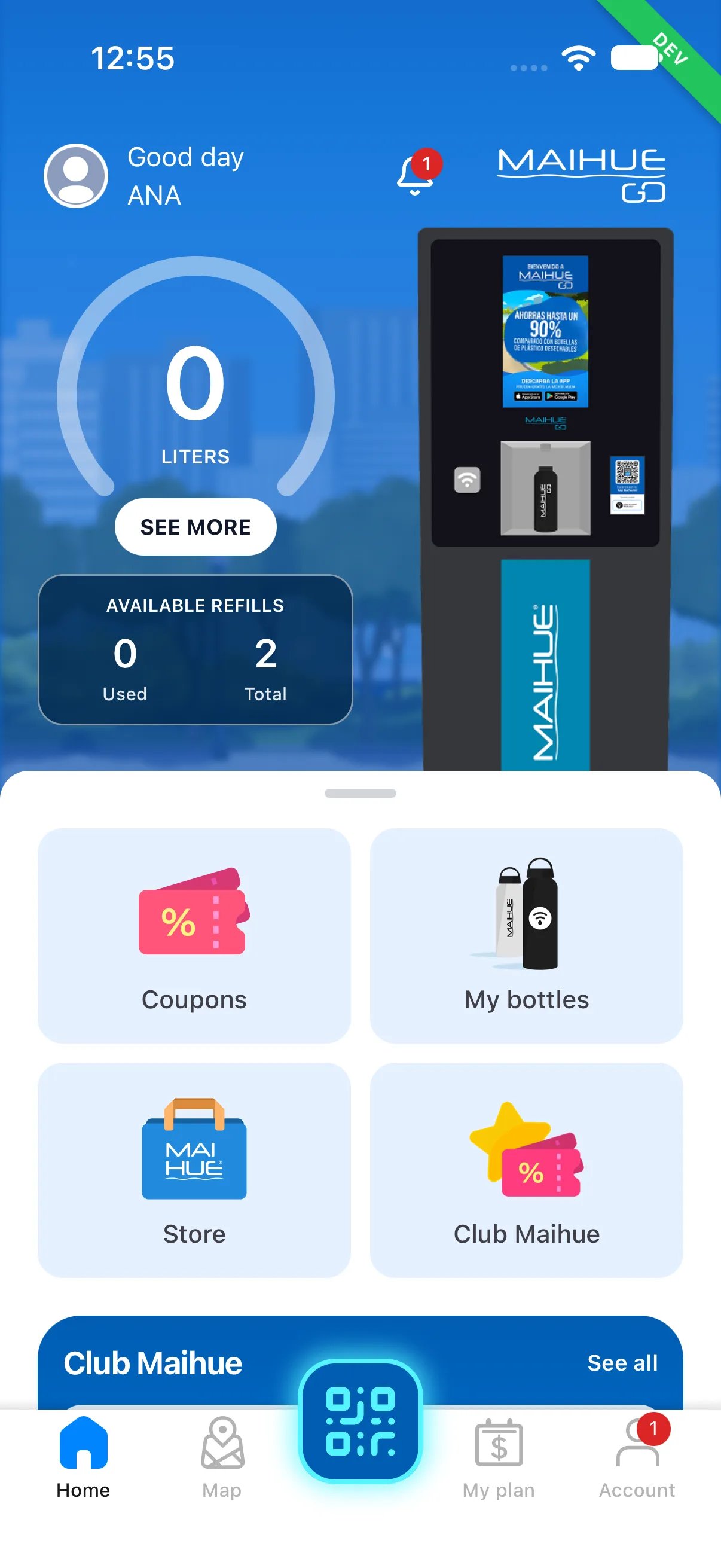
Home with the bell and its badge: the number counts the unread notifications.
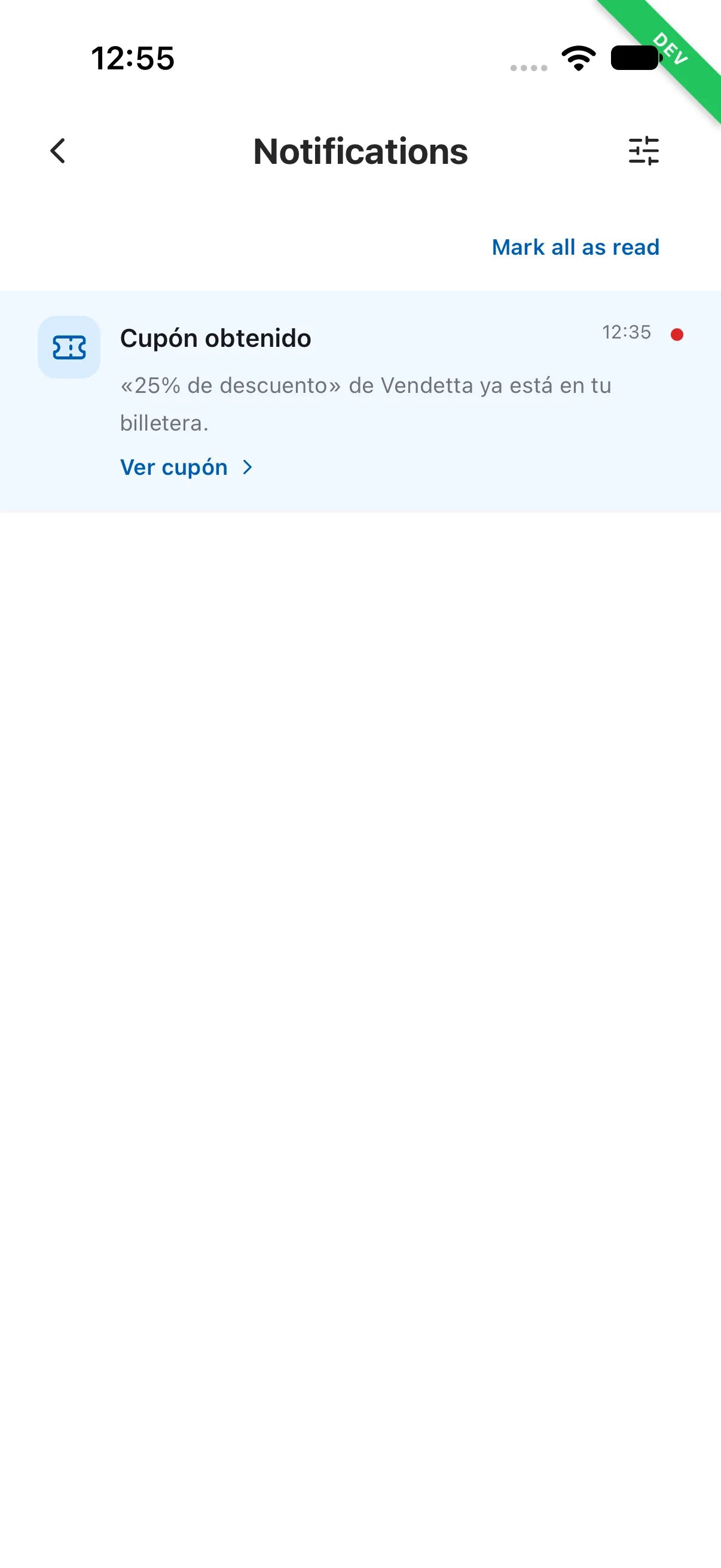
The inbox with an unread notification (light blue background and red dot) and a read one.
The date reads as the time for today’s notifications, the day and month for this year’s, and the full date for
older ones.
Step by step
Read a notification
1
Open the inbox
Tap the bell on Home or Account › Notifications. The newest notifications come first.
2
Tap the notification
It becomes read at once and the badge goes down by one. If it has a link (for example View), the app opens
that screen, or the browser for a web address.
3
Go back
Use the back arrow. When you return to Home the badge refreshes.
Mark everything as read
1
Tap Mark all as read
It sits above the list, on the right. Every row turns read at once and the badge disappears.
See older notifications or refresh the list
- Older ones: scroll down. The app loads 20 more at a time and shows a spinner meanwhile.
- Refresh: pull the list down.
Change what you receive
Tap the sliders button at the top right. It opens Notification preferences.Business rules
States and messages
VoiceOver reads the bell as “Open notifications, 3 unread notifications” (“1 unread notification” for one) and each unread row starting with
“Unread”.
Errors
Why it works this way
Push is lost if the customer did not see it or did not allow it. The inbox keeps a copy inside the app, so nothing important depends on the phone permission. It belongs to the account, not to the phone, so a customer who changes phones or signs in on a tablet finds the same notifications. The badge counts what is unread rather than what is new, so that a notice nobody opened is not hidden just because the customer glanced at the list. Operators decide per event whether it deserves an inbox copy (the in-app channel), which keeps the inbox for what is useful to read again.Technical detail
FAQ and support cases
The customer does not see the bell
The customer does not see the bell
The inbox flag is off for the app, or the customer is not signed in. The app reads the flag when it starts and
when it comes back to the foreground; after the flag is turned on, closing and reopening the app is enough.
The badge does not go away after opening the inbox
The badge does not go away after opening the inbox
Expected: the badge counts unread notifications. Tap each one or use Mark all as read.
A push arrived but it is not in the inbox
A push arrived but it is not in the inbox
That event does not have the in-app channel on. For example, the Club coupon events send push and email and
keep in-app off by default. Check the event’s channels in
Event channels.
A notification disappeared
A notification disappeared
It had an expiry date and it passed. Campaign notifications, for example, last 30 days.
Tapping a notification does nothing
Tapping a notification does nothing
It has no link: it only becomes read. If it should lead somewhere, report the event to the notification team.
The customer sees the same notifications on two phones
The customer sees the same notifications on two phones
Expected: the inbox belongs to the account. Reading on one phone marks it read on the other.
The customer changed the app language and a notification is still in the old language
The customer changed the app language and a notification is still in the old language
A notification keeps the language it was sent in: the text is written when Horizon sends it, with the
customer’s language at that moment. Notifications that arrive after the change come in the new language.