

At a glance
What it is for
When a new version is out, many users never open the store. The announcement tells them with a push: “One push per device and only once per release, to the active devices on an older version. System category: it respects the 22:00 to 08:00 quiet hours (Chile time).” Tapping it opens the app’s page in the store. You see who will receive it before confirming, and you follow the result afterwards.How to get there
- Open the release (General › Applications → the application → Releases → the version). The Update announcements section comes first.
- The wizard can also send or schedule it on its Announcement step.
What you see
Store cards
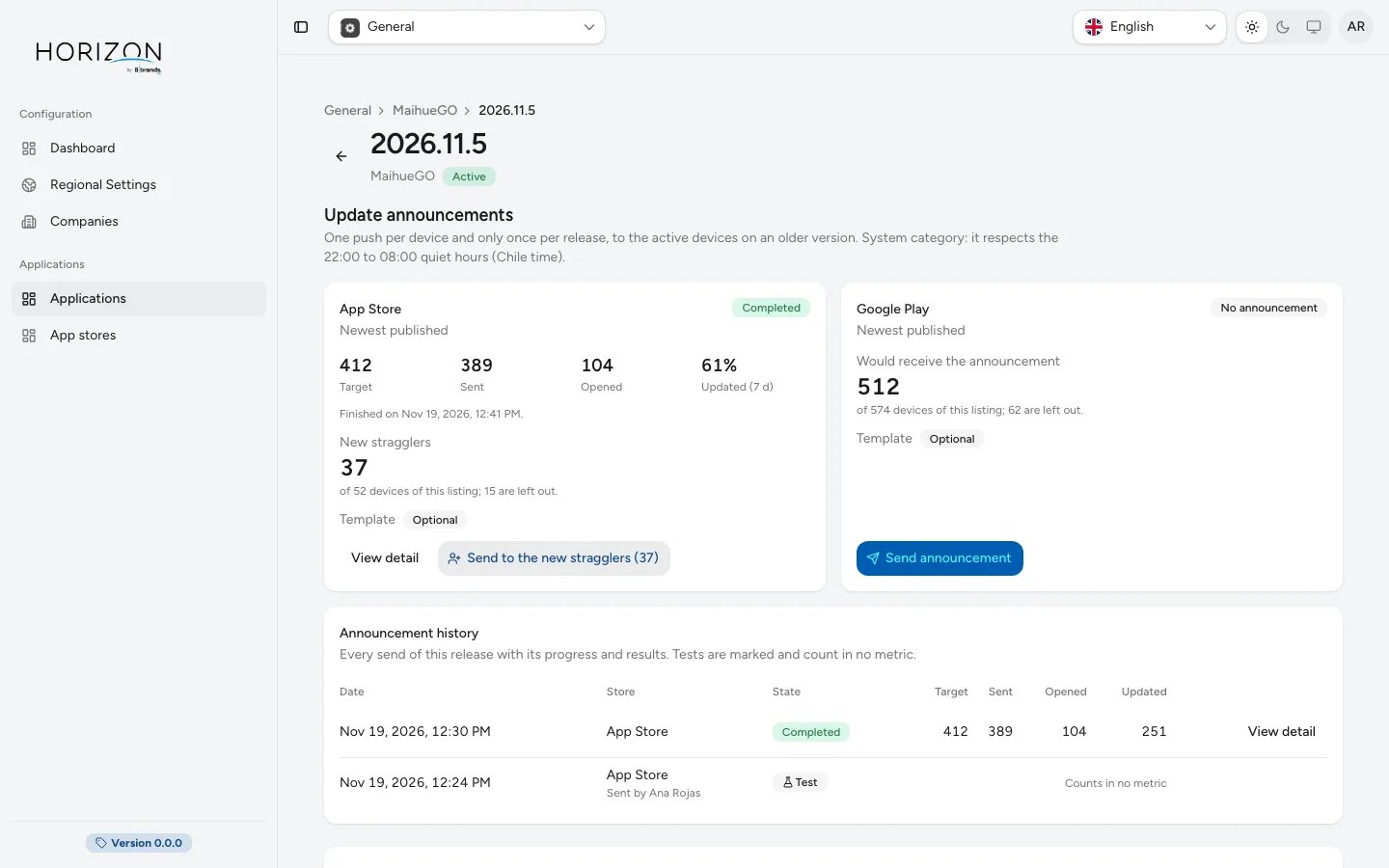
One card per published store: App Store already announced, Google Play ready to send.
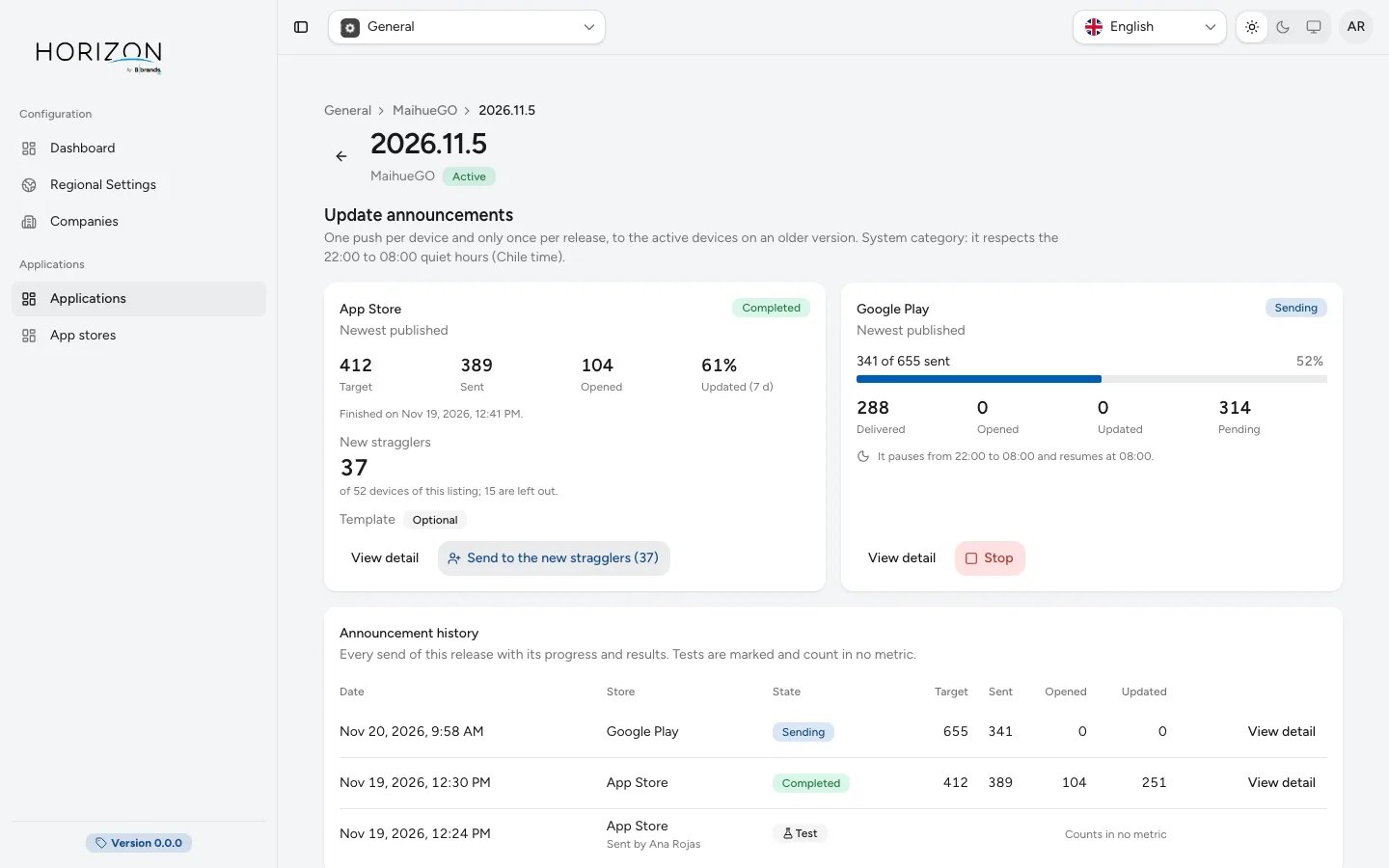
An announcement while it sends: progress, pending devices and Stop.
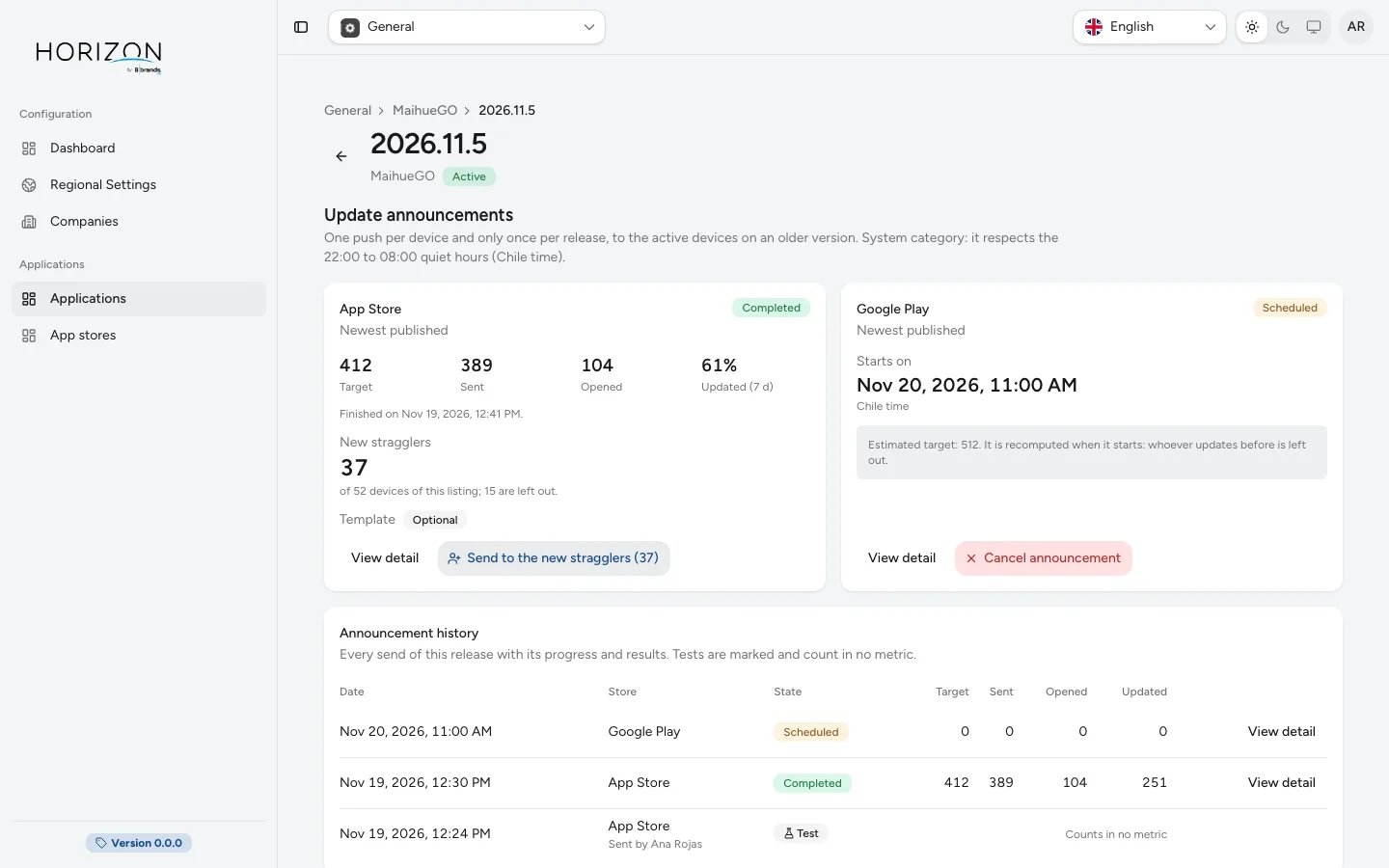
A scheduled announcement: start time in Chile time and Cancel announcement.
The send sheet (“Send update announcement”)
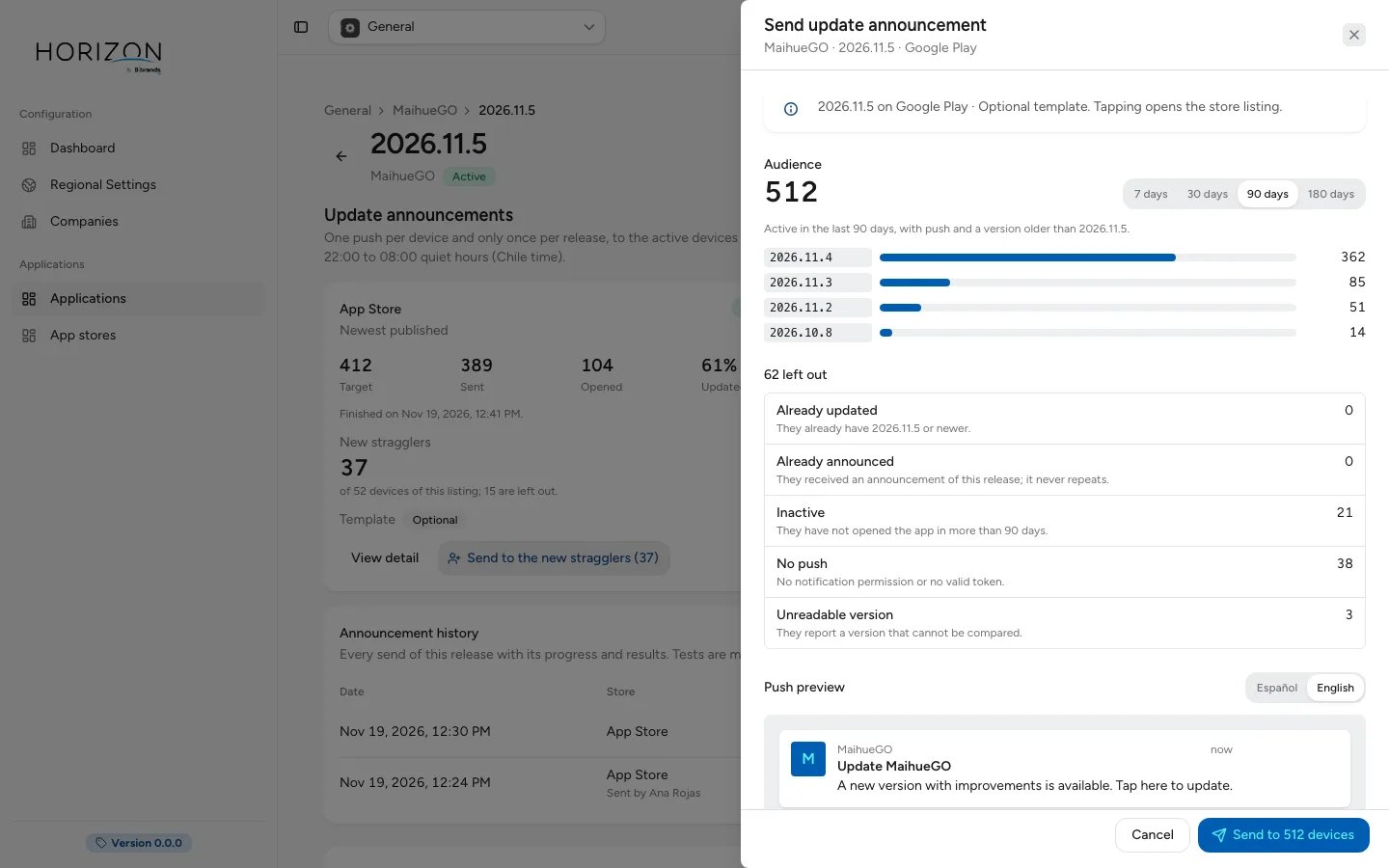
Send sheet: the audience by version and the devices left out with their reason.
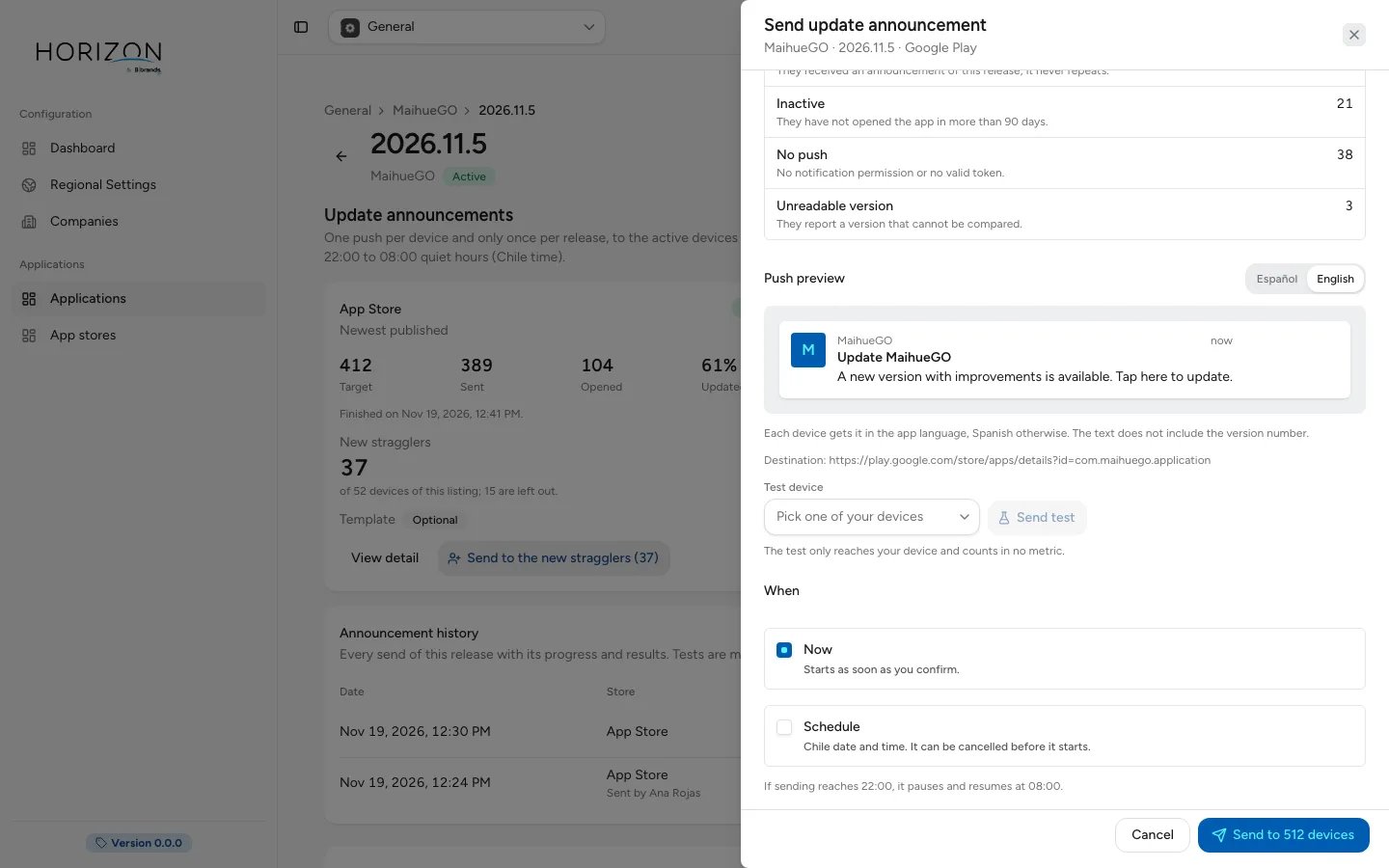
Push preview, destination, test send and when it starts.
The push the devices receive
application.release.update-available and
application.release.update-required).
Step by step
Send an announcement
Open the card of the store
Check the audience
Read the preview and send a test
Choose when
Confirm
Follow it
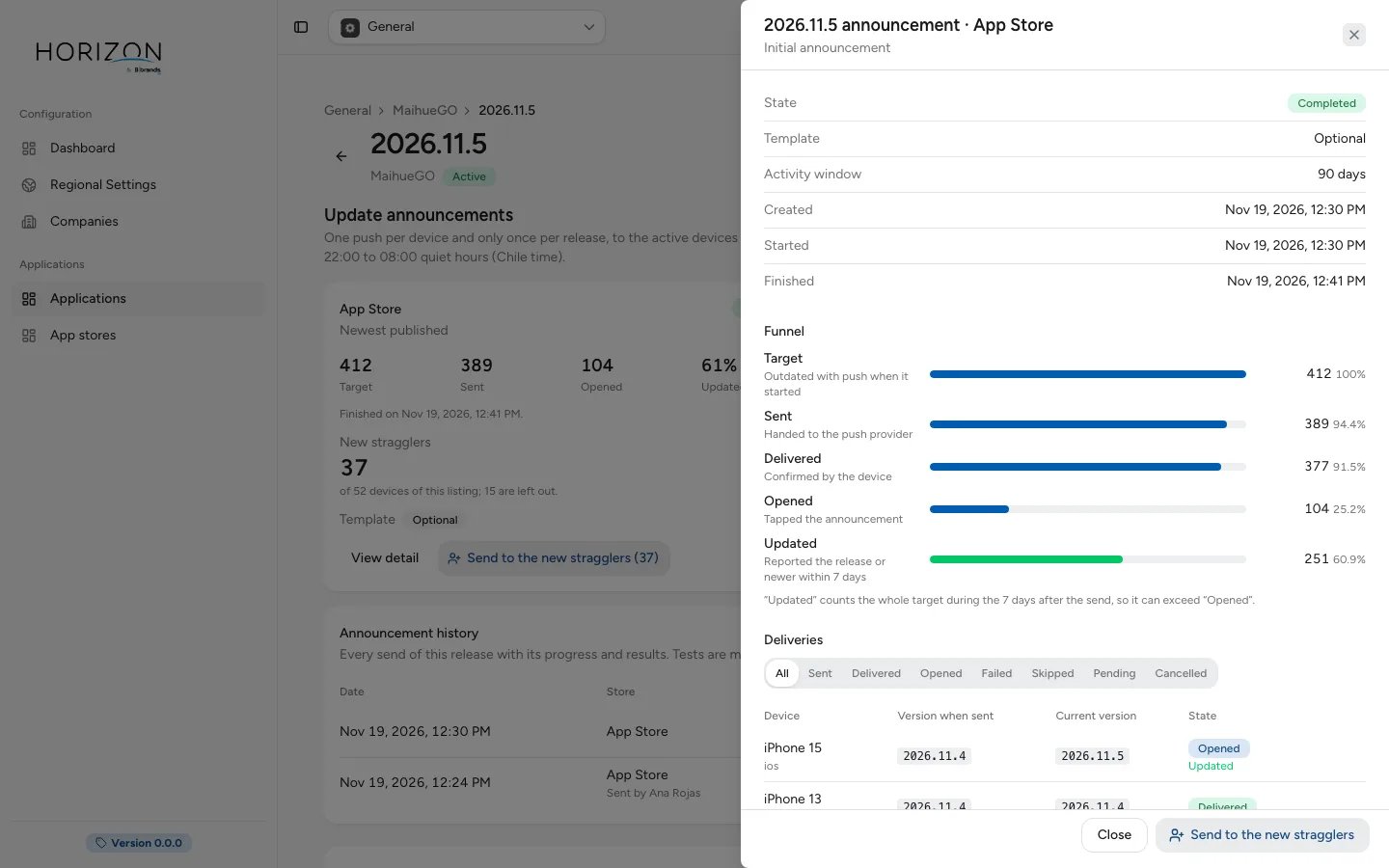
Announcement detail: its funnel and its deliveries.
Open the detail
Read the funnel
Filter the deliveries
Get the finish notice
Cancel, stop or send to the new stragglers
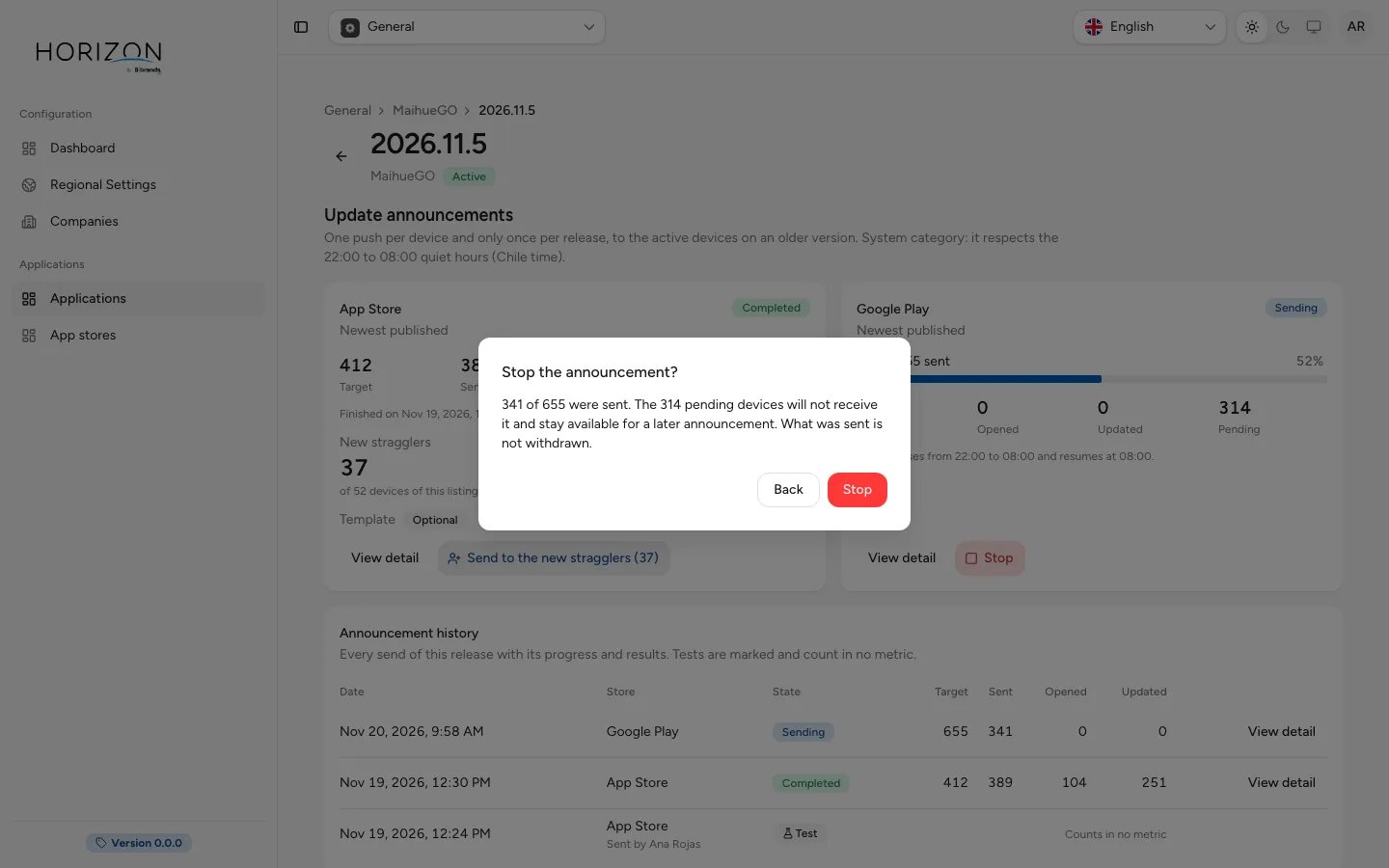
Stopping an announcement frees the pending devices for a later one.
- Cancel announcement (scheduled): “The announcement on will not be sent. You can create a new one whenever you want.”
- Stop (sending): ” of were sent. The pending devices will not receive it and stay available for a later announcement. What was sent is not withdrawn.”
- Send to the new stragglers () (after the initial one): sends only to devices that became eligible later; nobody gets the same version twice.
Business rules
States and messages
Errors
Why it works this way
The goal is to never bother anyone twice: one row per device and version is claimed before each push, so two operators, two clicks or two cron runs can never send the same version to the same device. A newer version replaces an older one’s pending sends so users are not told to update to a version that is no longer the latest. The texts never name the version because the store shows it, and a push naming a version the store does not show yet would confuse users. Everything goes through the notification platform, so each push has its trace in Notifications › Traceability.Technical detail
FAQ and support cases
A user says they did not get the push
A user says they did not get the push
Can I announce the same version again?
Can I announce the same version again?
It is 23:00 and the announcement shows Sending but nothing arrives
It is 23:00 and the announcement shows Sending but nothing arrives
The push opens the old version in the store
The push opens the old version in the store