

At a glance
What it is for
The Releases tab lists every version of the application with where it is published, whether it is mandatory, its adoption and its last announcement. Its detail is where a version is operated store by store: publish it, make it mandatory, unpublish it, edit its notes and announce it.How to get there
- General › Applications → the application (it opens on Releases) → click a version.
- The staff inbox message ” announcement finished” opens the same detail.
What you see
The Releases tab
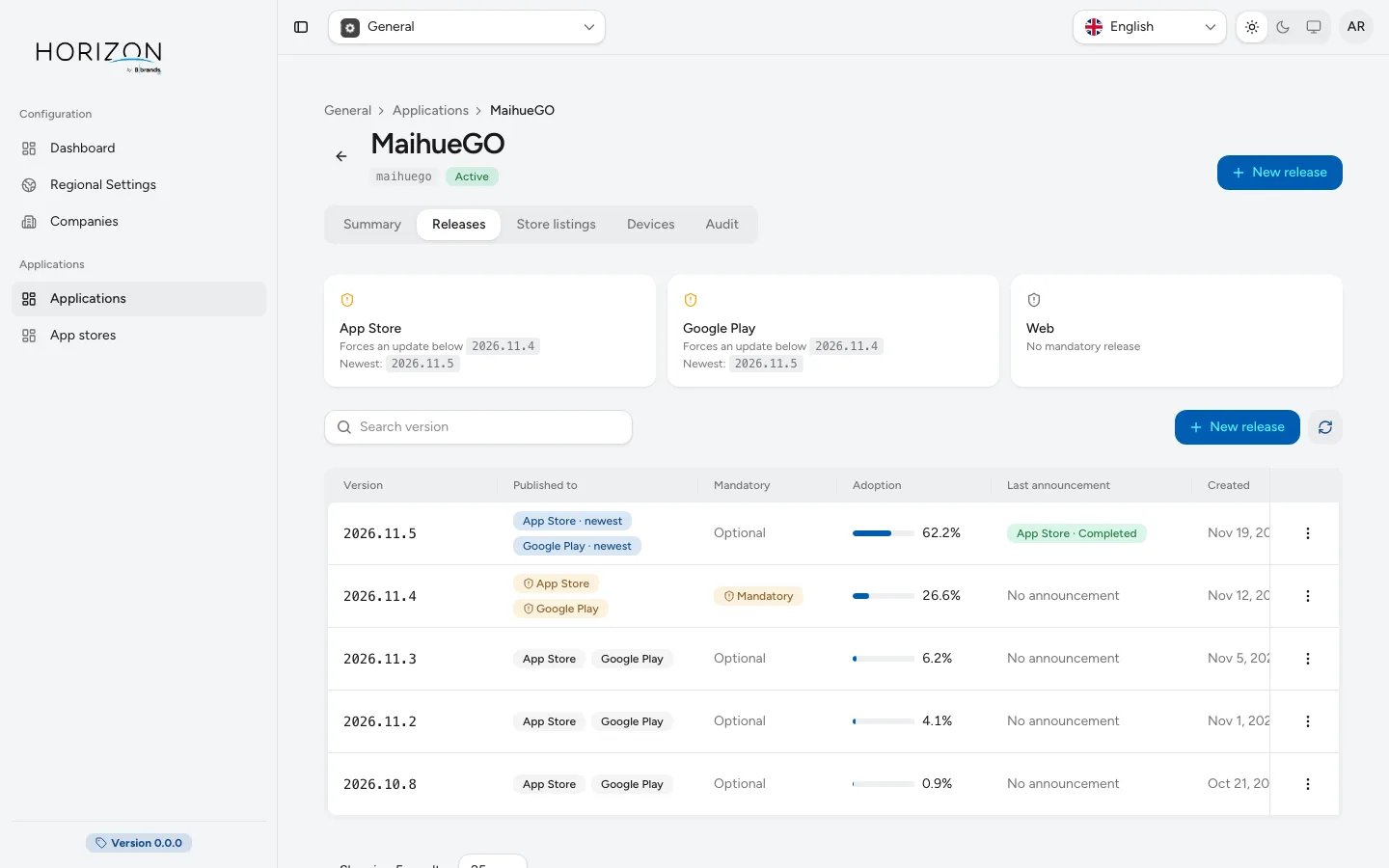
Releases tab: the mandatory floor per store and the list of releases.
The release detail
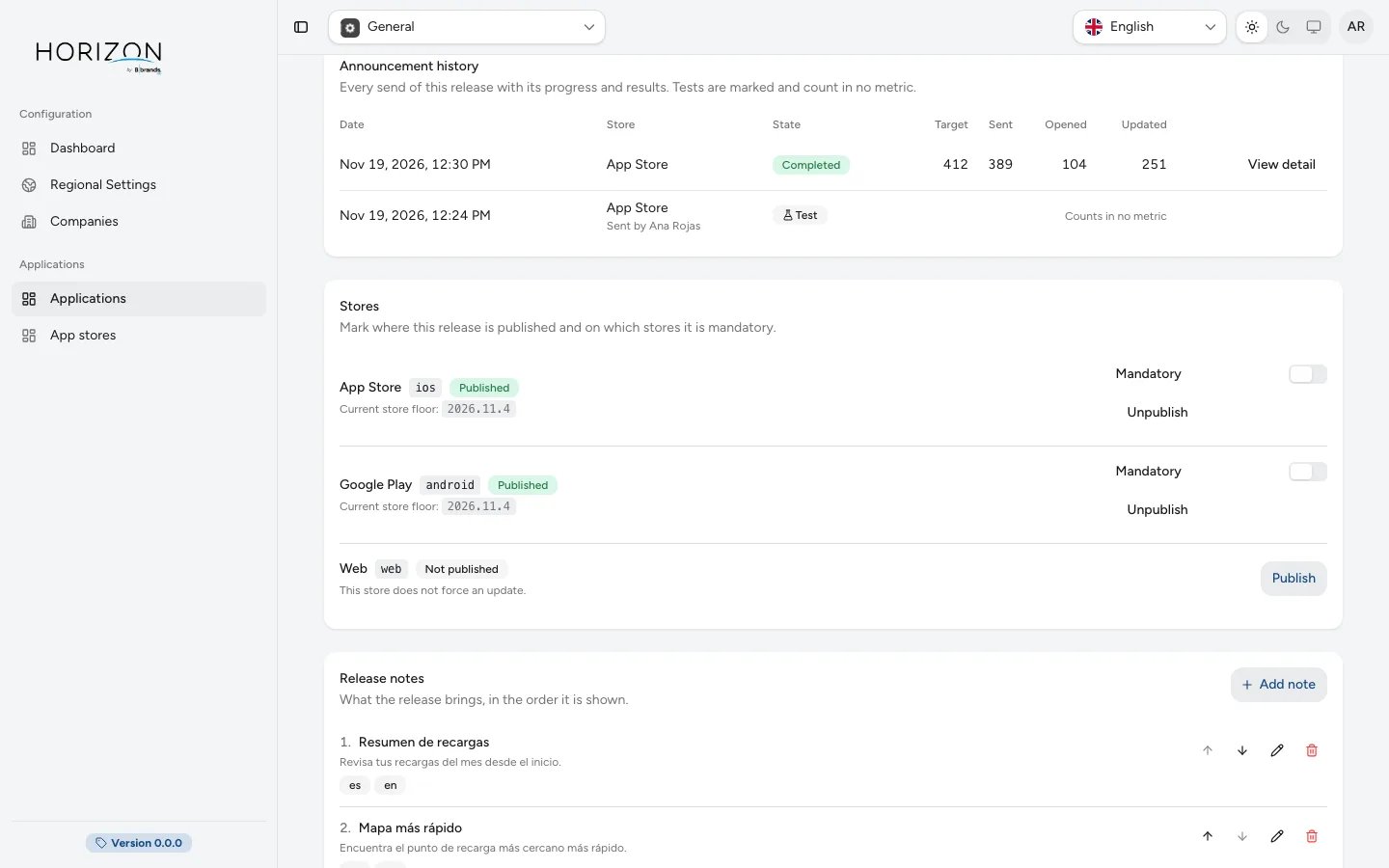
Stores section: publish, unpublish and the Mandatory switch of each store.
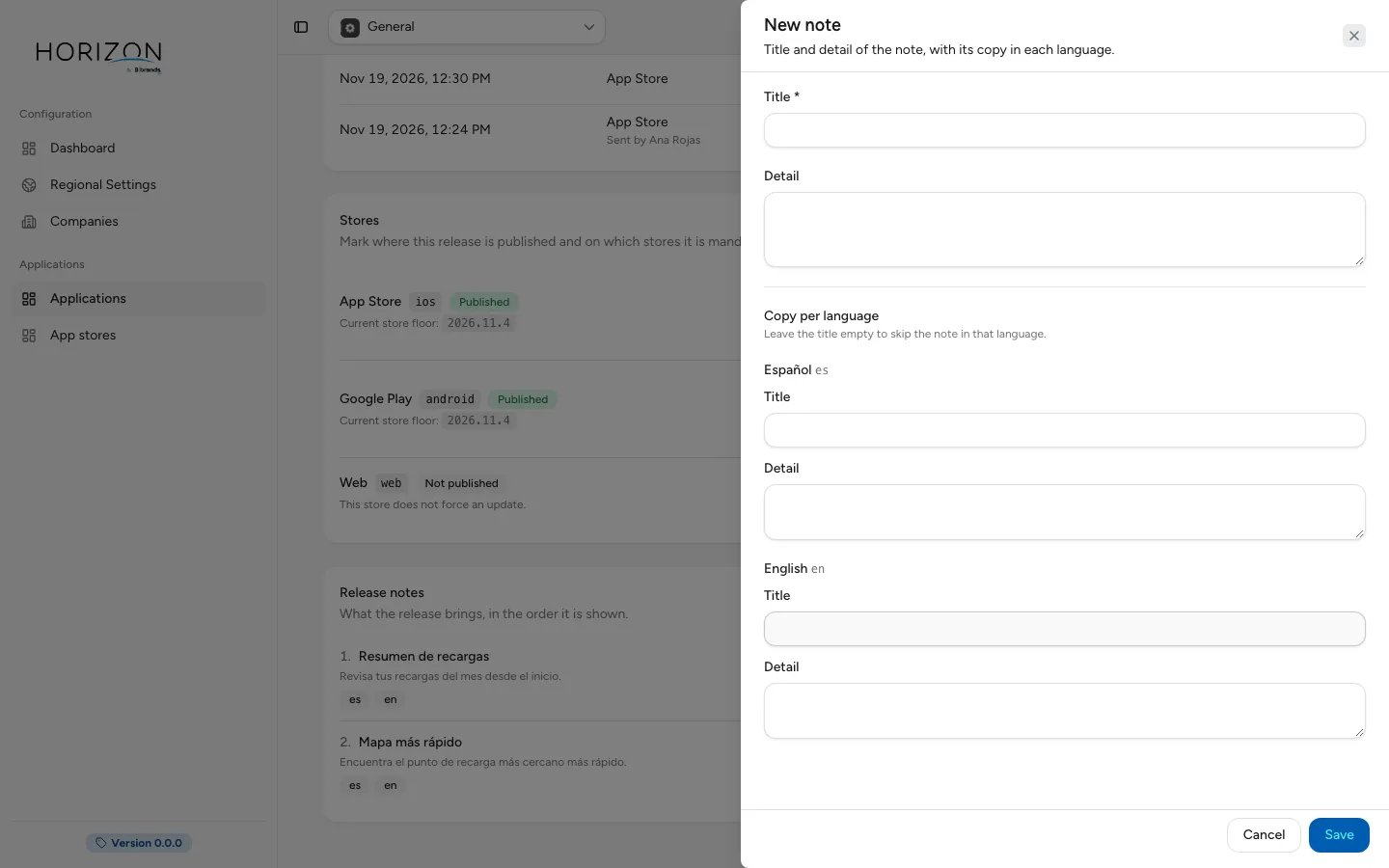
Adding a note: its title and detail, and its text in each language.
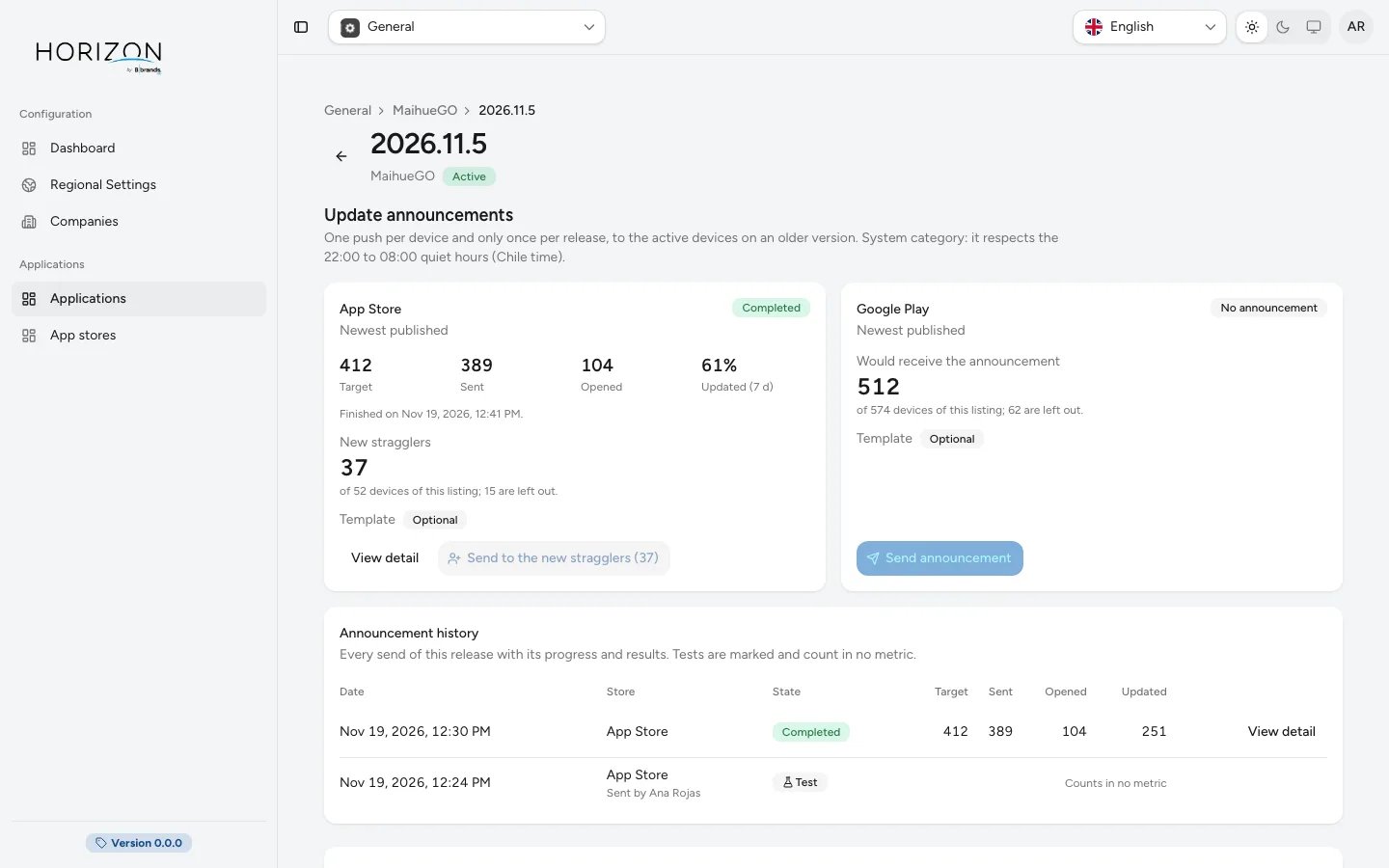
With a read-only role you see the same detail, with the actions disabled.
Step by step
Publish on a store
1
Find the store in Stores
Click Publish on the store where the version is already live.
2
Confirm
“Publish to the store?” — “Records that of is already available on . Only do it
once the release is live there; the console cannot verify it.”
Make it mandatory
1
Mark mandatory
On a published store, click Mark mandatory.
2
Read the effect
“Mark as mandatory?” — “Every client on below will be blocked until it updates.”
The dialog shows the floor before and after: ” floor: → .” When a newer mandatory release
exists it says “A newer mandatory release already exists: the floor stays at .”
3
Confirm
The update check reflects it within 60 seconds; the apps react on their next cold start.
Unpublish
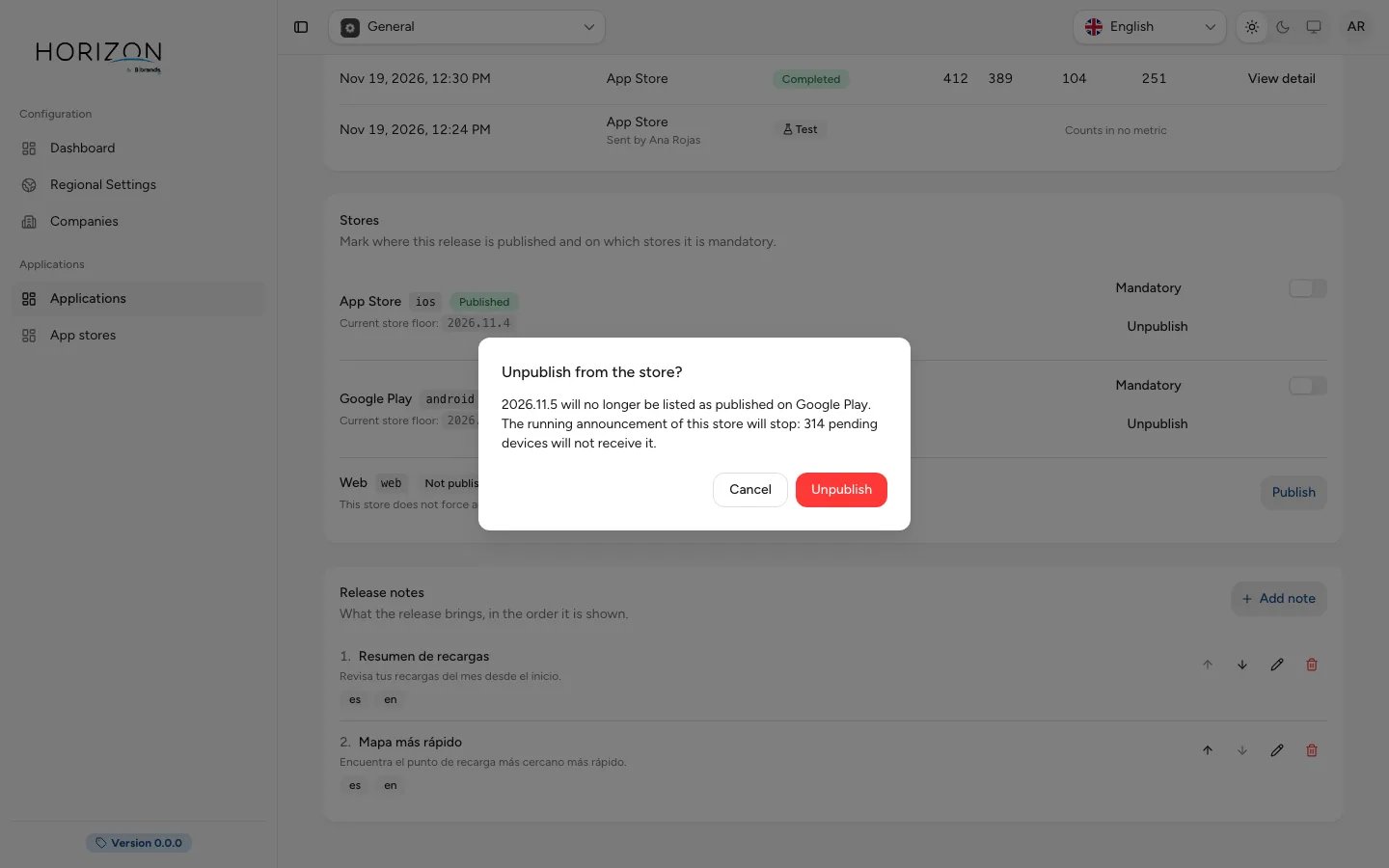
Unpublishing a store with a running announcement warns that it will stop.
1
Unpublish
Click Unpublish on the store. ” will no longer be listed as published on .”
2
Read the announcement warning
If an announcement of that store is scheduled: “The scheduled announcement of this store will be cancelled:
devices will not receive it.” If it is sending: “The running announcement of this store will stop:
pending devices will not receive it.”
Edit the notes
Add note opens New note with Title and Detail in each language (“Leave the title empty to skip the note in that language.”). The arrows reorder them.Business rules
States and messages
Errors
Why it works this way
The stores have no mandatory flag of their own, and iOS and Android go live on different days, so the console keeps one publication per store with its own mandatory flag. The floor is computed per store, so making 2026.11.5 mandatory on iOS never blocks Android users. The console cannot see the stores, so publishing is a declaration by whoever operates the release, and the confirmation says so.Technical detail
FAQ and support cases
I marked a version mandatory by mistake
I marked a version mandatory by mistake
Remove mandatory on the same store. Users already on the update screen must reopen the app after about a
minute.
A user says the app asks to update but the store shows no update
A user says the app asks to update but the store shows no update
The version was marked mandatory before the store published it. Remove the mandatory flag until the store shows
the version.
A user on a very old MaihueGO (2026.9.x) is not forced to update
A user on a very old MaihueGO (2026.9.x) is not forced to update
Those builds asked the retired legacy check. They open normally and update from the store.