

What it is for
Almost every Horizon Enterprise screen starts with a list: events, sends, customers, charges. They all work the same way, so what you learn here applies to any module.What you see
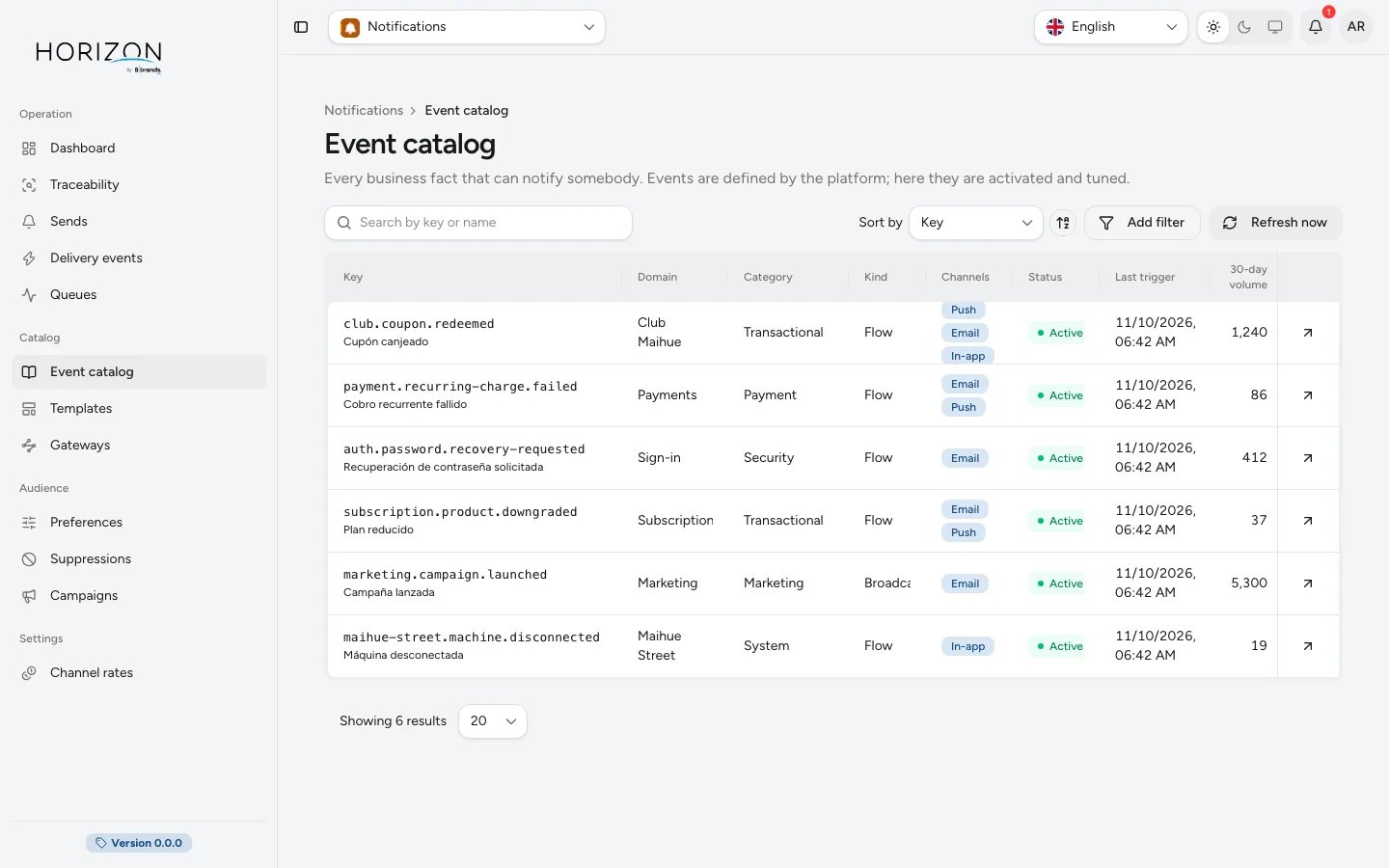
A list: search, sort, filters, refresh, the table and the pagination.
Step by step
Search
1
Type in the search box
The list filters itself a moment after you stop typing. What you typed stays in the page address, so you can
copy the link and share the same search.
2
Clear the search
Press the × of the search box.
Filter
1
Press Add filter
A panel opens with the fields you can filter. Type in Find dimension… to find one.
2
Choose the field and the operator
After the field you choose how to compare: is, is not, contains, greater than, between,
is any of, is set and others. You can search with Find operator….
3
Enter the value
Type or pick the value (Enter value…, Select value…, or From/To for dates). The filter
shows as a chip under the bar.
4
Remove filters
Press the × of a chip to remove that filter, or Clear filters to remove them all.
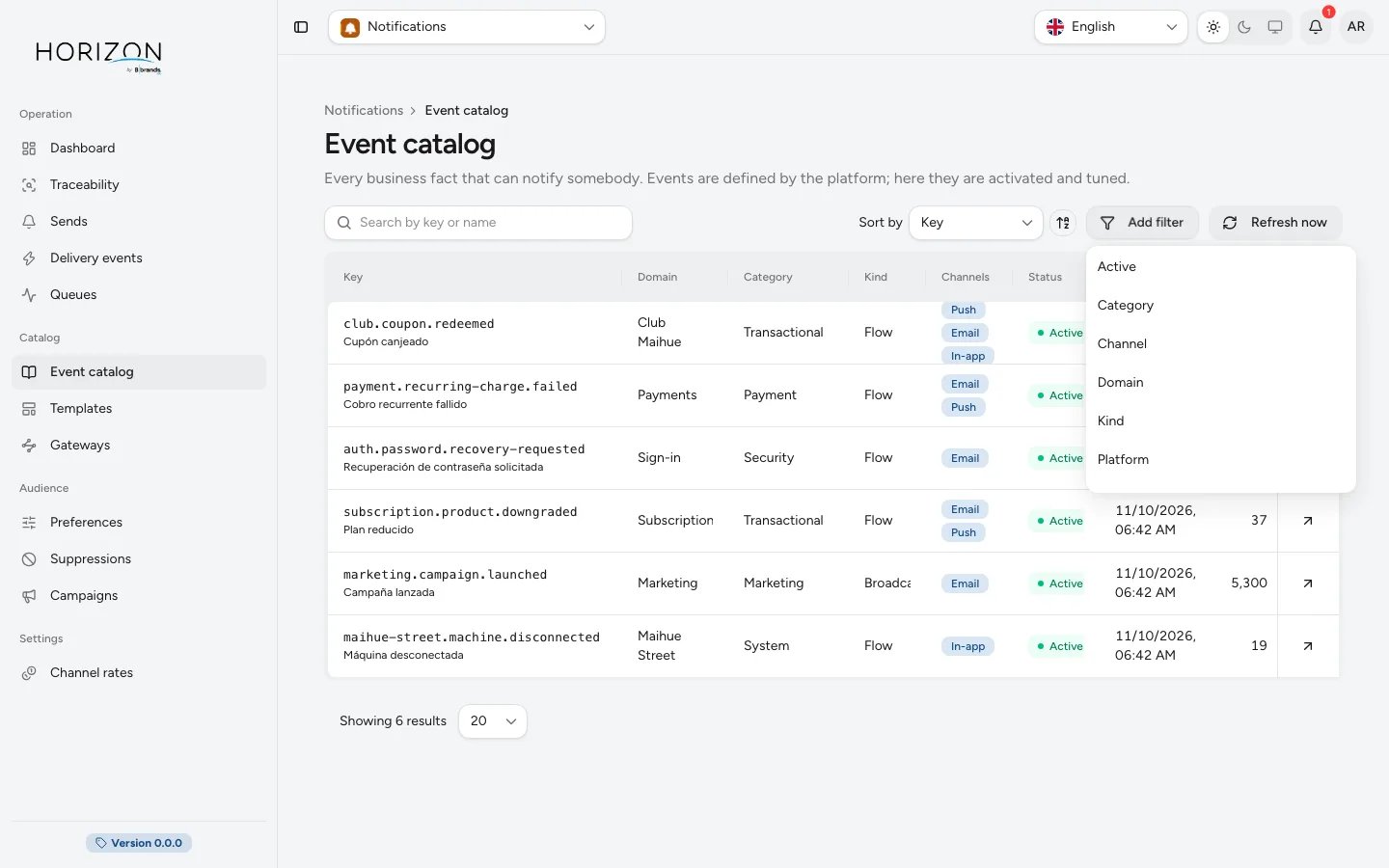
Add filter panel with the fields you can filter.
Sort and page
1
Choose the order
In Sort by pick the field and use the button next to it to switch between ascending and descending.
2
Change the page size
At the foot of the table choose how many records per page. The options depend on the screen: 50, 100 and 250 by
default, and 20, 50 and 100 in Notifications.
3
Change page
Use Previous, Next or the page number.
Export
1
Press Export and pick the format
Choose CSV or Excel. If the button is disabled, hover it to see why (for example, the export permission
is missing).
2
Wait for the email
The toast Requesting export… shows, then Export requested: “We will email you a download link when the
file is ready.” The export applies your filters.
3
Download the file
Open the link of the email. The Download export page prepares the download and tells you: “Your download
has started. You can close this tab.”
States and messages
Rules
FAQ and support cases
The export email never arrived
The export email never arrived
Check your spam folder. Large exports take longer. If many minutes pass, request the export again.