

At a glance
What it is for
Each app Horizon serves is an application of the catalogue: MaihueGO, Maihue Lunch, MaihueGO Touch. The list shows them with their latest version and the stores they are published to. Opening one shows the Summary tab: how the application is identified, the public route its clients ask to learn whether they must update, and the adoption panel, which answers “how many devices are already on the new version?”.How to get there
- In the side menu, open General › Applications.
- Click an application to open its detail. The tabs are Summary, Releases, Store listings, Devices and Audit. Opening the application without a tab lands on Releases.
What you see
The list
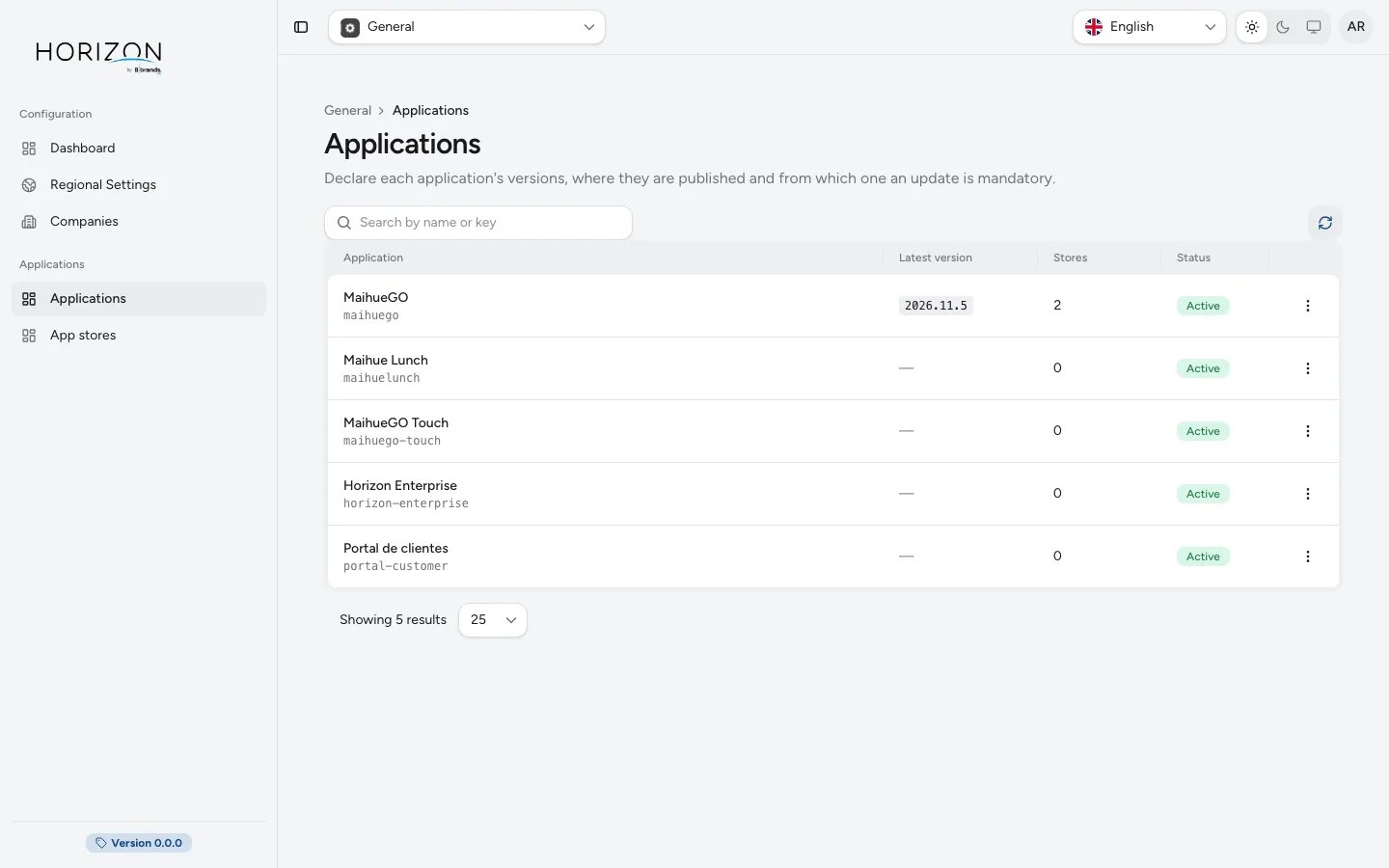
Applications list with the latest version and the stores of each one.
The Summary tab
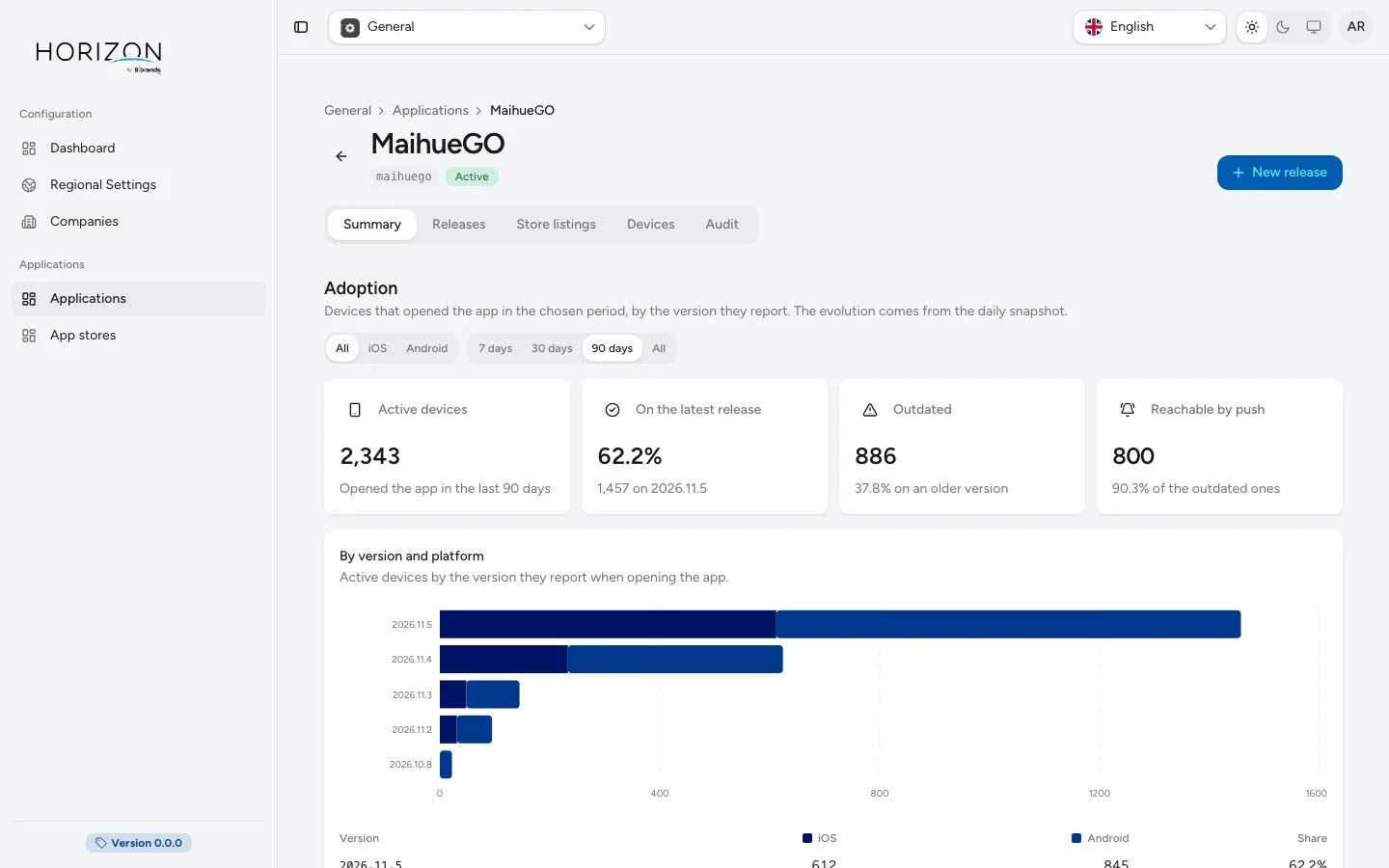
Summary tab: the four adoption indicators and the platform and period filters.
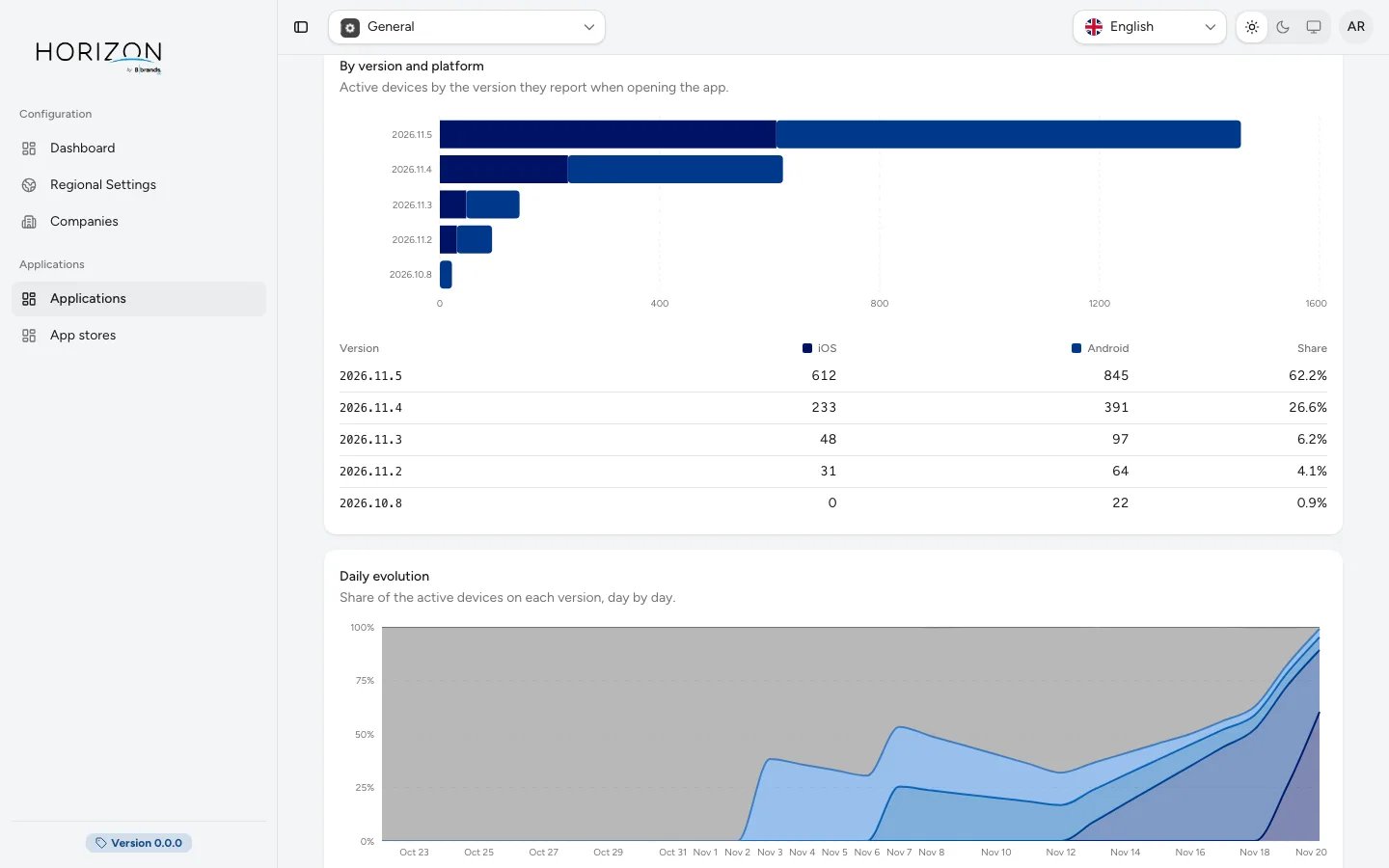
Bars and table by version and platform, and the daily evolution.
Step by step
Read adoption after a release
1
Open the application
General › Applications → the application → Summary.
2
Pick the window
In Activity, keep 90 days (the same window the announcements use) or choose 7 days to see recent
users only.
3
Read the cards
On the latest release says how many are already on the newest version (” on ”).
Outdated is the share on an older version, and Reachable by push how many of them an announcement could
reach.
4
Follow the trend
Daily evolution shows how the new version gains share day by day after an announcement.
Edit or deactivate an application
1
Edit
In the list row or the detail header, Edit opens Edit application to change the Name or the
Description. The internal key cannot change.
2
Deactivate only on purpose
In the detail header, Deactivate application asks “Deactivate the application?” and warns: ”“” will stop answering the
mandatory update check: its clients will not be forced to update while it is inactive.”
Business rules
States and messages
Errors
Why it works this way
Adoption reads the version each installation reports when it opens the app, not the store downloads, so it shows what people actually run. The 90-day default matches the activity window of the announcements, so the Outdated and Reachable by push cards are the audience an announcement would have. The evolution needs one row per day and version, so a nightly job takes a snapshot instead of recomputing months of history on every visit.Technical detail
FAQ and support cases
Adoption shows fewer devices than the store downloads
Adoption shows fewer devices than the store downloads
Adoption counts devices that opened the app in the window, not installs. Choose All to include every
registered device.
A version shows as “Older or unreadable”
A version shows as “Older or unreadable”
The device reports a version that is not CalVer (
2026.11.3), so it cannot be compared. It is also left out of
announcements.Why does the application open on Releases and not on Summary?
Why does the application open on Releases and not on Summary?
It is where a release manager works and every role that reads the console can open it. Summary is one click
away.