

At a glance
What it is for
“One row per installation, compared with the newest published release ().” It answers who is still on an old version, whether an announcement could reach them, and whether they received it.How to get there
- General › Applications → the application → Devices.
What you see
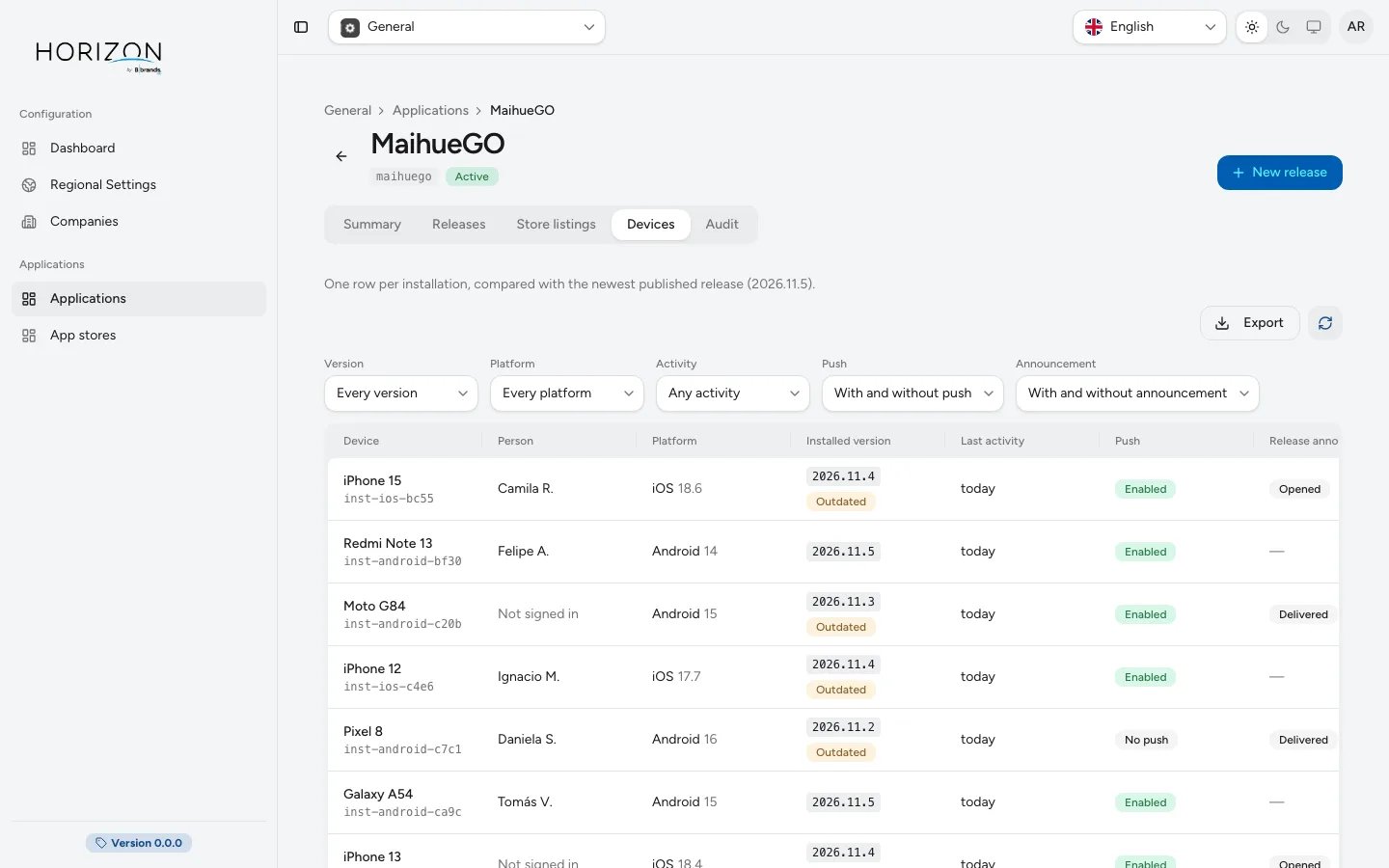
Devices tab: one row per installation, with filters and Export.
Step by step
1
Filter the outdated devices
In Version, choose Outdated; in Activity, Active 90 days.
2
See who an announcement could reach
In Push, choose With push; in Announcement, Did not receive it.
3
Export
Choose CSV (.csv) or Excel (.xlsx). The file is prepared in the background and arrives through
Horizon’s exports.
Business rules
States and messages
Errors
Why it works this way
The list reads per release (the newest one), so “outdated” always means “below what users should have now”. A device detail link would need a screen for installations without an account, which does not exist yet; the installation id lets support find the device in Notifications › Traceability.Technical detail
FAQ and support cases
An old phone with MaihueGO 2026.9.x is not listed
An old phone with MaihueGO 2026.9.x is not listed
Builds before 2026.11.2 do not register their installation, so they are not listed and cannot be announced.
Push says Enabled but the device got nothing
Push says Enabled but the device got nothing
Open the announcement detail and filter its deliveries; Skipped shows the reason.