

At a glance
What it is for
“Who published, unpublished, changed the mandatory flag or sent announcements of this application. Chile time.” When a user asks why the app forced them to update, or support needs to know who stopped an announcement, the answer is here.How to get there
- General › Applications → the application → Audit.
What you see
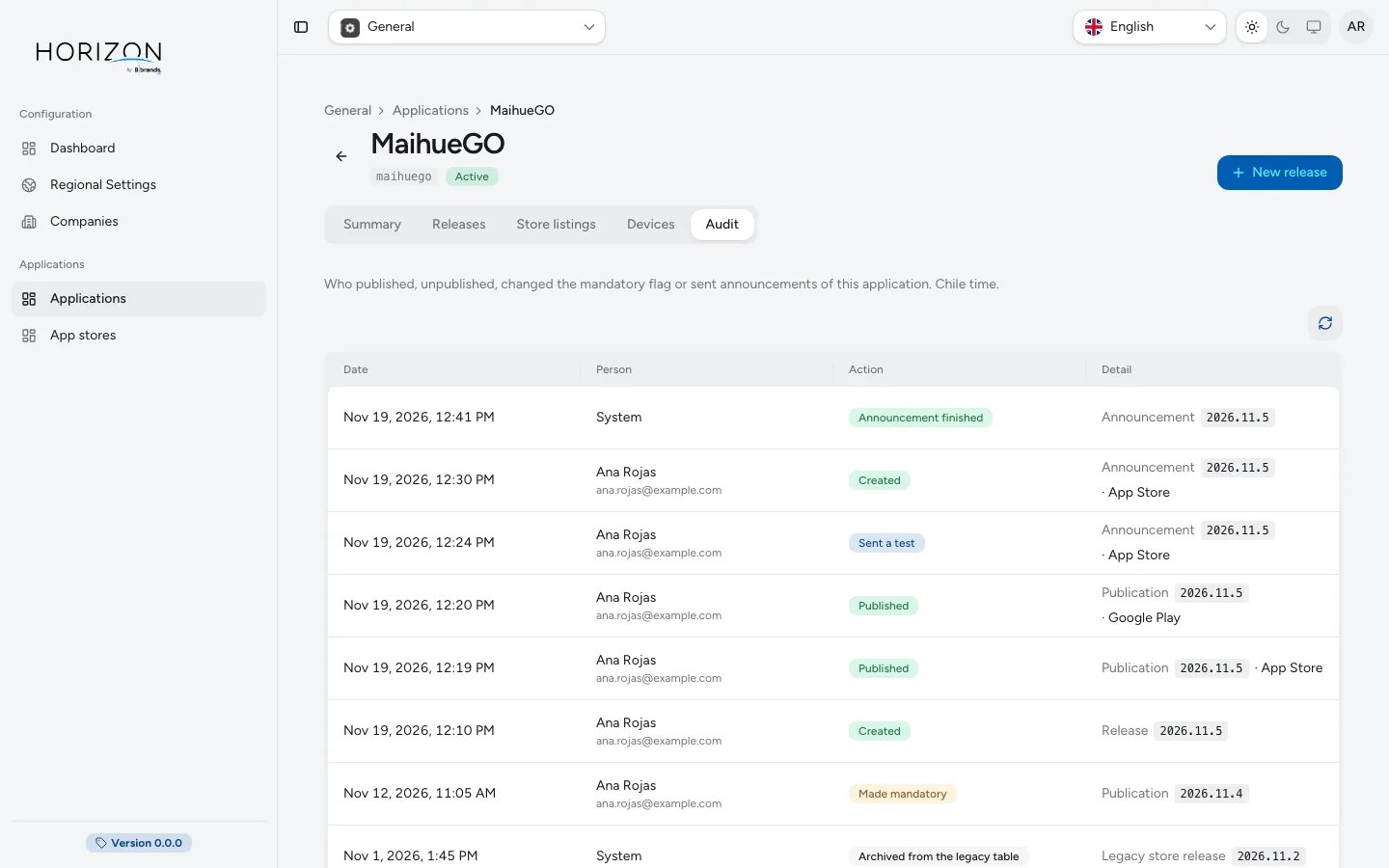
Audit tab: who did what and when, in Chile time.
Actions
Step by step
1
Open the tab
The newest entries come first; use the pagination to go back in time.
2
Read who and what
Person and Action say who did what; Detail names the version and the store.
Business rules
States and messages
Errors
Why it works this way
Marking a version mandatory blocks every older user, so the team needs to know who did it and when. The entry is written right after the change and never blocks it: if writing the entry fails, the change stays and the failure is logged. The legacy MaihueGO table was dropped, but its rows are history, so they were archived here instead of being lost.Technical detail
FAQ and support cases
Who marked this version mandatory?
Who marked this version mandatory?
Find Made mandatory with that version and store in Detail; Person says who.
What are the “Archived from the legacy table” entries?
What are the “Archived from the legacy table” entries?
The releases MaihueGO kept in its old table until November 2026. They show the version and store they had; they
no longer affect the update check.