

What it is for
Each person sees and does in the module only what their roles allow. This page tells you which role to ask for, which screens each one opens and which exact permission sits behind each action. The matrix is compared on every change against Horizon’s real roles: if someone adds a permission without documenting it here, the CI check fails.The roles
Also:
- Administrator (Horizon’s global administrator) holds every permission of the system, the campaign ones included.
- All staff get the four permissions of “Your own” (bell and own preferences), whatever their role. See Bell and preferences.
Which screen each role opens
What you see without permission
The sidebar shows every entry of the module to any role. If you open a screen without its permission, the screen blurs behind the Access restricted notice: “You do not have permission to use this section. Contact an administrator if you need access.” Inside a screen you can open, the buttons of actions your role does not allow are hidden or disabled.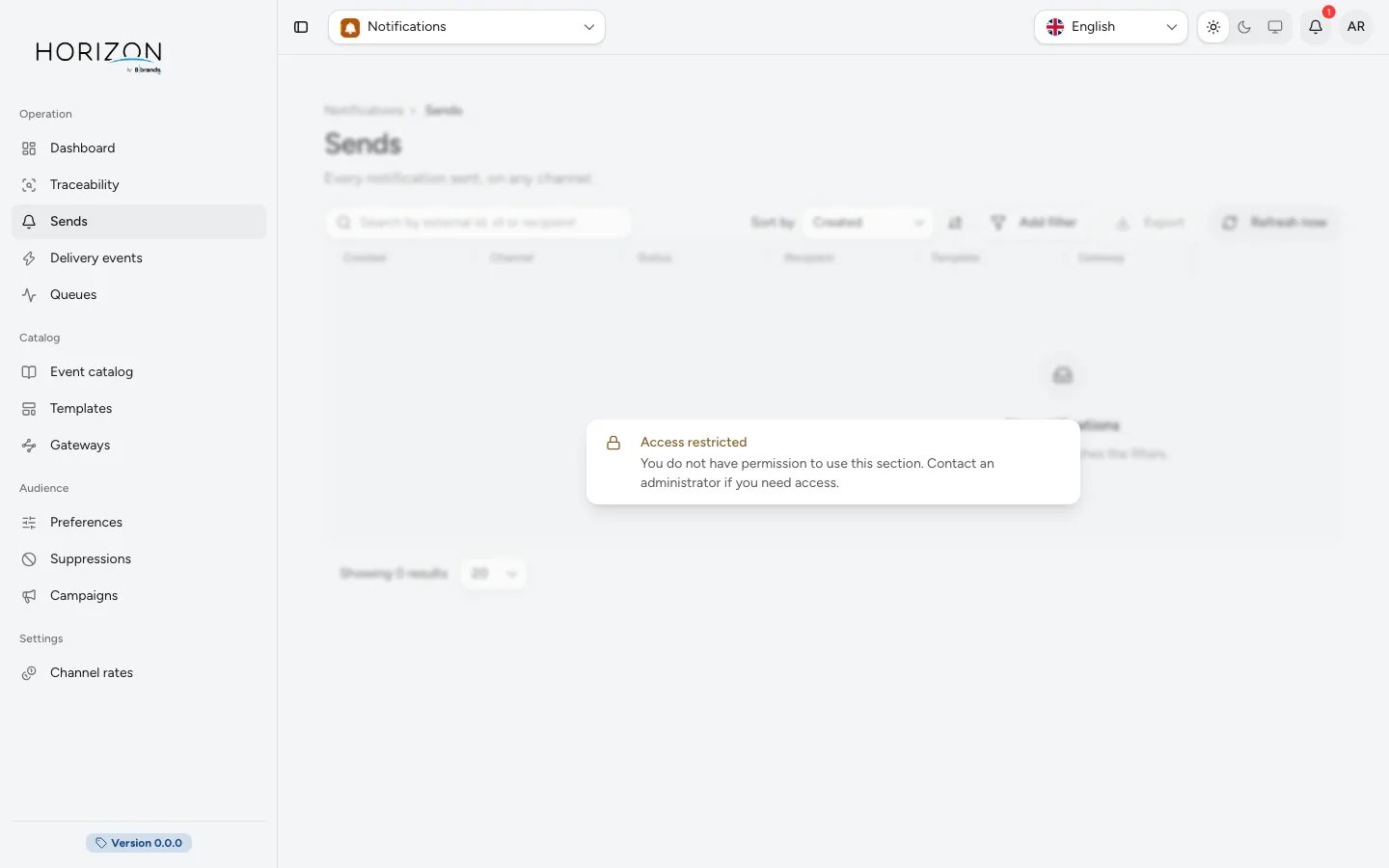
An editor opens Sends: the screen is blocked by the Access restricted notice.
Request a role
1
Pick the role for your job
Use the roles table. Ask for the smallest role that works: to write texts Notification Editor is enough;
to handle customer cases, Notification Operator.
2
Ask your manager or an administrator
There is no form inside Horizon today. Write to your manager or a Permission module administrator with
your email, the role and why you need it. See Access.
3
Wait a few minutes
Horizon Enterprise reads your permissions again every 10 minutes: the new access shows without signing in
again.
Full permission matrix
✓ = the role has the permission. Admin = Notification Admin, Operator = Notification Operator, Editor = Notification Editor, Marketing = Notification Marketing.Dashboard and traceability
Sends
Delivery events
Queues
Catalog and gateways
Templates
Preferences and suppressions
Rates
Sending through the API (integrations)
Campaigns
Your own
Rules
FAQ and support cases
I got the role and still have no access
I got the role and still have no access
Your permissions are read again every 10 minutes; wait that long or reload the page. If nothing changes, ask
the administrator to check that the role is assigned to your account or your position.