

At a glance
What it is for
A preference is what a customer account accepts to receive on each channel. The customer changes it from MaihueGO, the customer portal or the unsubscribe link of an email; from here you see what they chose and where, and you can change it for them when they ask through support (for example, “do not send me promotional emails”). Every change asks for a reason and stays in the account history. Only marketing can be turned off. Security, transactional, payment and system notifications always go out, whatever the customer chose.How to get there
- Sidebar: Notifications › Audience › Preferences.
- Type at least two letters of the name, email or document of the account and pick it from the list. The account
opens at
/notification/preferences/{account}.
What you see
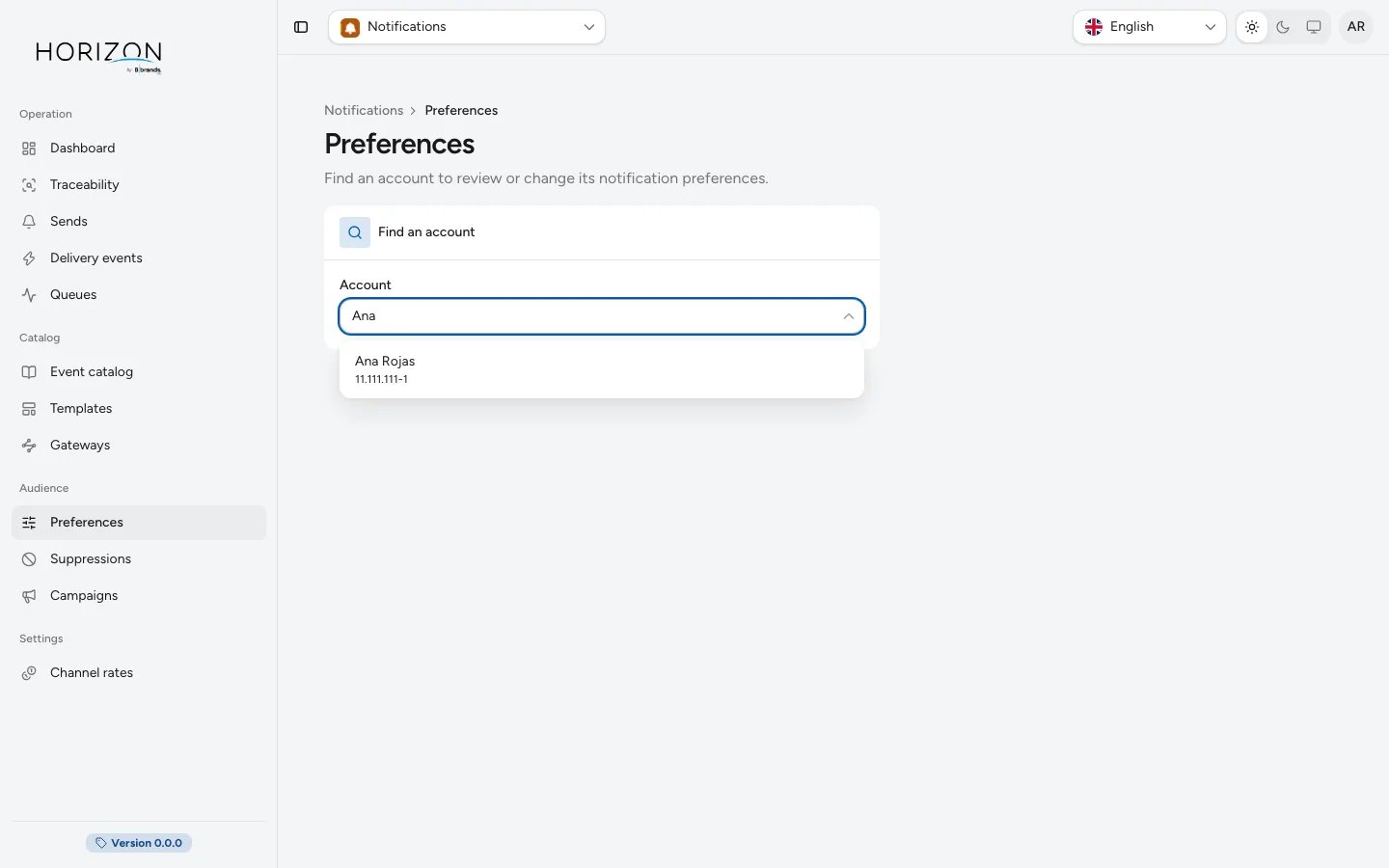
The search: type part of the name, email or document and pick the account.
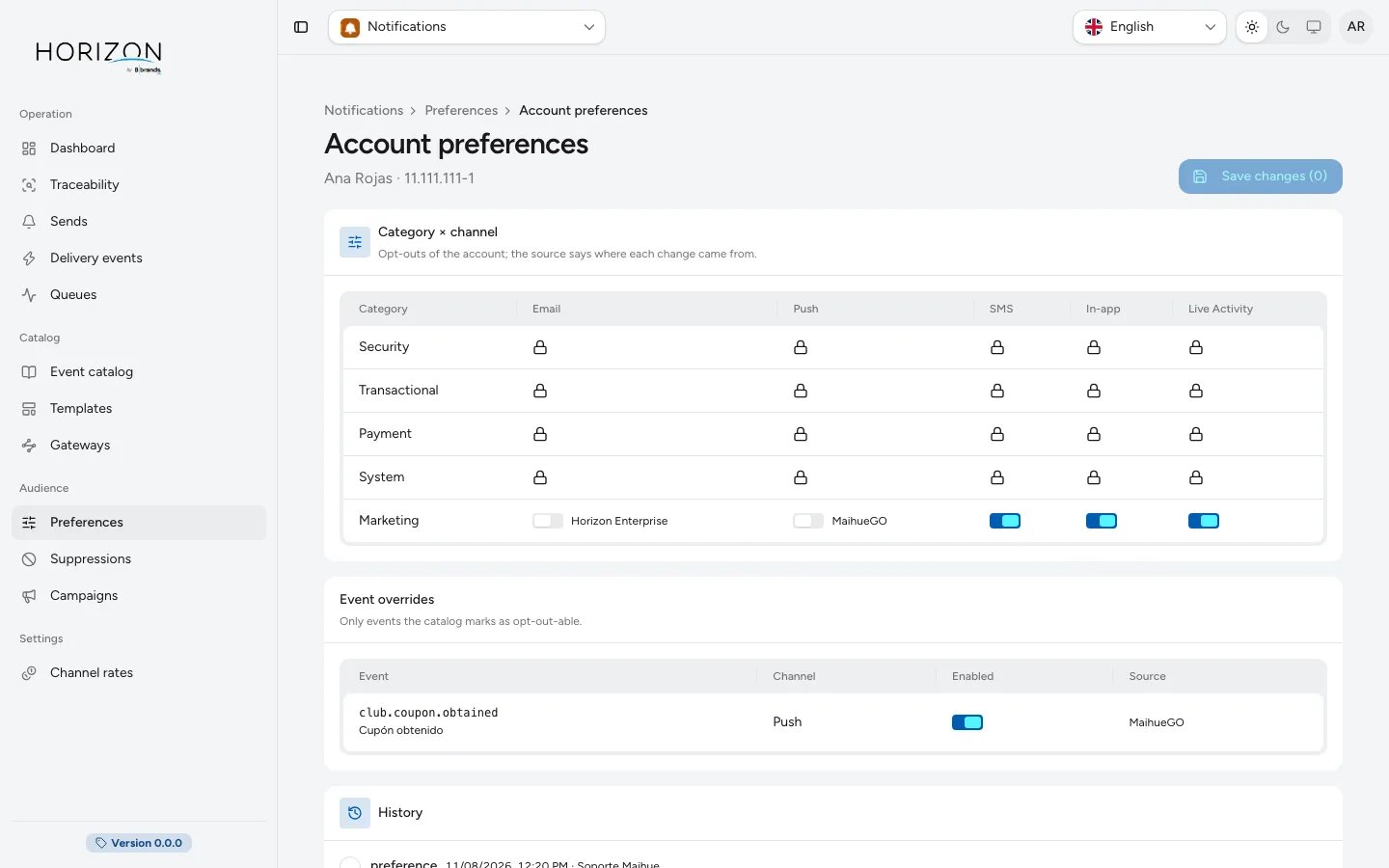
An account: the category × channel matrix and the event overrides.
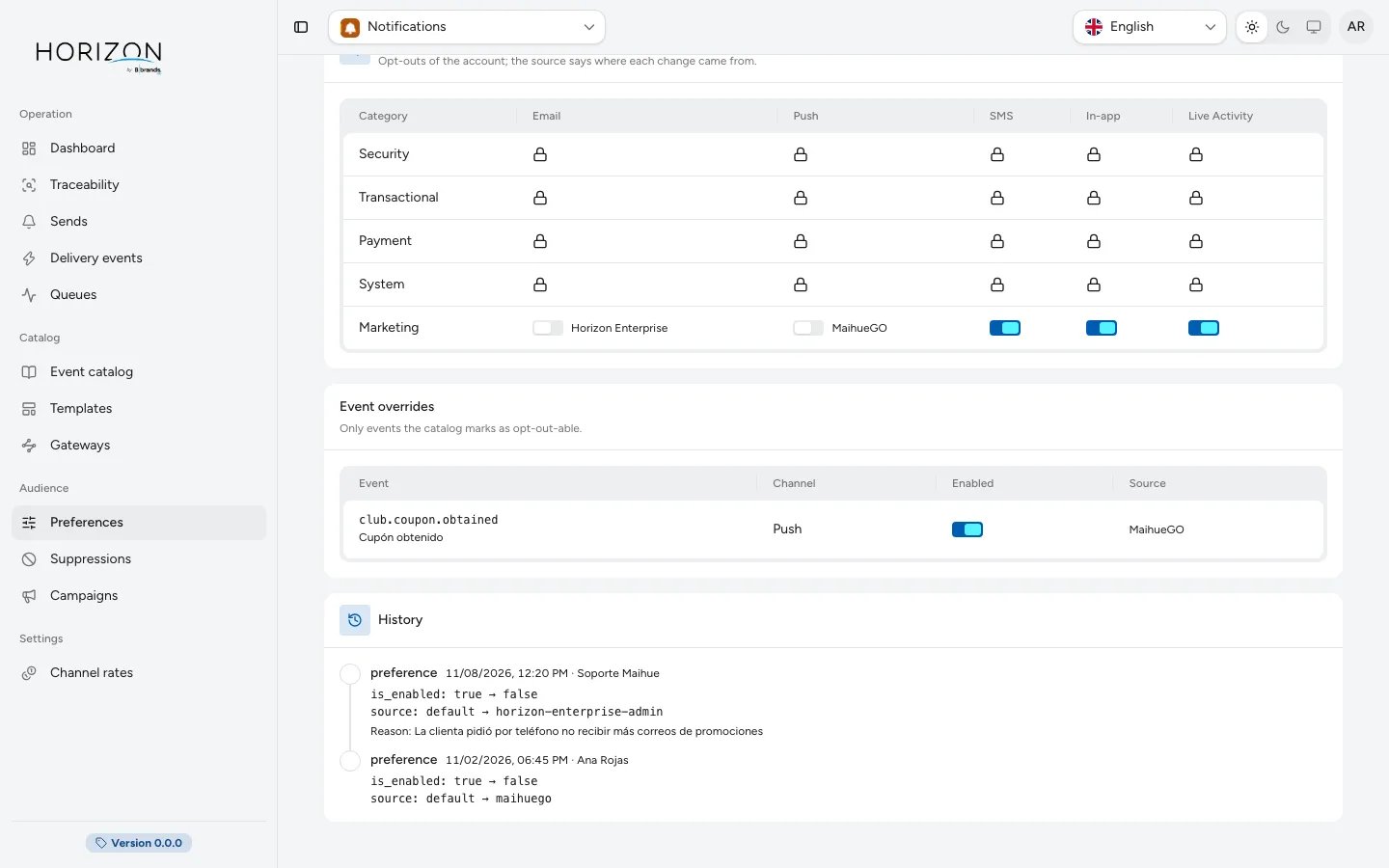
Lower on the same page, the history of the account's preferences.
Step by step
Find an account
1
Open Preferences
Sidebar: Notifications › Audience › Preferences.
2
Search
In Account type at least two letters of the name, the email or the document. While it searches you see
“Searching accounts…”; if nothing matches, “No account matches.”.
3
Open it
Pick the account in the list. Its matrix opens.
Turn off a channel for marketing
1
Move the switch
In Category × channel, on the Marketing row, turn off the channel the customer asked for (for example,
SMS). The cell shows Changed and the header button becomes Save changes (1).
2
Save with a reason
Press Save changes (1). The dialog “Save preference changes?” says the change applies to every login of the
account. Write the reason (at least 3 characters), for example “The customer asked by phone not to get
promotional SMS”, and press Save.
3
Check
You see Preferences saved: “They apply from the next send.” The cell shows Horizon Enterprise as its
source, and the change and its reason appear in History.
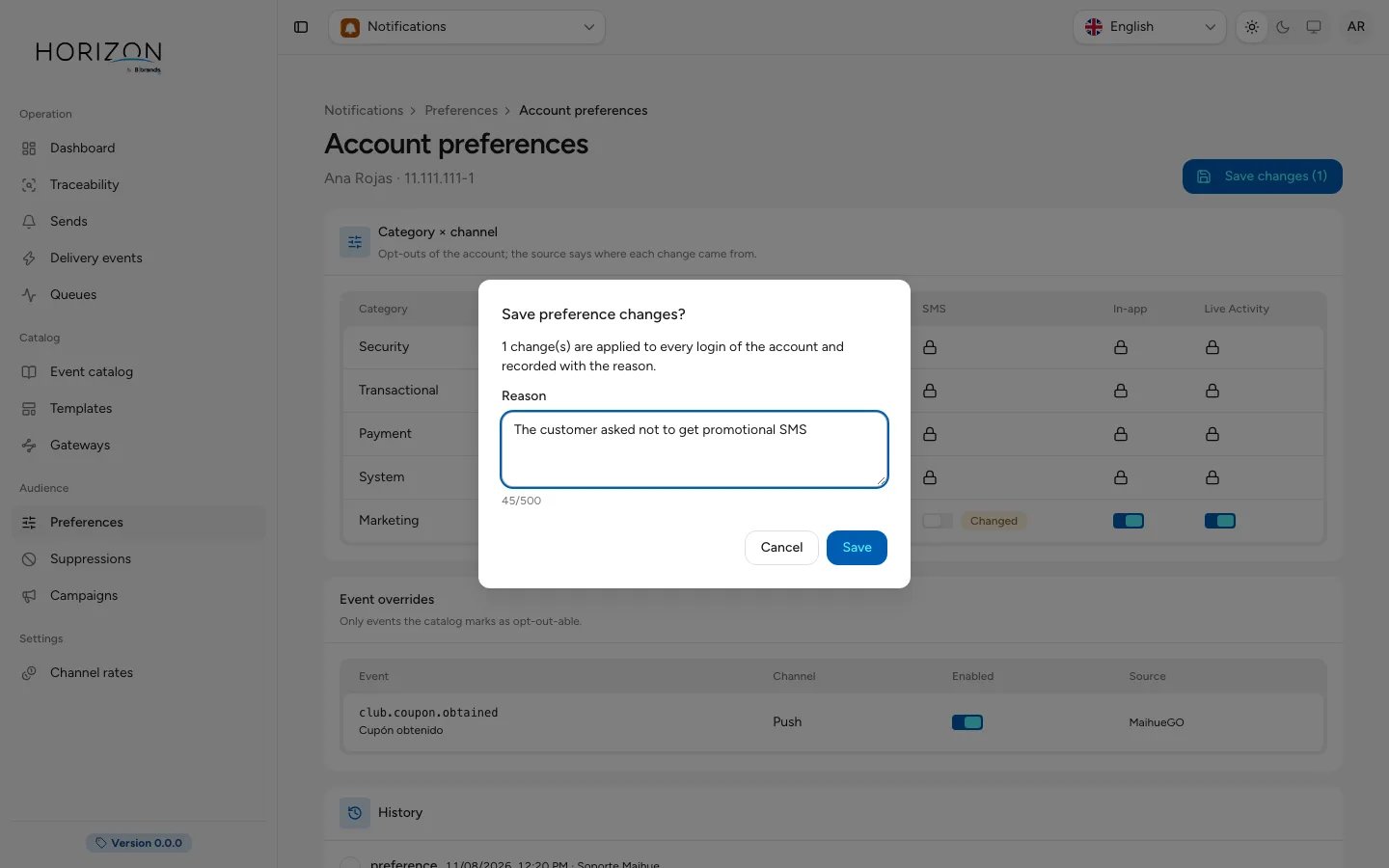
Saving asks for a reason that stays in the history.
Change one event only
1
Find the event
In Event overrides, find the row of the event and channel (for example,
club.coupon.obtained on Push).2
Move the switch and save
Change Enabled, press Save changes (1) and write the reason. Several changes, in the matrix and in the
events, are saved together with one reason.
Business rules
States and messages
Errors
Why it works this way
Marketing is the only message a customer may refuse: the others (a security code, a payment receipt, the status of an order) are part of the service. Keeping preferences per account means a family or a company that shares an account decides once for everyone. The check order puts the blocks that do not depend on time first (the address is blocked, the customer said no), so a marketing send never waits for quiet hours only to be dropped afterwards.Technical detail
FAQ and support cases
A customer says they turned promotions off and still got a push
A customer says they turned promotions off and still got a push
Check the Push column of Marketing and its source. If it is on, they changed it on another account or
the change did not reach the app. If it is off, look up the send in Traceability: a send queued before the
change goes out.
A customer wants to stop getting payment emails
A customer wants to stop getting payment emails
Not possible: payment is not marketing and is locked. Explain that they are notices of the service.
I turned a channel back on and the customer did not get the old campaign
I turned a channel back on and the customer did not get the old campaign
Skipped sends are not sent again. The customer gets the next ones.
Where did the Email unsubscribe link source come from?
Where did the Email unsubscribe link source come from?
The customer pressed the unsubscribe link at the bottom of an email. It only turns off email.
Related and history
- Suppressions
- Edit rules
- Bell and preferences (your own preferences)
- Glossary