

At a glance
What it is for
A suppression is an address Horizon stops sending to because sending again would fail or annoy: an email that bounced for good, an email the recipient marked as spam, or a phone number that does not exist. Horizon adds them by itself from what the provider answers. From here you see the list, block an address by hand (for example, a written request to get nothing at all) and lift a block once the cause is fixed. Every add and lift asks for a reason.How to get there
- Sidebar: Notifications › Audience › Suppressions.
What you see
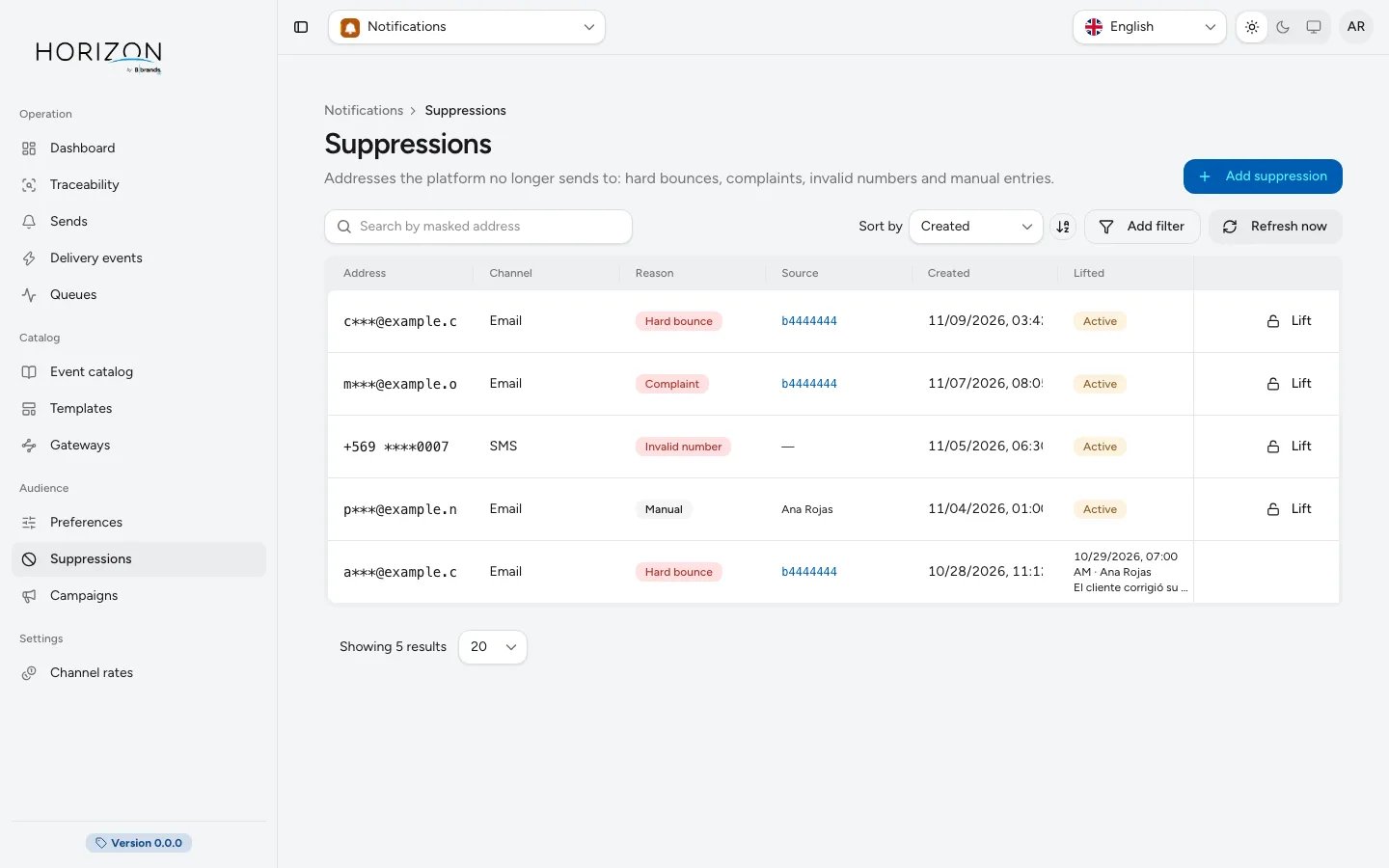
The suppression list: one row per blocked address, with its reason and source.
Step by step
Add a suppression by hand
1
Open the form
Press Add suppression. The “Suppress an address” dialog opens.
2
Fill it in
Pick the Channel (Email, SMS or WhatsApp), type the full Address (an email, or a phone with
its country code such as
+56912345678) and the Reason.3
Save
Press Add suppression. You see Address suppressed: “No channel sends to it until it is lifted.” The
address shows masked in the list with the reason Manual and your name as the source.
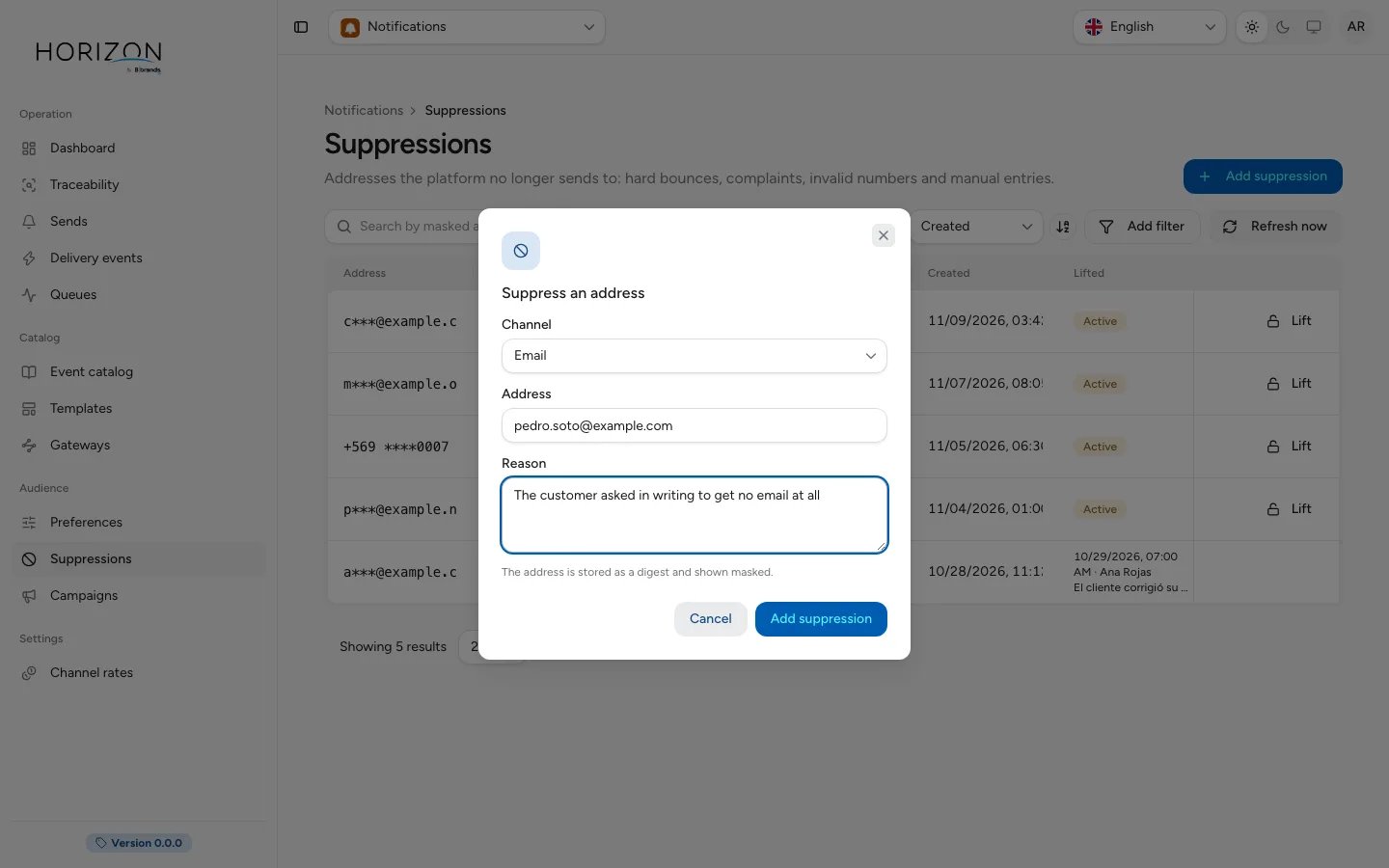
Adding a suppression by hand: channel, full address and reason.
Lift a suppression
1
Check the cause is fixed
Before lifting, confirm with the customer that the address works (for example, they emptied a full mailbox or
fixed a typo). Read When not to lift, below.
2
Lift it
Press Lift on the row. The dialog “Lift this suppression?” says sends resume and the row stays in the
history. Write the reason and press Lift.
3
Check
You see Suppression lifted: “Sends to the address resume.” The row keeps the date, who lifted it and the
reason under Lifted.
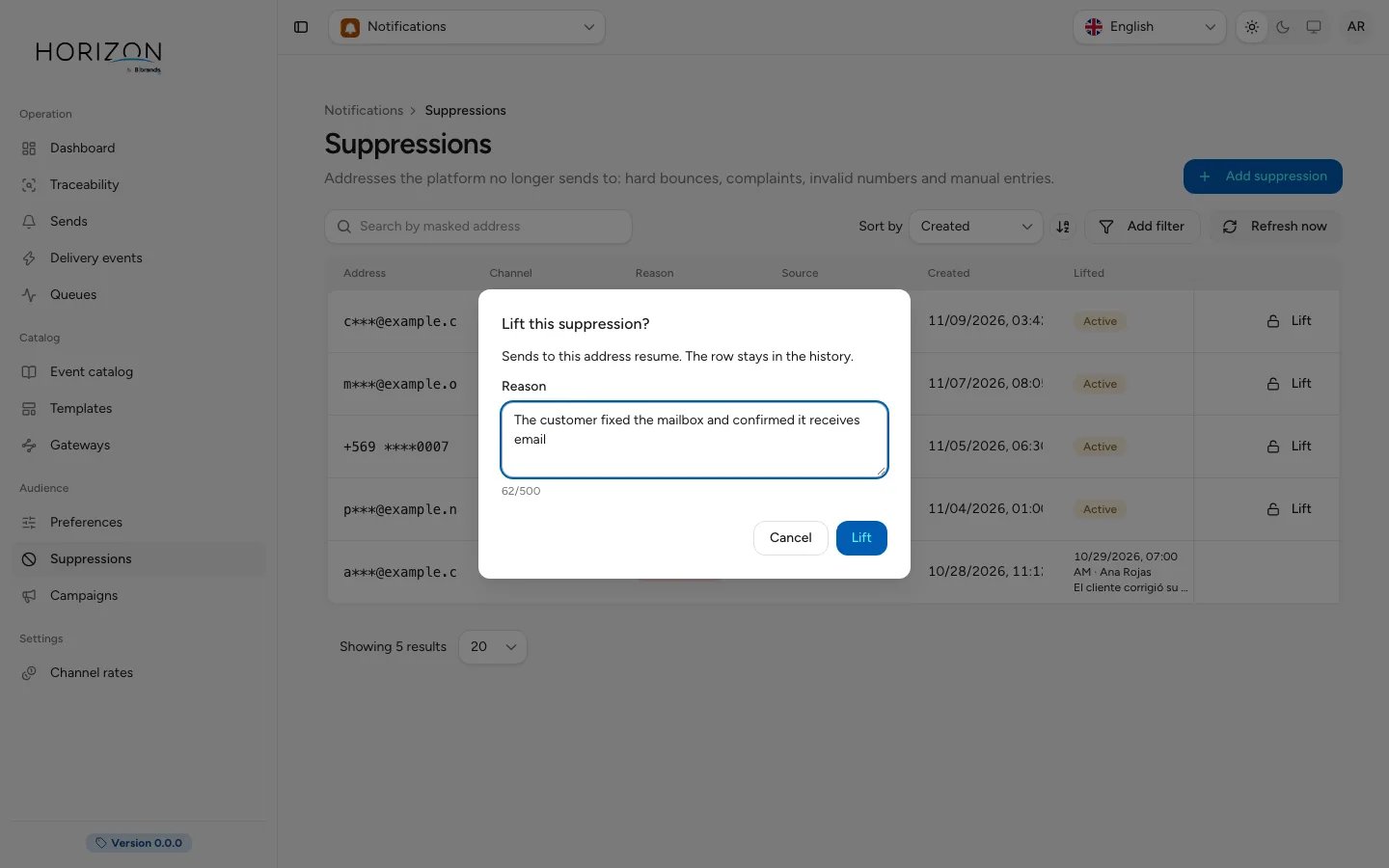
Lifting asks for a reason; the row is kept.
When not to lift
Business rules
States and messages
Errors
Why it works this way
Email and SMS providers measure how often a sender hits addresses that do not exist or people who complain. Past a limit they slow down or block every email of the brand, including password resets and receipts. Suppressing at once, before the provider does, protects the delivery of everyone else. The address is kept as a digest, never in plain text, because the list is about people who did not want, or could not get, our messages.Technical detail
FAQ and support cases
A customer does not get any email from us
A customer does not get any email from us
Search their email (masked: the first letter and the domain) and filter by Channel Email and Still
applies yes. A Hard bounce or Complaint row explains it. Then look up a send in Traceability: it shows
Suppressed with the reason.
The customer changed their email
The customer changed their email
The new email is another address and is not suppressed. Nothing to lift.
I lifted a suppression and it came back the next day
I lifted a suppression and it came back the next day
The address still fails. If you saw Lifted in Horizon only, the address was still on Resend’s list: remove it
in the Resend dashboard. Otherwise do not lift it again: tell the technology team.
Can I suppress a push?
Can I suppress a push?
No. Push and in-app are not suppressed; to stop them, the customer turns them off in their
preferences.