

At a glance
What it is for
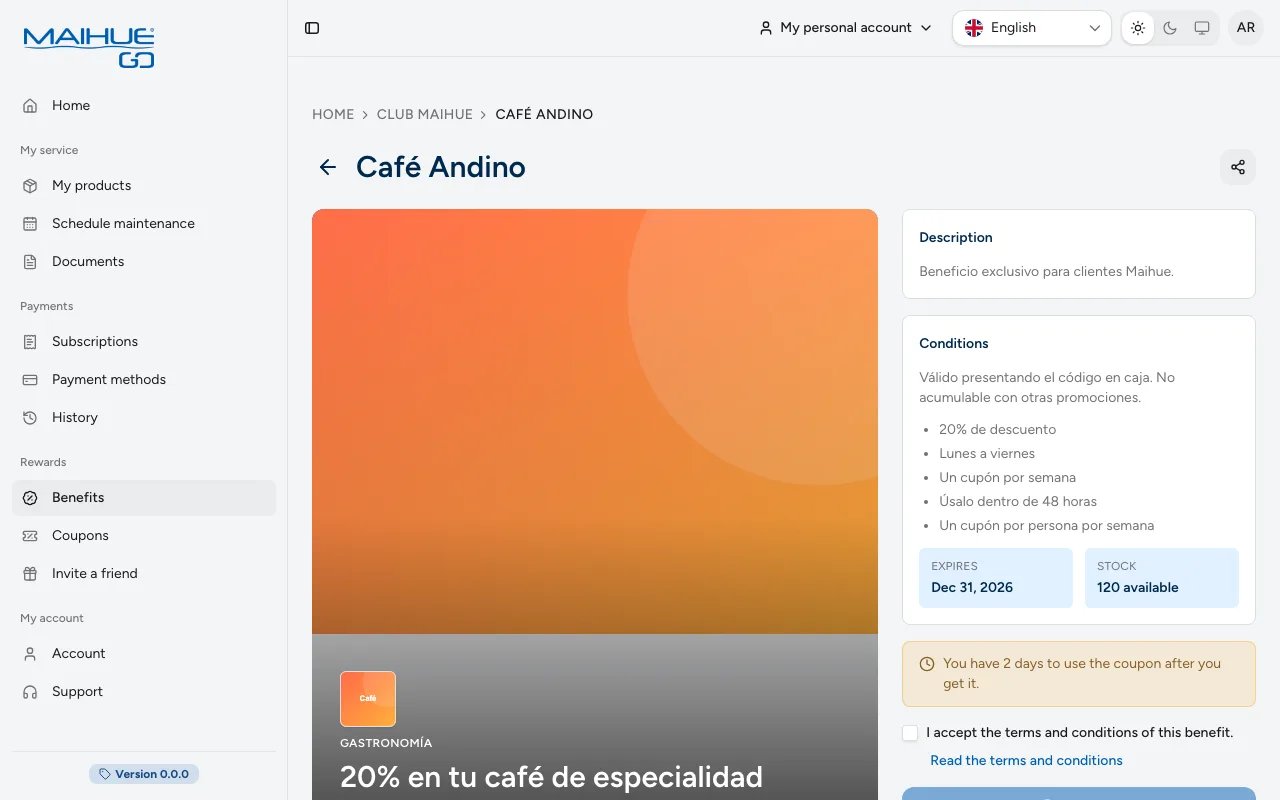
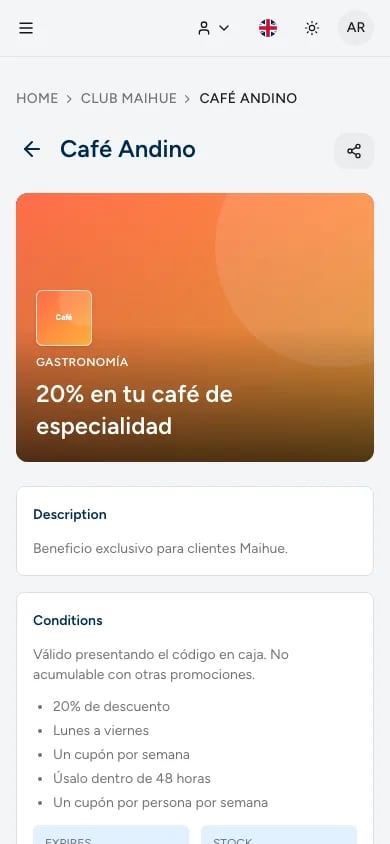
Shows everything about a benefit: discount, conditions, valid days and use window, branches, merchant details and how it works. From here the customer accepts the terms and obtains their coupon.How to get there
See details on a catalog or Home card, or a shared link.
Club Maihue journey
What the customer sees
- Desktop
- Mobile
Step by step
1
Read the benefit
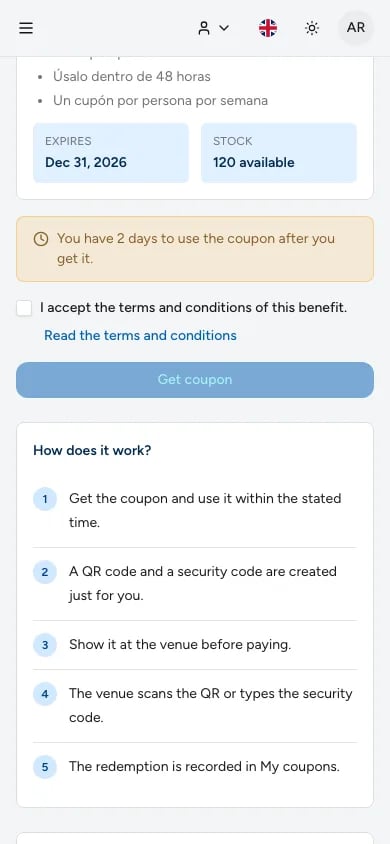
Reviews conditions, valid days and how it works.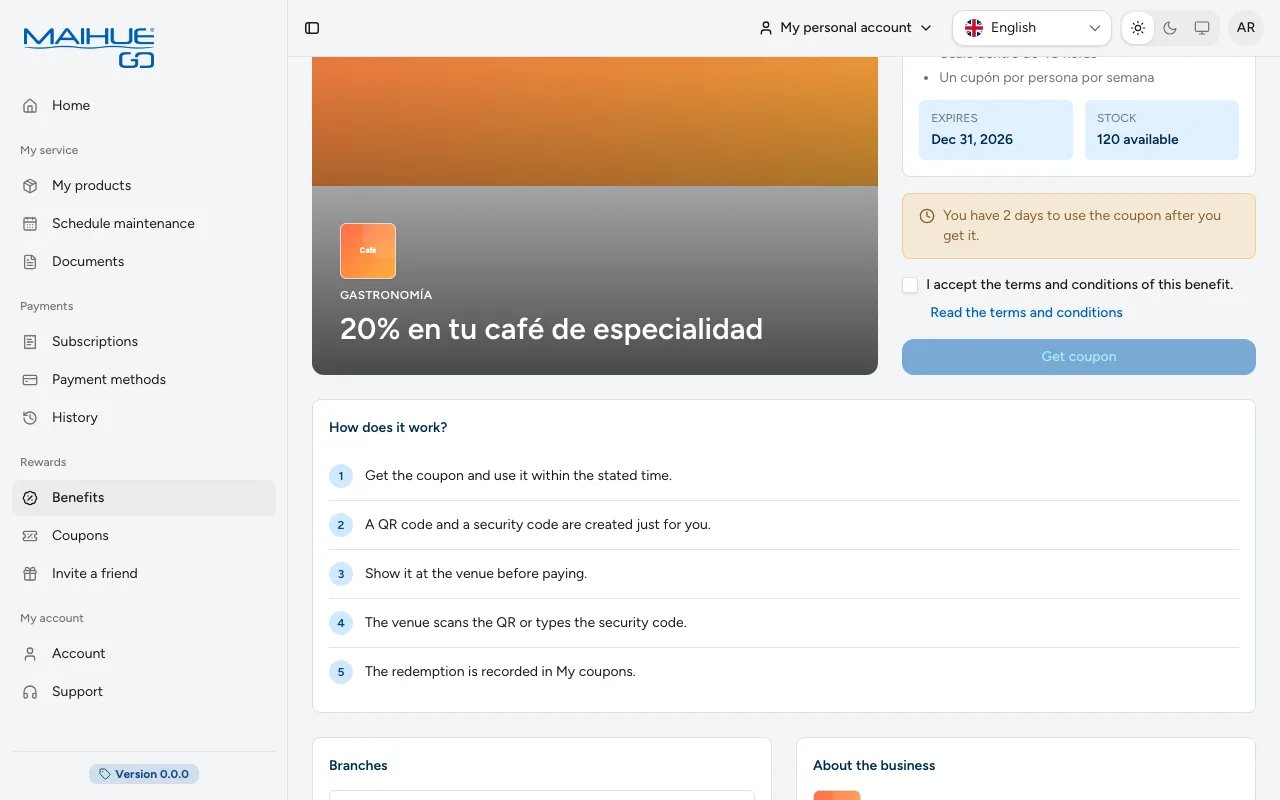
- Desktop
- Mobile
2
Accept the terms
Ticks the benefit terms and conditions box.
3
Get coupon
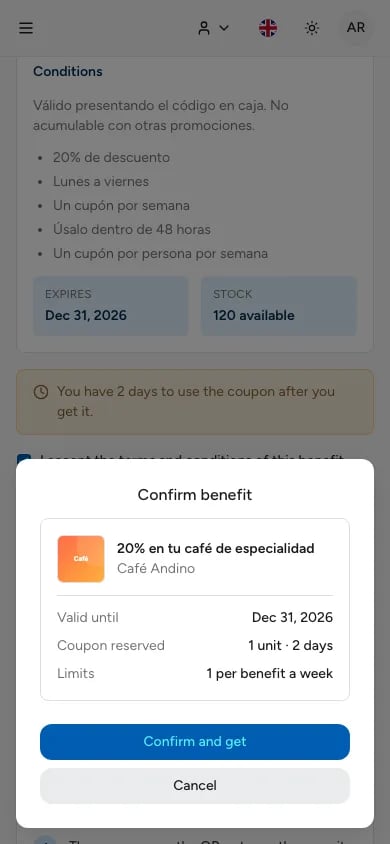
“Confirm benefit” opens with the validity, the reserved coupon and the caps. Taps Confirm and get.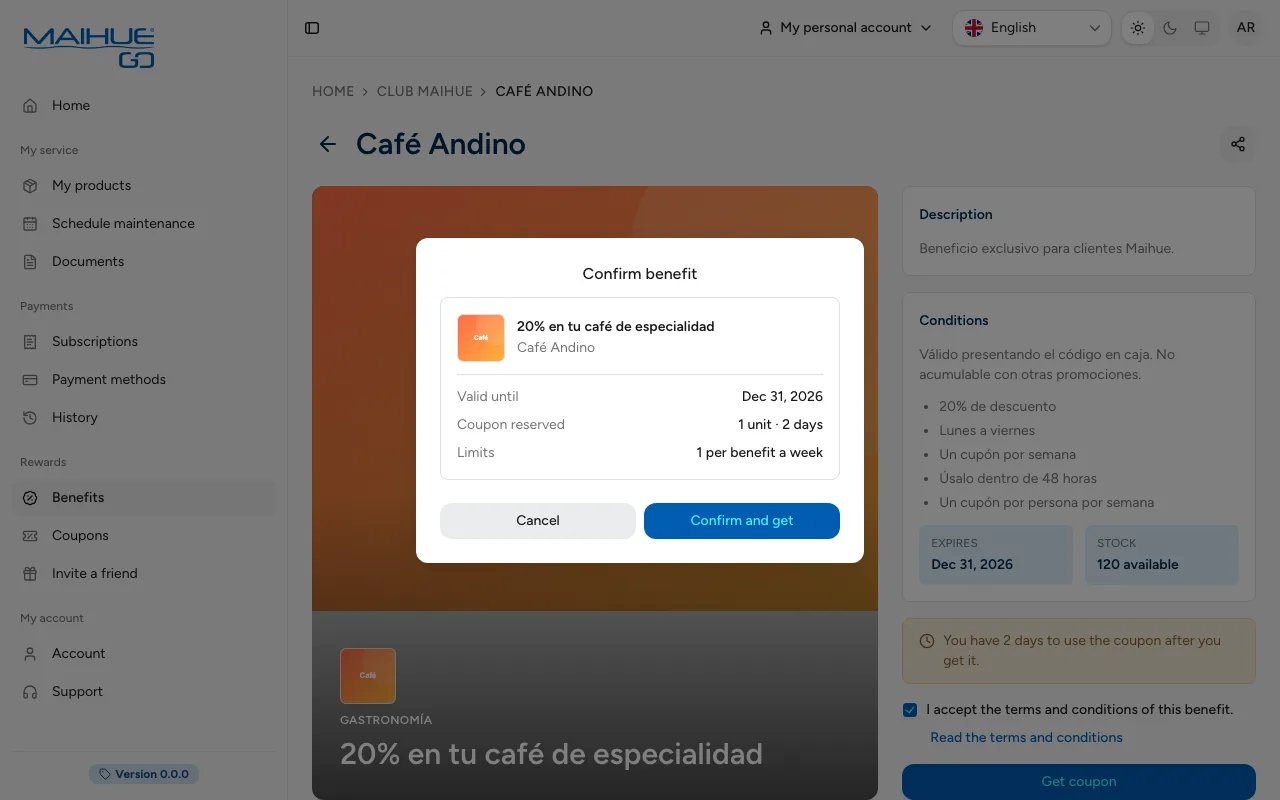
- Desktop
- Mobile
4
Done
They see “Coupon added!” — You’ll find it in My coupons, ready to show at the venue.
Business rules
States and messages
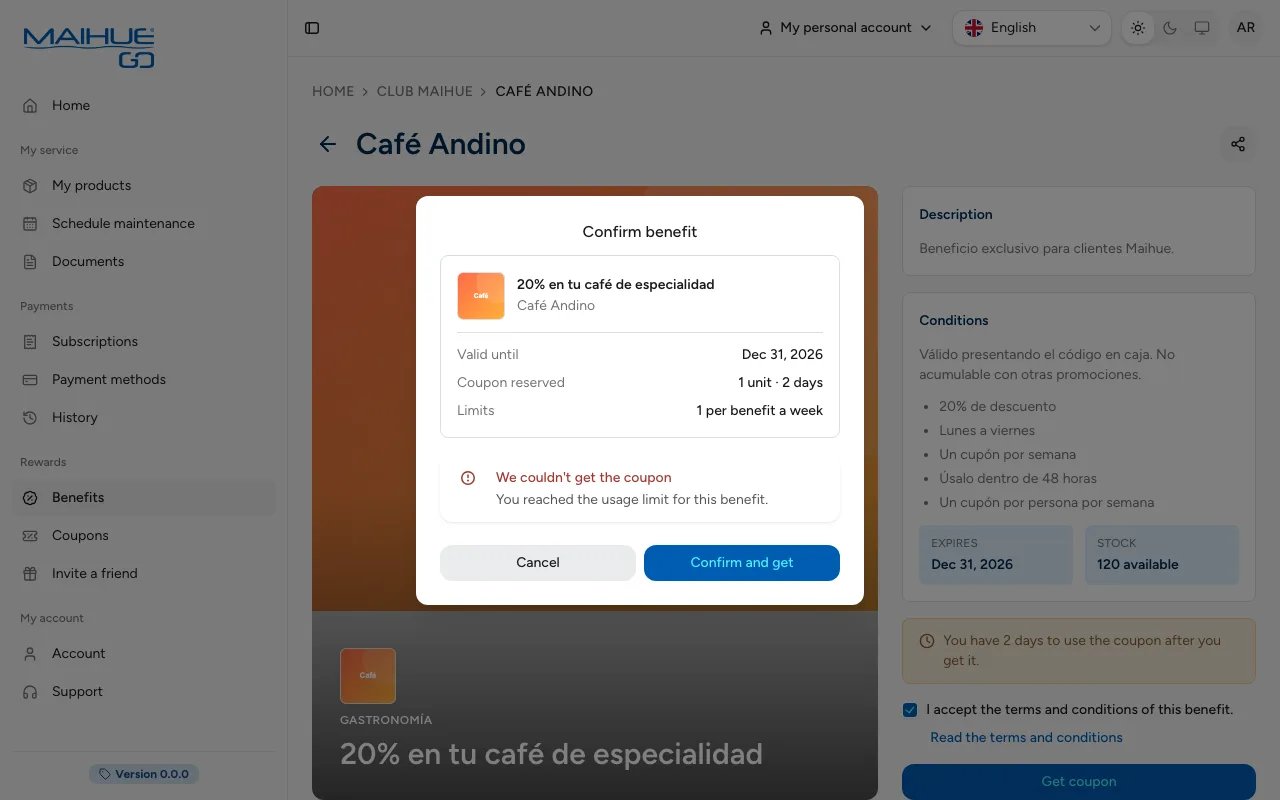
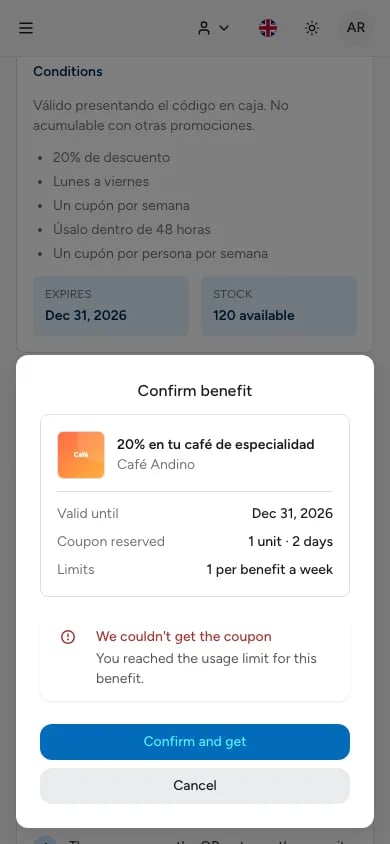
Errors
- Desktop
- Mobile
Why it works this way

What is checked when obtaining a coupon
Technical detail
FAQ and support cases
They obtained the coupon and do not see it
They obtained the coupon and do not see it
It is in My coupons, Available tab. If they switched accounts with Act as, the coupon belongs to the account they obtained it with.