

At a glance
What it is for
One person can be a customer on their own and also represent one or more companies. Act as lets them choose which account they work with in the portal: their personal account or a company’s. What they see afterwards (payment methods, coupons, benefits) belongs to the chosen account.How to get there
- In any private section, the top bar selector shows the current account, for example My personal account.
- On mobile it sits in the same bar, next to the menu button, and shows only the icon: a person for My personal account, a building for a company. The account name appears when the list opens.

How the account is changed with Act as
What the customer sees
- Desktop
- Mobile
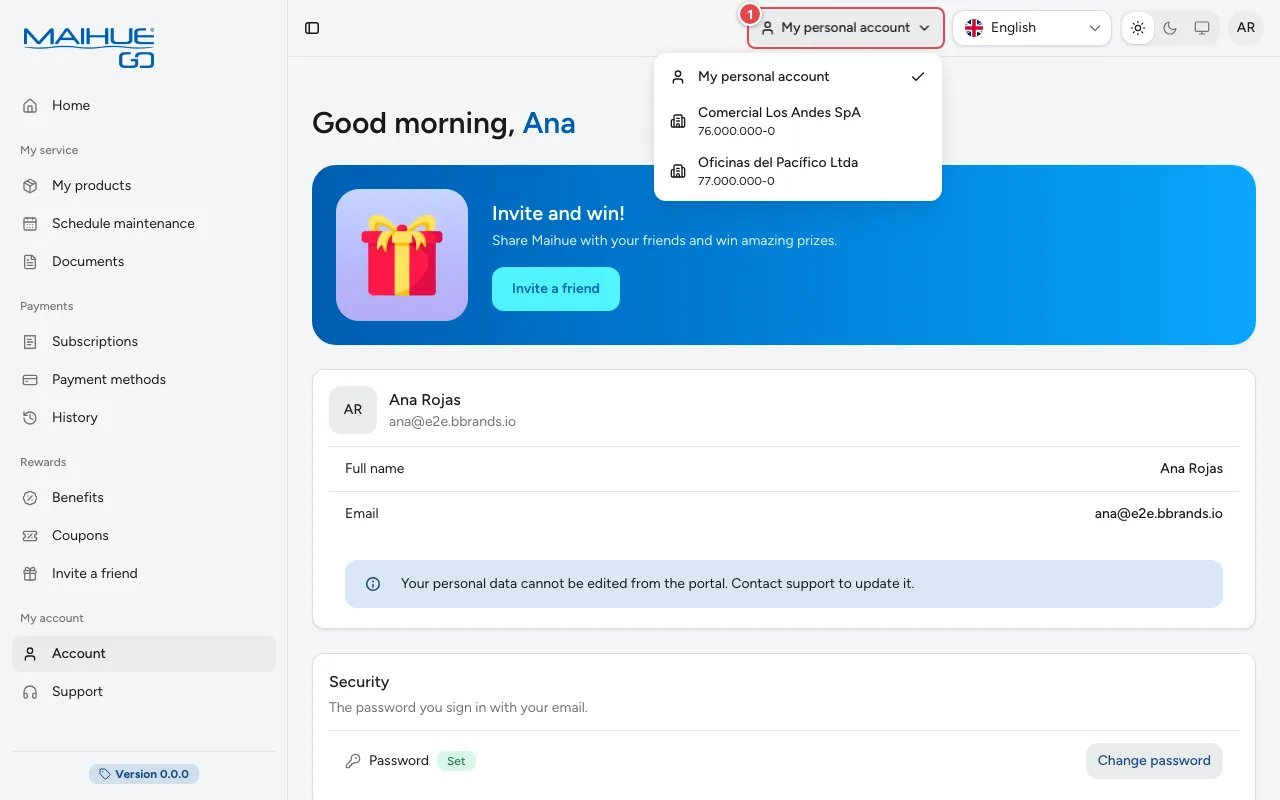
Act as selector open
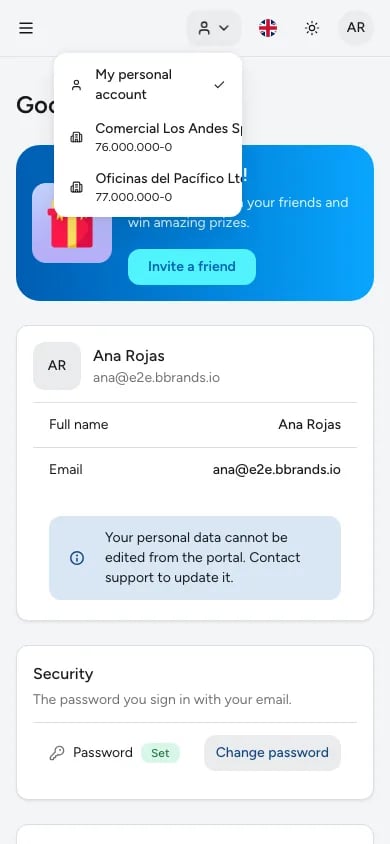
Step by step
Work on behalf of a company
1
Open the selector
Tap the top bar selector (it reads My personal account or the current company’s name).
2
Choose the company
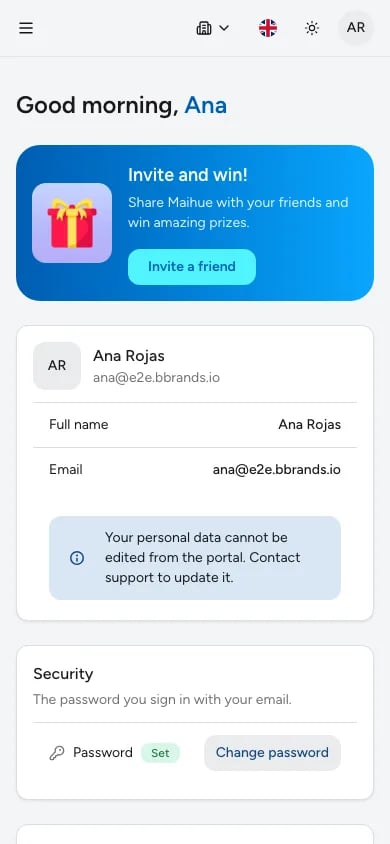
Tap the company name. The selector is disabled for a moment while it switches, then shows the company name
with a building icon. The section reloads with the company’s data.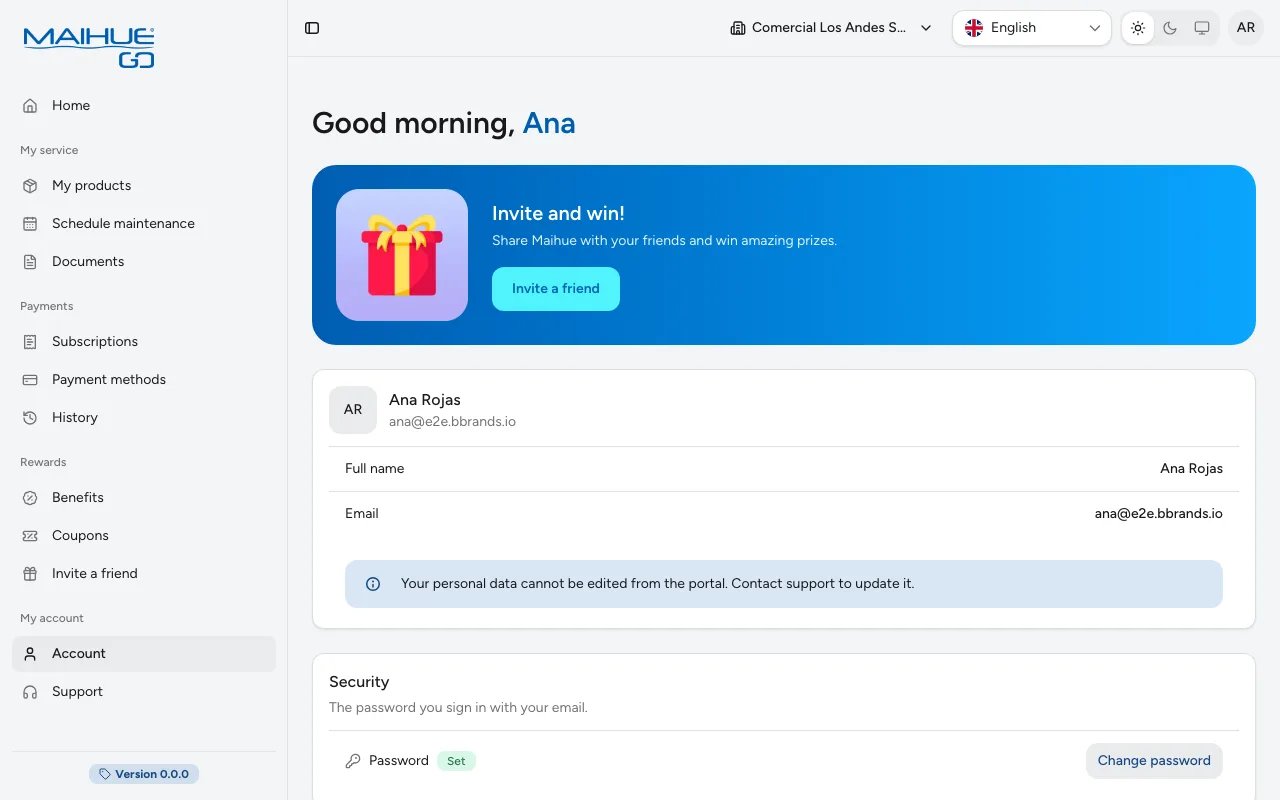
- Desktop
- Mobile
3
Back to the personal account
Open the selector and choose My personal account.
Business rules
States and messages
Errors
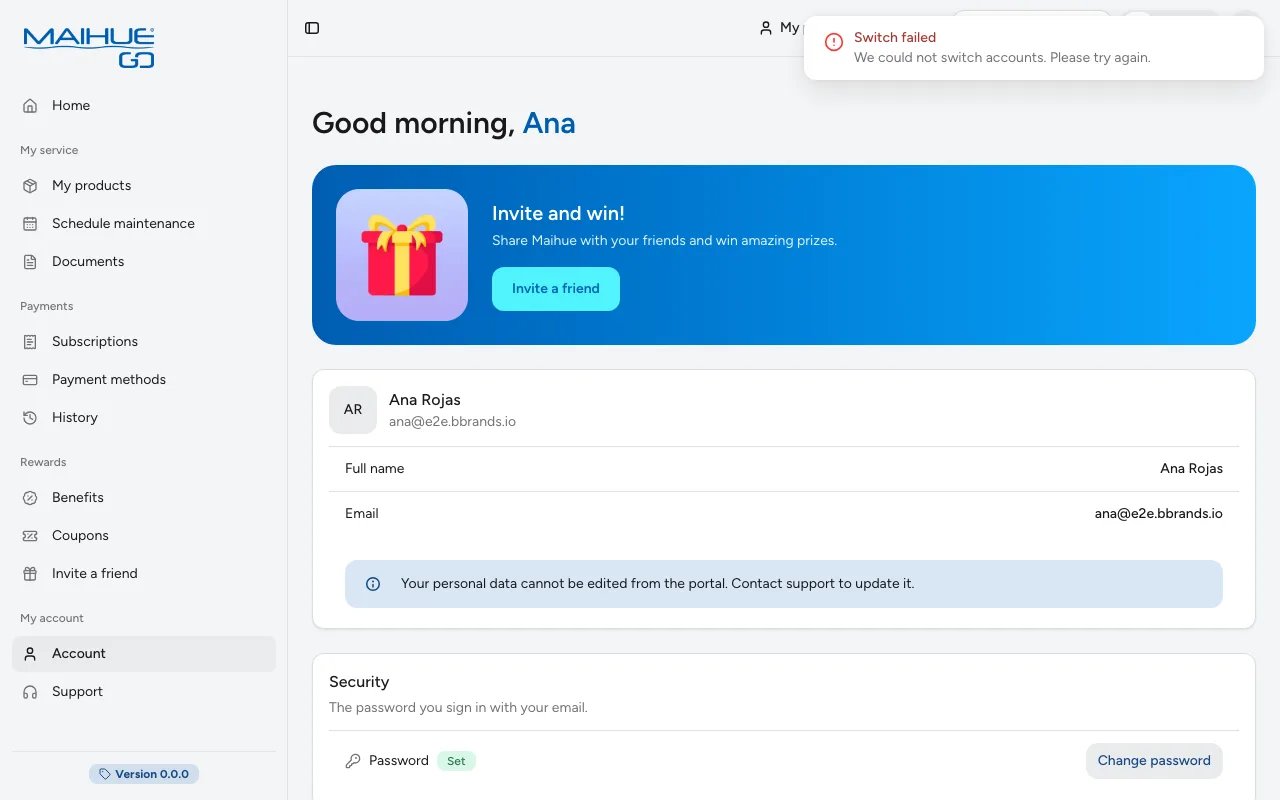
Notice when the switch fails
Why it works this way

Account switch process
- Account-centric identity. The person is one (one sign-in), but may act for several accounts. The session carries the chosen account, so every piece of data the portal requests belongs to it and the server can check permissions.
- Automatic choice only once. Someone with a single company almost always comes to manage it, so the portal picks it for them the first time; but if the person switches, their choice wins.
Technical detail
FAQ and support cases
The customer does not see the Act as selector
The customer does not see the Act as selector
They belong to no company, or the company does not have them as a member. Check the link in Horizon
Enterprise.
The customer signs in and sees their company's data instead of their own
The customer signs in and sees their company's data instead of their own
They belong to a single company and the portal picked it automatically (R-02). They can go back to My
personal account from the selector; the portal remembers that choice in that browser.
The customer cannot change their company's payment methods
The customer cannot change their company's payment methods
It depends on their role: only the account holder or the legal representative can. See
Roles and permissions.