

At a glance
What it is for
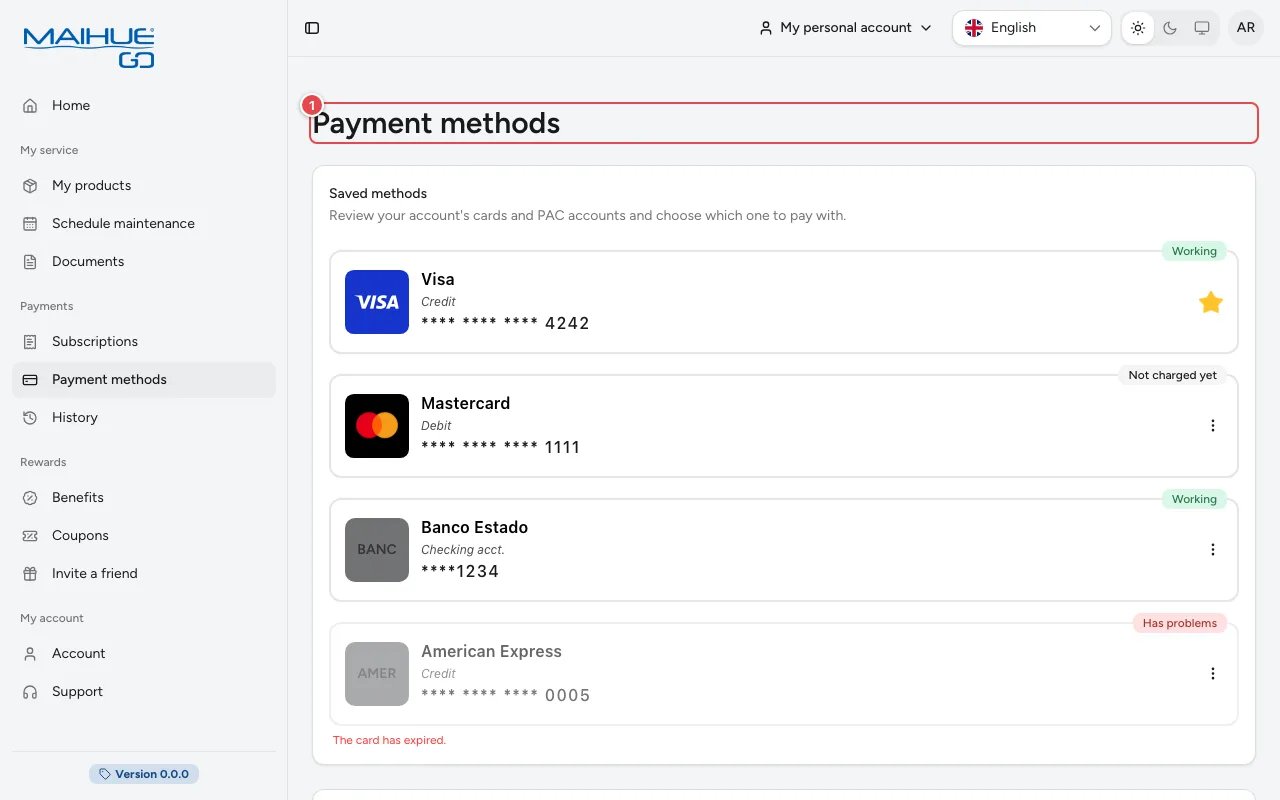
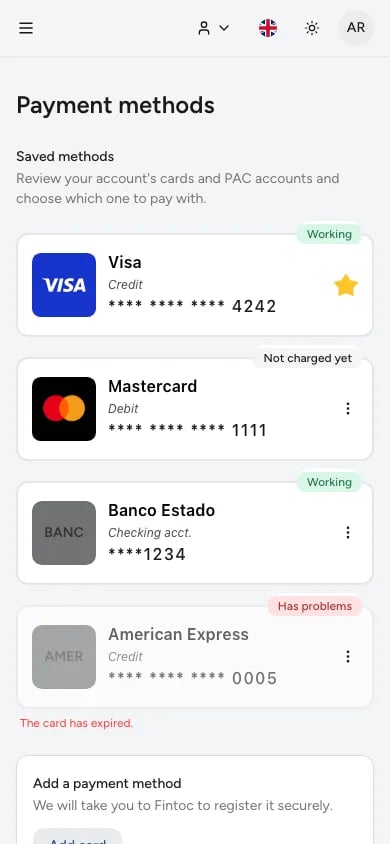
The customer sees the cards and checking accounts (PAC) enrolled on their account, which one is the default for charges and whether each one works. From here they can add a new method, pick another as default or delete one they no longer use.How to get there
- Sidebar: Payments › Payment methods.
- Shortcut on Home.
- During a pending onboarding, it is one of the sections that stay open.

What can be done in Payment methods
What the customer sees
- Desktop
- Mobile
Step by step
1
Review the methods
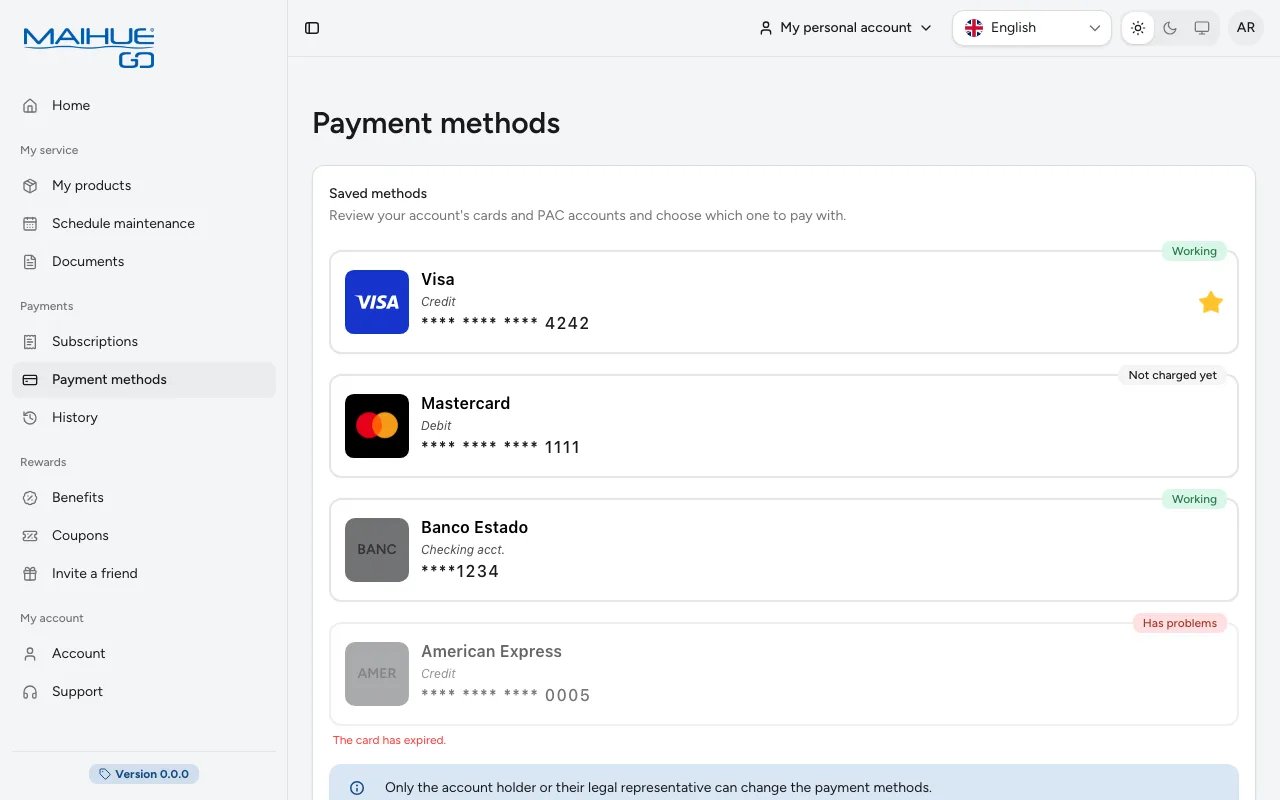
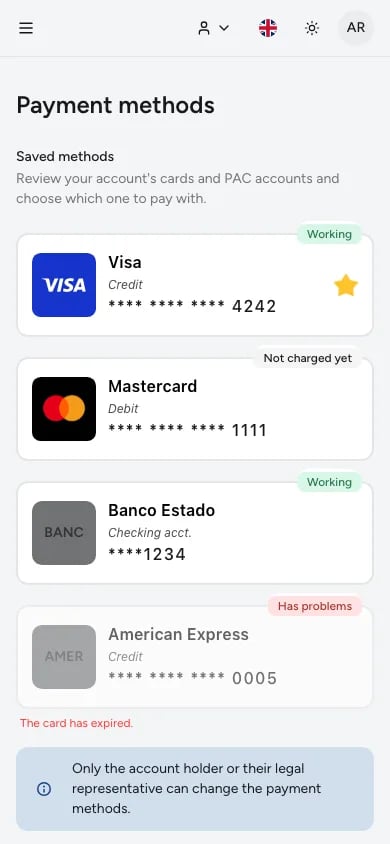
Each method shows its status at the top right and, when it cannot be used, the reason below.
2
Add, change or delete
See Add a card or PAC and Default and delete.
Business rules
States and messages
- Desktop
- Mobile
Errors
Each action’s errors are on its page.
Why it works this way

How a method's status is computed
Technical detail
FAQ and support cases
What does Not charged yet mean?
What does Not charged yet mean?
That it has not been charged yet; it is not a problem.