

At a glance
What it is for
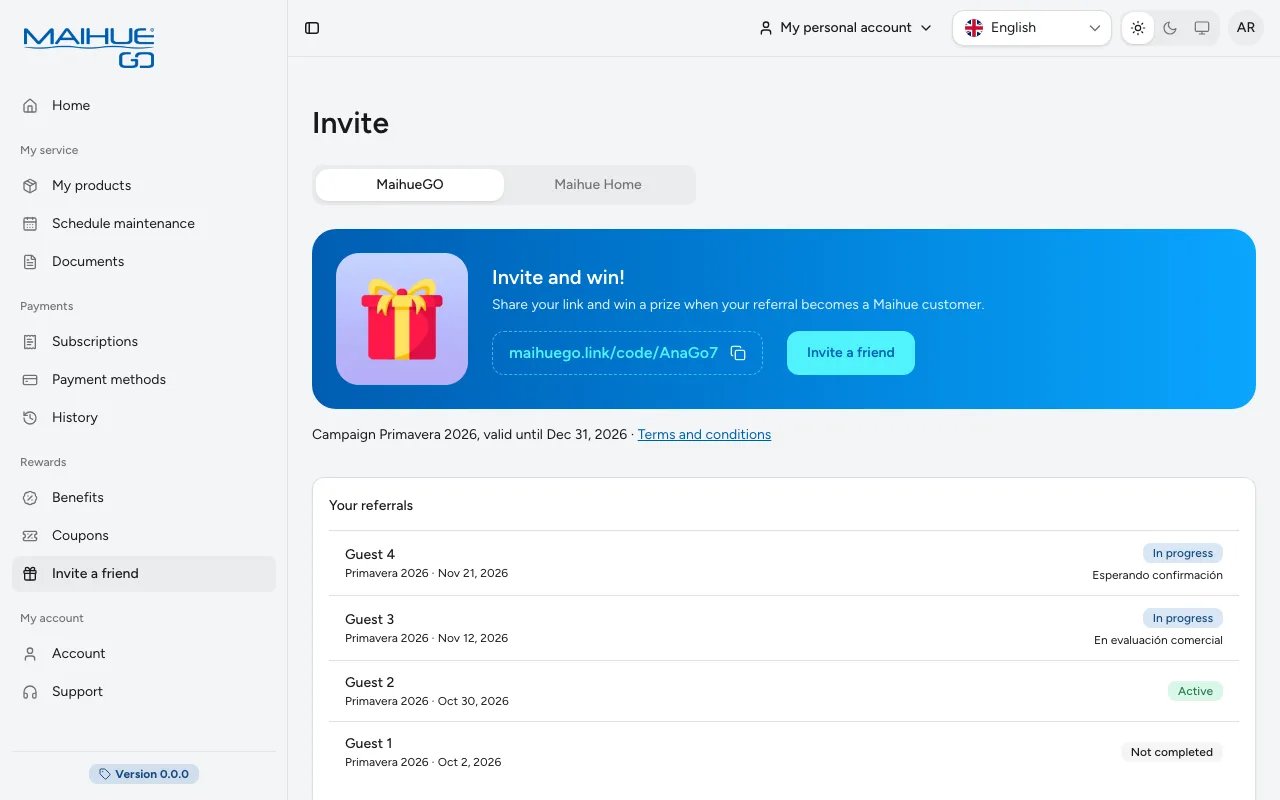
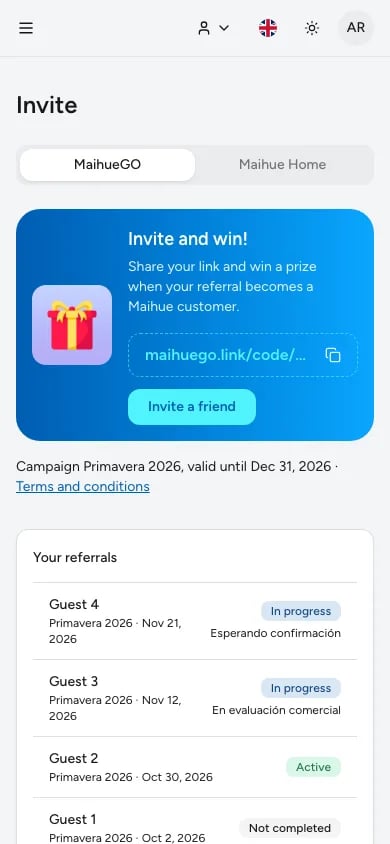
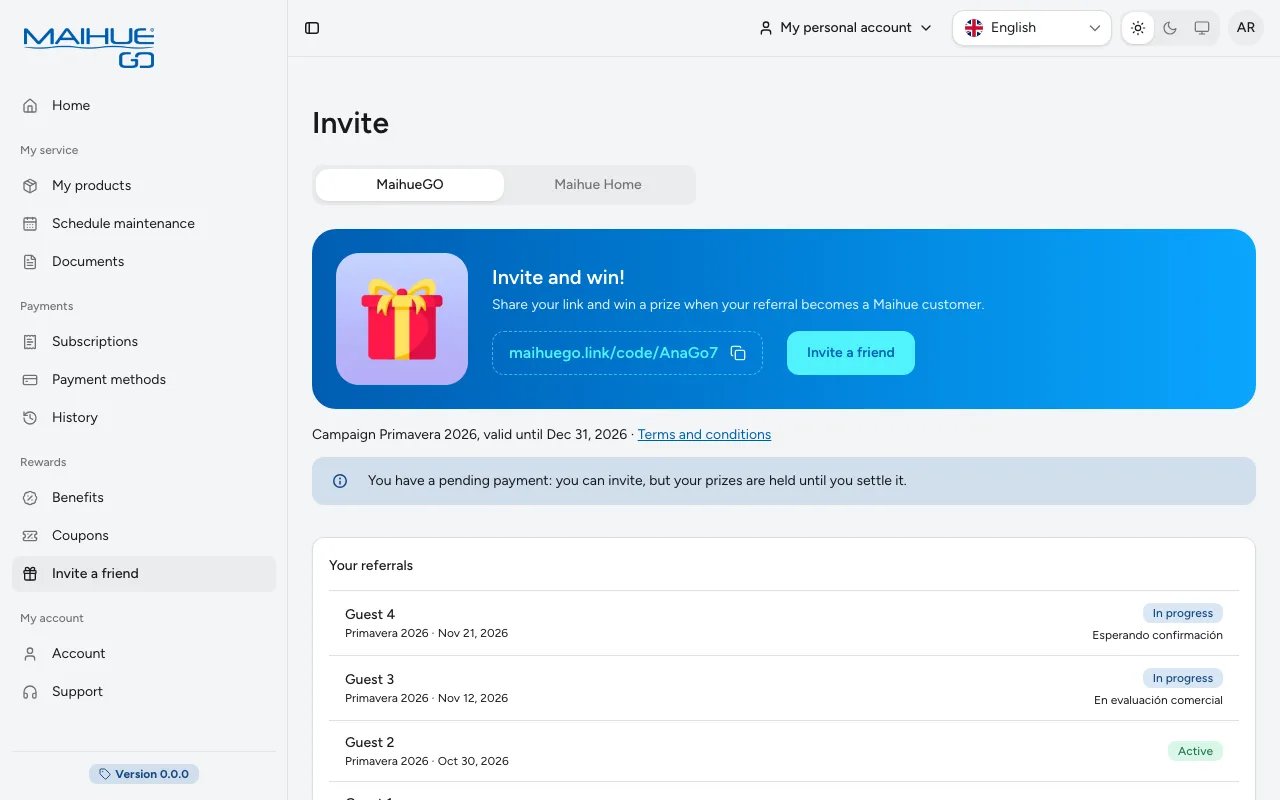
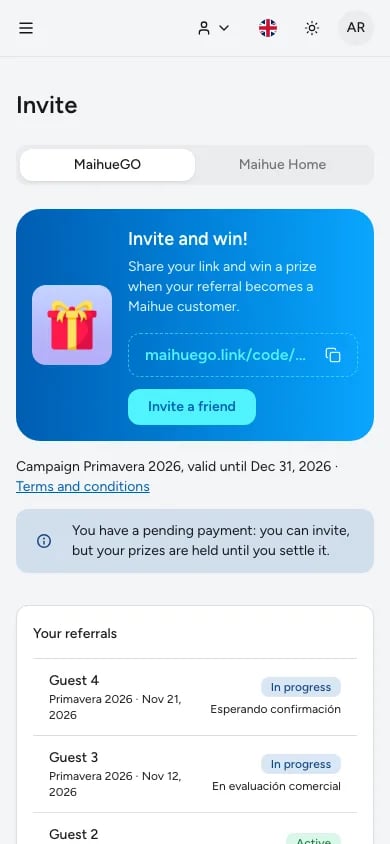
The customer gets their MaihueGO or Maihue Home referral link, shares it and follows each guest’s status. They win their prize when the guest becomes a customer and, when the campaign offers options, choose which one they get. The full program is thereferrals/program initiative.
How to get there
Menu Rewards › Invite a friend, the Invite and win! banner on Account, or a Home highlight.
Sections in preview or coming soon
What the customer sees
- Desktop
- Mobile
Step by step
1
Pick the business unit
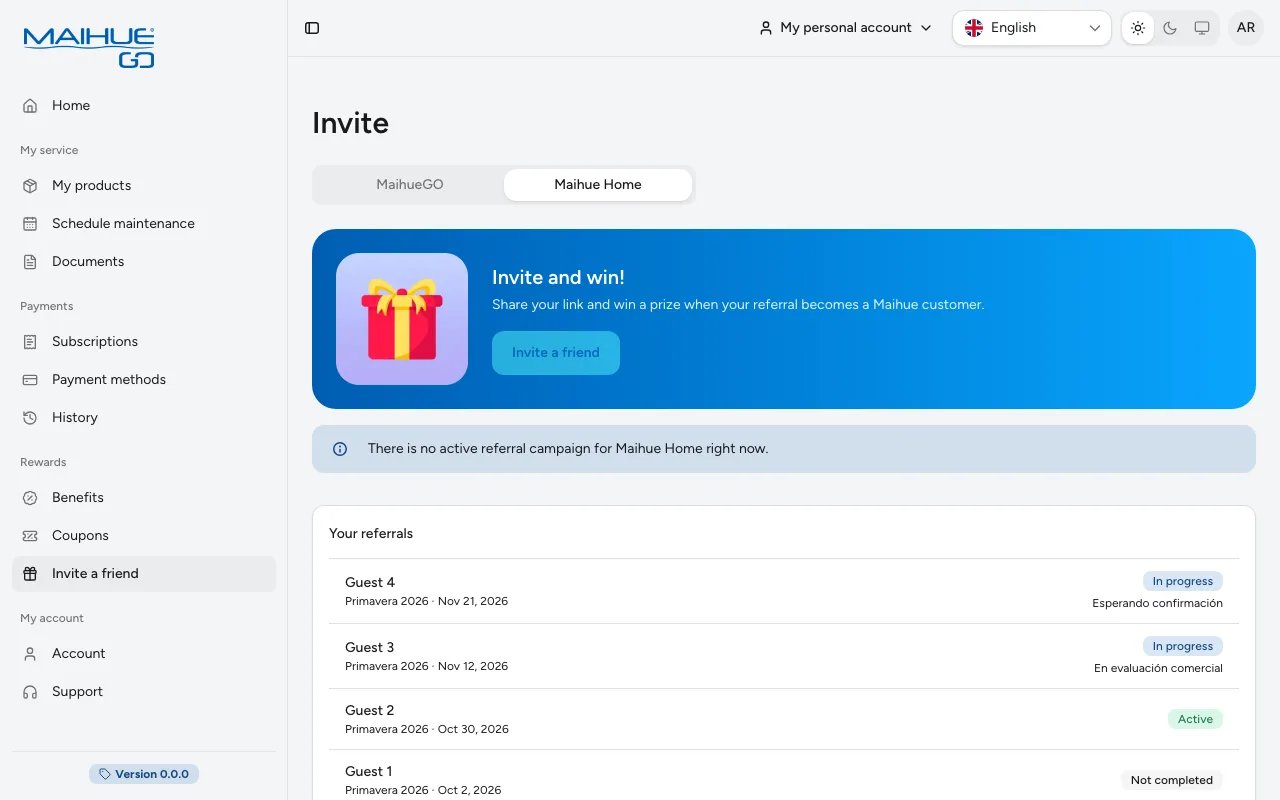
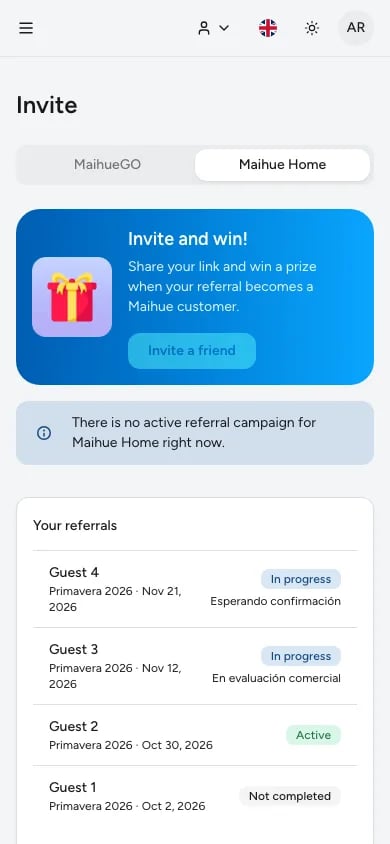
Pick MaihueGO or Maihue Home. The first time a tab opens its link is created; afterwards it is always the same one.
2
Copy or share
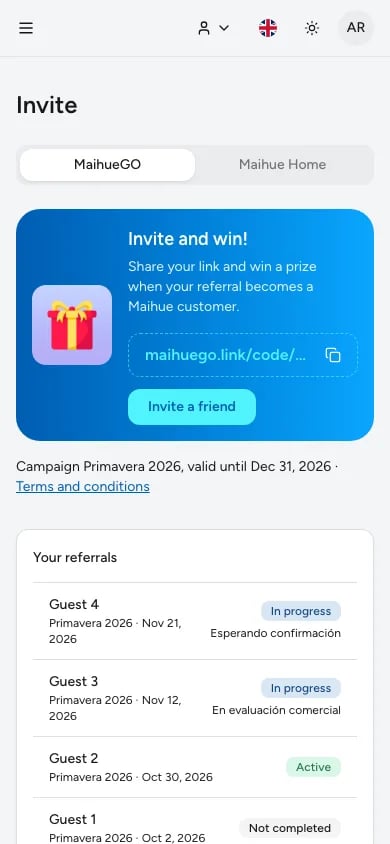
Copy the link (sees “Link copied”) or tap Invite a friend to share it.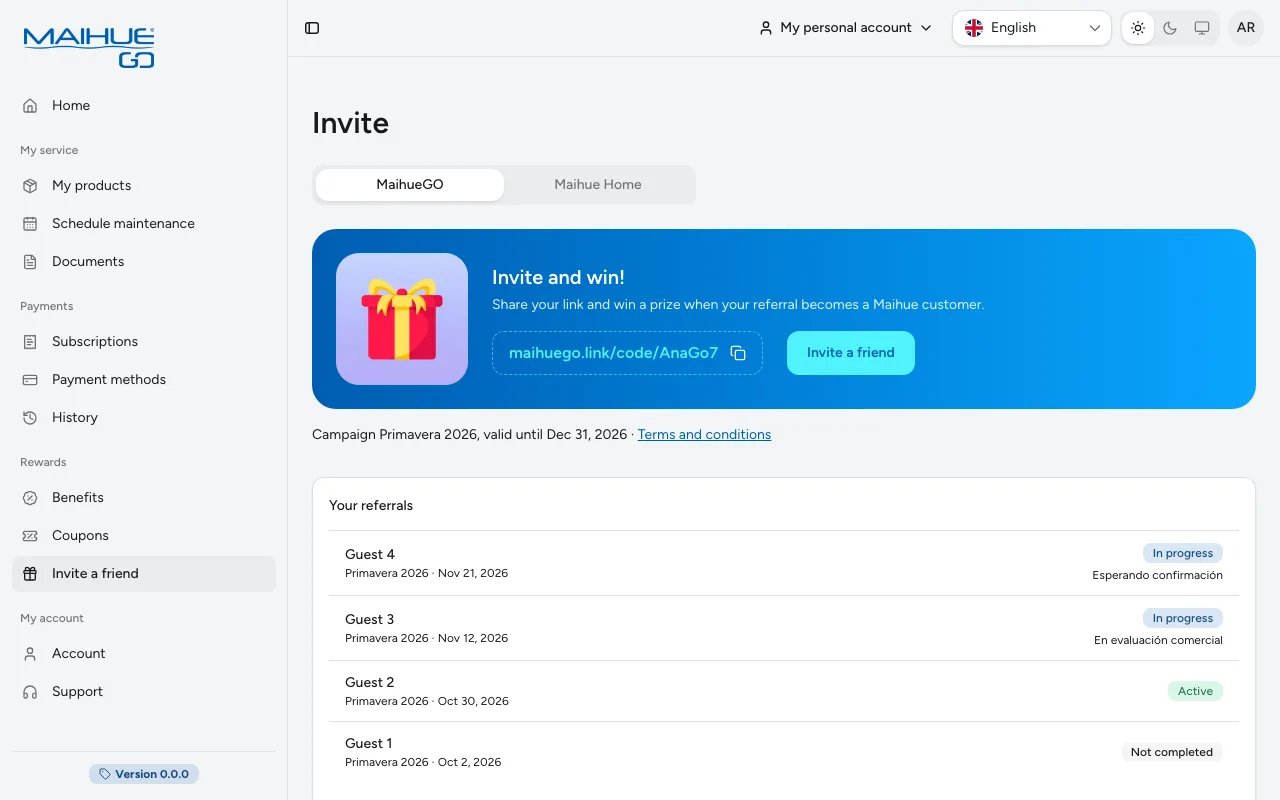
- Desktop
- Mobile
3
Follow the guests
Each person who completes the form shows up in Your referrals as “Guest N”. Their name and data are never shown.
4
Choose the reward
When the guest becomes a customer, Choose your reward shows under their row with the deadline. The link opens Choose your reward with the options the campaign offers; the default option comes selected and tagged “Default”:
- a plan discount: “15% off 2 monthly payments” and “Will apply to your December 2026 bill”;
- an online shop code: “100% code for the online shop, valid for 30 days; not valid at venues”;
- free monthly bills: “2 free monthly bills” and “Starting with your December 2026 bill”;
- a Club Maihue coupon: “Club Maihue coupon added to My coupons, valid for 15 days” (or “valid for as long as the benefit runs”).
5
Use an online shop code
When the code is ready, the row shows See it in your coupons. The code shows in My coupons with Copy code; it works only in the online shop.
Business rules
States and messages
- Desktop
- Mobile
Errors
- Desktop
- Mobile
Why it works this way
The link carries an opaque token: it does not reveal who invites. It is shared as amaihuego.link short link so clicks are counted. Until the public form (portal-lead) is deployed, the program stays in preview with its flags off.
Technical detail
FAQ and support cases
The customer does not see their link
The customer does not see their link
Check they have an active plan or contract and that the unit has a live campaign. An additional user of a plan gets no link.
The customer wants a new link
The customer wants a new link
Staff can revoke the link through the referral API; the next time the customer opens the tab a new one is created.
The customer did not choose their reward in time
The customer did not choose their reward in time
When the deadline passes, the default option the screen showed applies (“If you don’t, you’ll get …”).
The customer sees no options to choose from
The customer sees no options to choose from
The options depend on the reward types that are on. With all of them off the screen says “Rewards are not available yet”; turning them on shows them without a new portal release.
The customer asks who a guest is
The customer asks who a guest is
The portal does not show it by design. Support sees it in Horizon with the referral permission.