

At a glance
What it is for
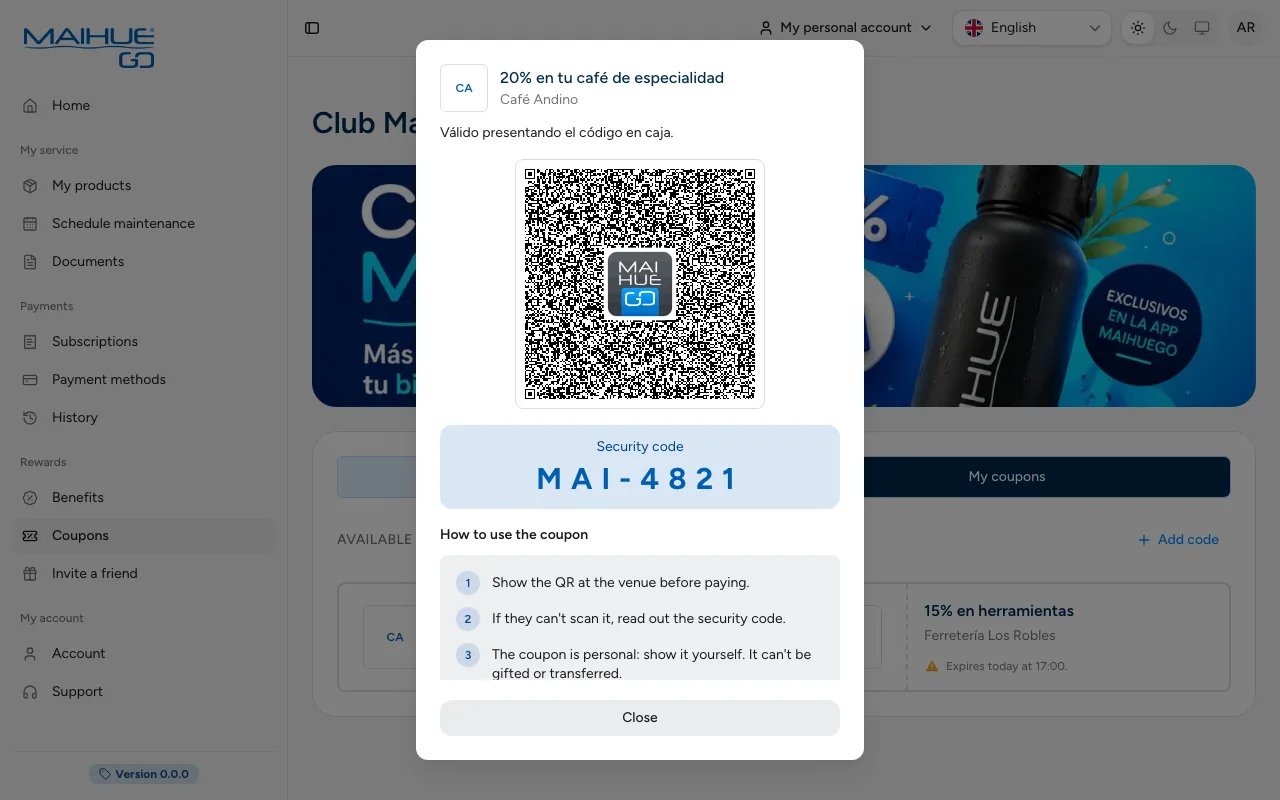
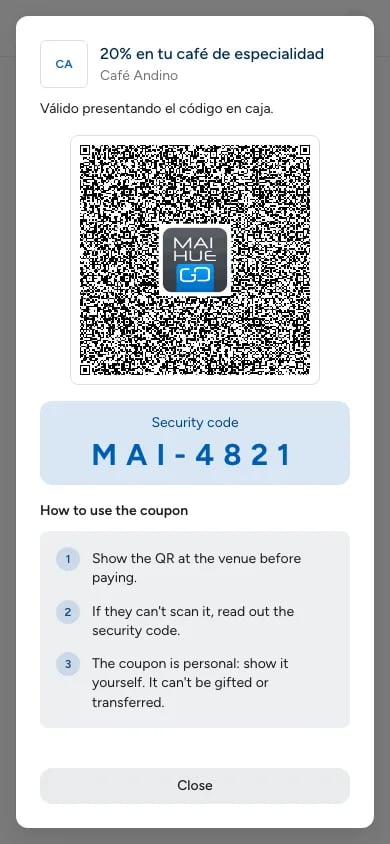
Tapping an available coupon opens its personal QR and a security code. The customer shows it at the venue before paying; the merchant scans it or types the code and the portal confirms the redemption instantly.How to get there
In My coupons, tapping an available coupon.
Club Maihue journey
What the customer sees
- Desktop
- Mobile
Step by step
1
Open the coupon
While it reads “Generating your code…” the QR is generated (only the first time).
2
Show it at the venue
Show the QR at the venue before paying.
3
If they cannot scan
If they can’t scan it, read out the security code.
4
Confirmation
Once validated they see “Your coupon has been used!” and the coupon moves to Used.
Business rules
States and messages
Errors
Why it works this way

How a coupon is redeemed
Technical detail
FAQ and support cases
The venue says the code does not work
The venue says the code does not work
Check the coupon is available and within its valid days; if it expired, it cannot be used.
It was redeemed by mistake
It was redeemed by mistake
Maihue can reverse the redemption within 48 hours from Horizon Enterprise.