

At a glance
What it is for
The detail shows everything the code declared about an event: what it is, who it is for, how long a notification is valid, which rules it may skip and which flows fire it. From here you also turn its channels on or off, adjust their rules, open each channel’s template and review its usage and change history. The event itself is not turned on or off by hand (Event and channel activation).How to get there
- From the catalog list, with the Open event arrow.
- From the dashboard, by clicking an event of the ranking.
- With a direct link
/en/notification/catalog/{id}; adding?tab=channelsopens the Channels tab. - The arrow next to the title goes back to the list. From a template editor, the arrow goes back to the event’s Channels tab.
What you see
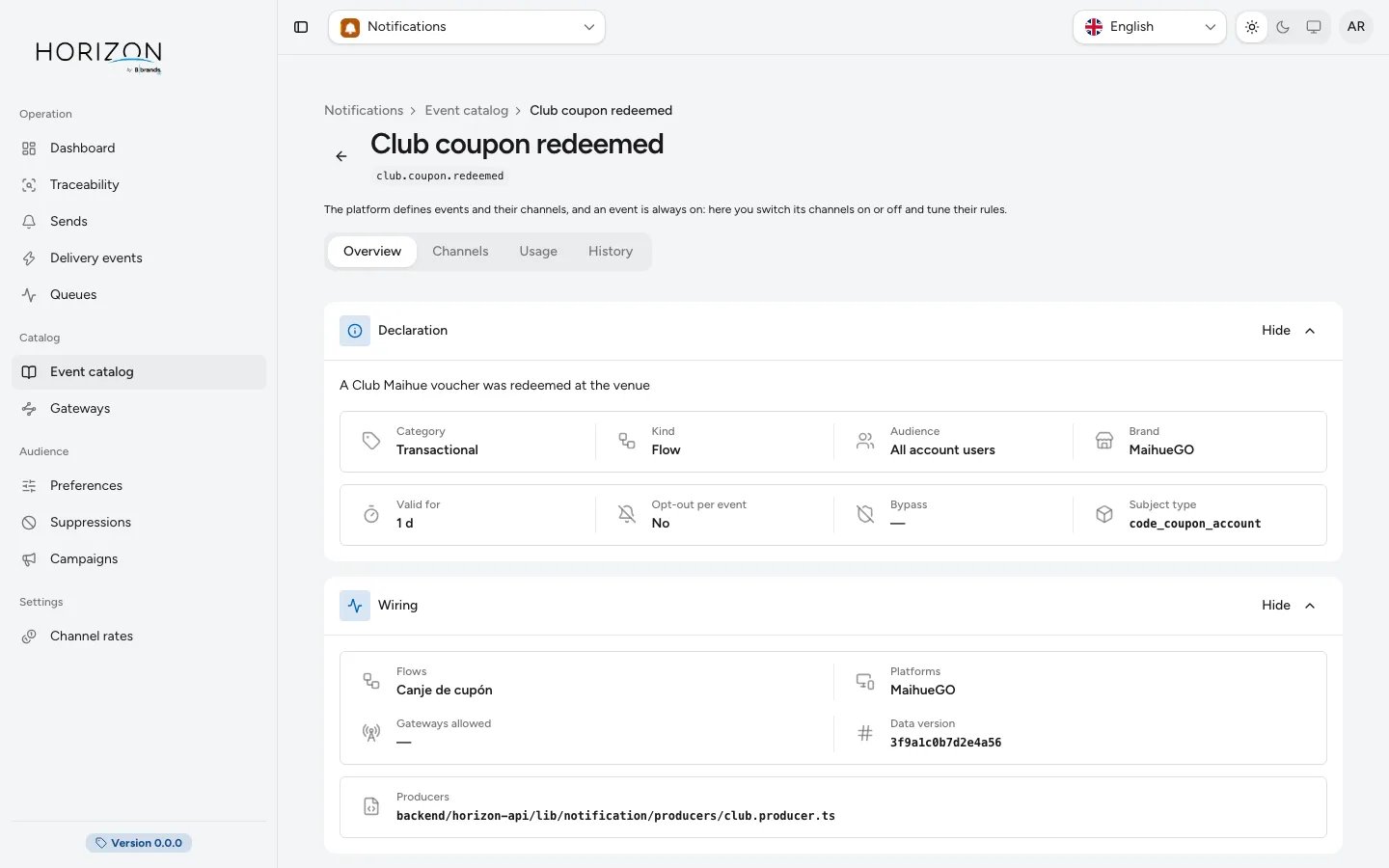
The overview of the Coupon redeemed event.
Declaration fields
Wiring fields
Step by step
Check what fires an event and what data it carries
1
Open the event
From the list, press the arrow of its row. The Overview tab opens.
2
Read Wiring
Flows tells you which process fires it and Producers, the code file. This is what to give the
technology team if the event stopped firing.
3
Look at the data
In Event data, press Show the technical definition. Each property is a value the template can use as a
variable.
Business rules
States and messages
Errors
Why it works this way
An event is a contract between the flow that fires it and the templates that show it: its data has a fixed shape and the category rules protect the customer. If those fields could change on screen, a template could ask for a value the flow does not send. That is why the Overview is read-only and what can change (channels, rules and templates) lives on the other tabs, with a reason and a history.Technical detail
FAQ and support cases
I want to change an event's category or validity
I want to change an event's category or validity
They change in the code. Ask the technology team with the event key and the reason.
What does Skips suppression mean?
What does Skips suppression mean?
The event is sent even if the address is on the suppression list. It is meant for security notifications, such
as a sign-in code.