

At a glance
What it is for
The catalog gathers every business fact that can notify someone: a coupon redeemed, a failed charge, a machine offline. The list shows at a glance which events exist, on which channels they go out, whether they are active, when they last fired and how much volume they had in the last 30 days. It is the way in to turn its channels on or off, adjust their rules and open their templates.How to get there
- From the sidebar: Catalog › Event catalog.
- From an event’s detail, with the breadcrumbs Notifications › Event catalog.
- From an event page of this manual.
What you see
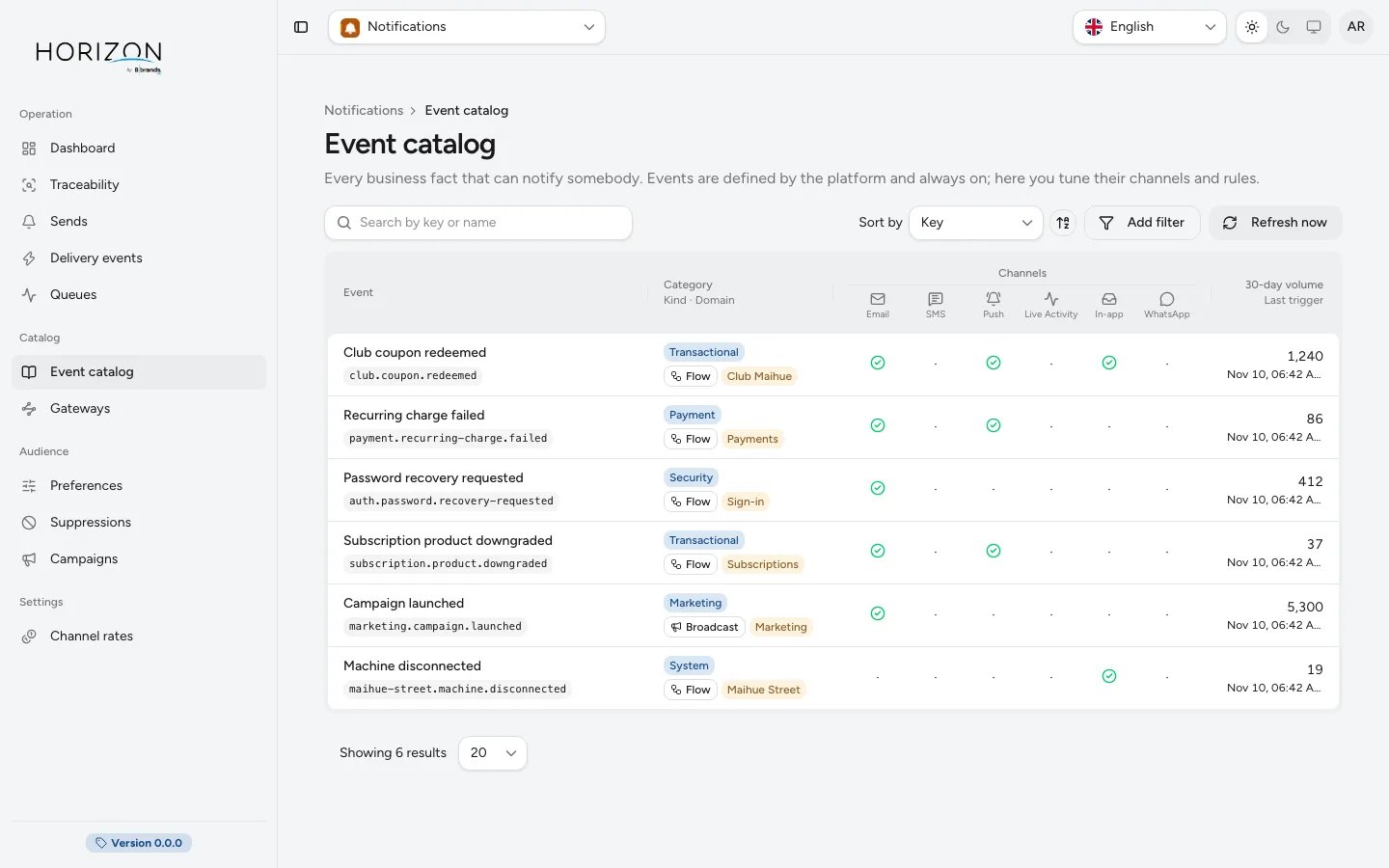
The catalog list, sorted by key.
Step by step
Find an event
1
Type in the search box
Type part of the key or the name, for example
coupon or club.coupon. The list filters as you type.2
Narrow it with a filter
Press Add filter, pick the field (for example Channel) and the value (Push). You can add several
filters. See Lists for the filter builder.
3
Open the event
Press the arrow at the end of the row. The event detail opens.
Review the events that stopped firing
1
Add the Silent for filter
Pick 30 days or more. The events left have no occurrences in 30 days or never fired.
2
Review each one
A silent event can be normal (a campaign not launched) or a sign that the flow firing it stopped working. If it
is not normal, check the detail and tell the technology team.
Business rules
States and messages
Errors
Why it works this way
Events are born in the code because each one carries data of a fixed shape (its schema) and has a flow that fires it. If they could be created from the screen, nothing would fire them. That is why the list is for finding and adjusting, and a new event is requested through Keeping it current.Technical detail
FAQ and support cases
I cannot find an event that should exist
I cannot find an event that should exist
Try another word: the search looks at the key, the name and the description. If it really does not exist, ask
the technology team for it.
A channel looks dimmed in the Channels column
A channel looks dimmed in the Channels column
That channel is off for the event. Open it and check the Channels tab.
Why does an event have volume while Inactive?
Why does an event have volume while Inactive?
Volume counts the occurrences, which are recorded even when the platform turned the event off; those occurrences are skipped
with the reason Event inactive.