

At a glance
What it is for
Some notifications do not leave right away: a push that would arrive at night waits for the end of the quiet hours, a channel with a delay waits its minutes, and an integration can program a send for a date. This card lists the ones still waiting, in the order they will leave, so you can check what is about to go out and stop one in time.How to get there
- Open Operation › Queues and scroll to the Scheduled sends card, at the bottom.
What you see
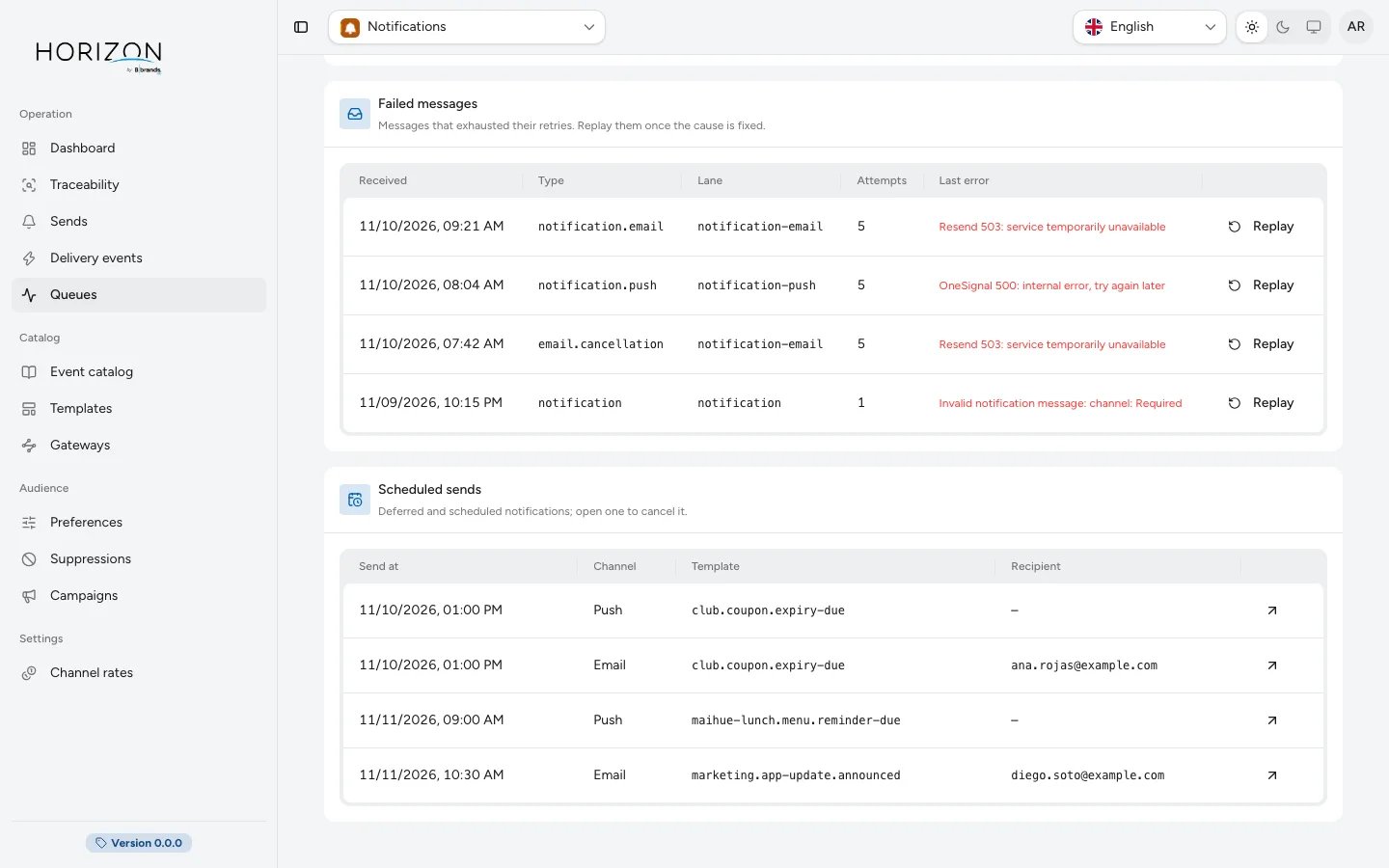
Four sends waiting: two coupon reminders at 13:00, a Maihue Lunch push and an app update email.
The card shows the next 20, the soonest first.
Step by step
Cancel a scheduled send
1
Find it
In Scheduled sends, find the row by its time, channel and template.
2
Open it
Press the arrow. The send detail opens in Operation › Sends.
3
Cancel with a reason
Use the cancel action of the detail and write the reason. The send changes to Cancelled and leaves the card.
Stop every send of a notification before it leaves
1
Turn the channel or the event off
In the catalog, turn off the event’s channel.
2
Let them be checked
When their time comes, waiting sends are checked again: with the event or the channel off they are cancelled
and do not go out. You do not have to cancel them one by one.
Business rules
States and messages
Errors
Why it works this way
Holding a send instead of dropping it respects the customer (no push at 3 a.m.) without losing the notification. Checking it again just before it leaves means that whatever changed while it waited (the event turned off, the customer unsubscribed, the coupon expired) is respected, so a scheduled send never goes out against the current rules.Technical detail
FAQ and support cases
A customer got a push at 09:00 for something that happened at 23:00
A customer got a push at 09:00 for something that happened at 23:00
The push waited for the end of the quiet hours. You would have seen it in this card overnight.
I turned an event off and its scheduled sends are still in the list
I turned an event off and its scheduled sends are still in the list
They stay until their time; then they are checked and cancelled without going out.
Can I change the time of a scheduled send?
Can I change the time of a scheduled send?
No. Cancel it and, if needed, resend it from Operation › Sends when it makes sense.
Related and history
- Queues
- Guide: Cancel a scheduled send
- Edit rules (quiet hours and delay)