

At a glance
What it is for
A gateway is the door a notification comes in through. Horizon’s own flows (a coupon redeemed, a contract signed) come in through a system gateway, one per domain. Another company’s system that sends notifications through Horizon with an API key comes in through an external gateway. The gateway tells you who fired a notification and limits what each integration may send.How to get there
- In the sidebar, open Catalog › Gateways.
- The events a gateway may fire are in its Allowed events column; the other way round, the gateways that may fire one event are on that event’s detail, field Gateways allowed (Event detail).
What you see
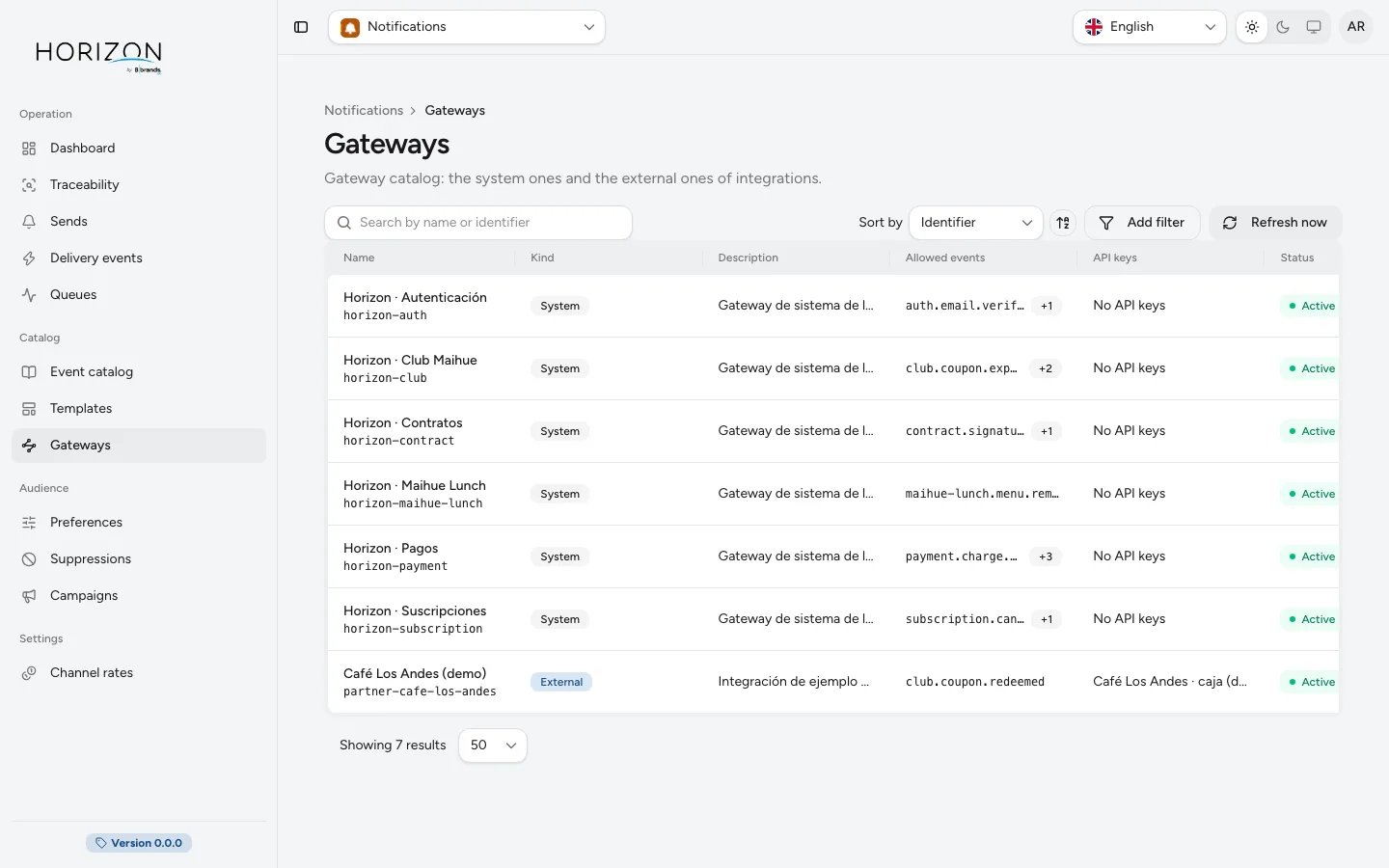
The system gateways of each domain and one external integration.
The list is read-only: nobody creates or edits gateways from this screen.
Who can fire each event
The system gateways today are
horizon-auth, horizon-club, horizon-contract, horizon-device,
horizon-email-campaign, horizon-export, horizon-maihue-lunch, horizon-maihue-onboarding,
horizon-maihue-street, horizon-payment, horizon-short-link, horizon-signature and horizon-subscription,
plus two of the former platform (horizon-legacy-backfill, horizon-legacy-dispatch).
Step by step
Find which gateway fired an event
2
Read Origins and Gateways observed
Origins says whether it came from the system, a user, a cron or an API key; Gateways observed says
through which gateway and how many times.
3
Look the gateway up
Search its identifier in Catalog › Gateways to read its name, kind, status, the events it may fire and the
API keys that send through it.
Let an integration send an event
1
Ask the technology team
An event is opened to an external gateway in its code declaration; the catalog then shows the gateway under
Gateways allowed.
2
Link the gateway to the API key
An Administrator opens Permissions › API Keys, the integration’s key, tab Gateways, and picks the gateway
in Notification gateways. You see Gateways updated: “The key may only send notifications through the
chosen gateways.”
3
Check the list
In Catalog › Gateways, the gateway’s row shows the event under Allowed events and the key under
API keys.
Business rules
States and messages
Errors
Why it works this way
An API key proves who the integration is; the gateway limits what it may do. Splitting the two lets one company’s key send only its own notifications, through its own door, and keeps Horizon’s system gateways out of reach. Since every occurrence records its gateway, you can always answer “who sent this?”.Technical detail
FAQ and support cases
Which events can the integration of a merchant send?
Which events can the integration of a merchant send?
Search its gateway here and read Allowed events (hover the cell for the full list). Each event’s detail also
lists its gateways under Gateways allowed.
Can I turn a gateway off from here?
Can I turn a gateway off from here?
No, the screen is read-only. Ask the technology team.
Why do all Club events come through horizon-club?
Why do all Club events come through horizon-club?
Each domain has its own system gateway, so the dashboard can separate the volume of each business.