At a glance

What it is for

The detail of a send tells the whole life of one message: when it was created, queued, sent, delivered and opened, who fired it, what the provider answered and, with the right role, exactly what the customer received. From here you act on it: Resend a message the customer lost, Retry one that failed, or Cancel send one that has not left yet. Every action asks for a reason that stays recorded with your name. Horizon does not resend or retry a message it would not send today: a suppressed address, an account that opted out or a switched-off event or channel stops it.

How to get there

  • In Sends, press the date or the arrow of a row.
  • In an occurrence of Traceability, press the short id of a decision or of a timeline.

What you see
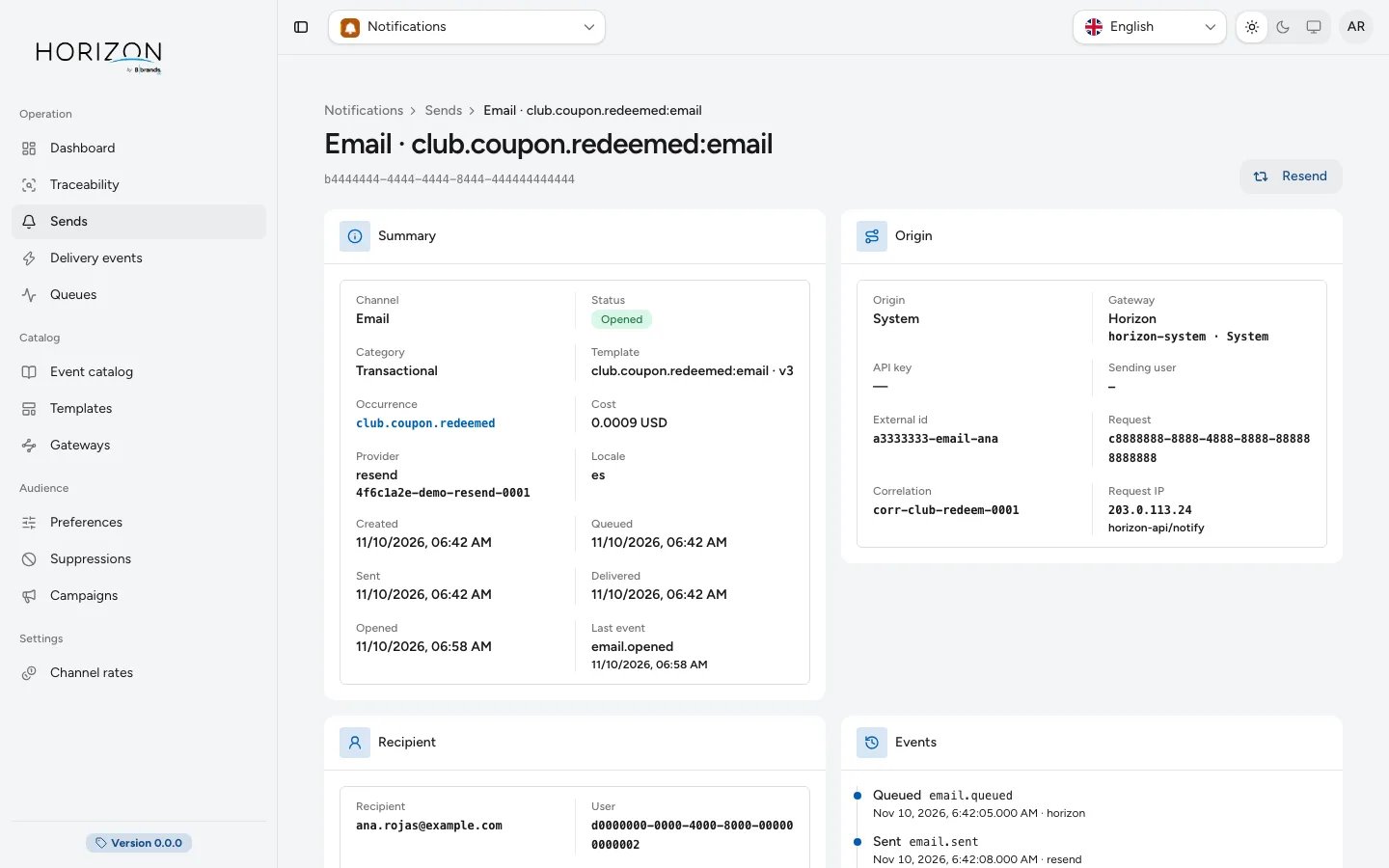
Send detail Email · club.coupon.redeemed:email with its id and the Resend button; Summary with Channel Email, Status Opened, Category Transactional, Template club.coupon.redeemed:email · v3, Occurrence club.coupon.redeemed, Cost 0.0009 USD, Provider resend and its message id, Locale es, and the Created, Queued, Sent, Delivered, Opened and Last event dates; Origin with System, Gateway Horizon horizon-system · System, External id, Request, Correlation and Request IP; and the start of Recipient and Events.

An email of Cupón canjeado that was opened: summary with every date, origin and the Resend action.
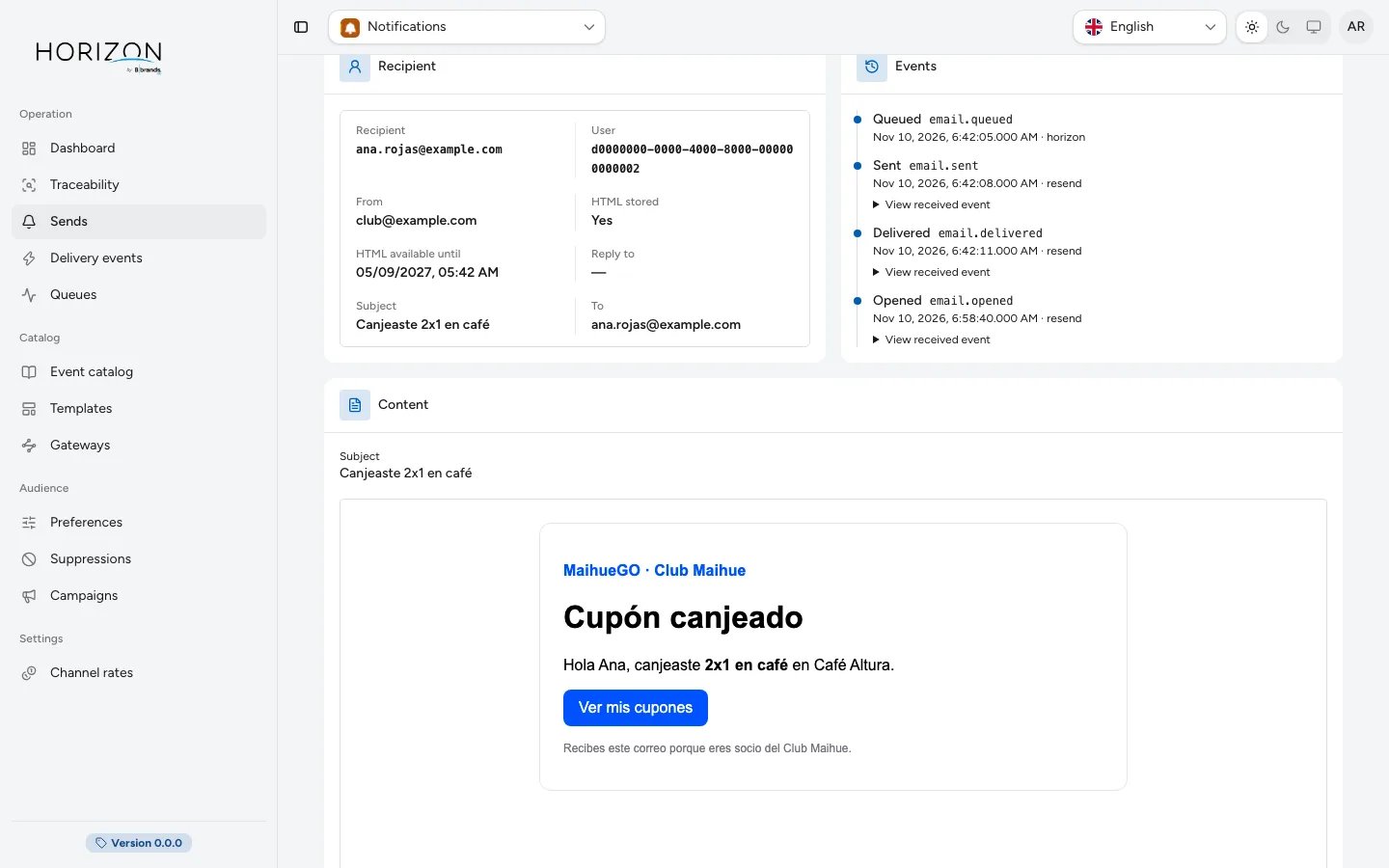
The same send scrolled down: Recipient with ana.rojas@example.com, From club@example.com, HTML stored, HTML available until, Subject Canjeaste 2x1 en café and To; Events with Queued, Sent, Delivered and Opened, each with the event type, date, provider and View received event; and Content with the subject and the email preview: Cupón canjeado, Hola Ana, canjeaste 2x1 en café en Café Altura, and the Ver mis cupones button.

Recipient, events and the email as the customer received it.

Which actions show

Without notification:resend neither Resend nor Retry shows; without notification:cancel, Cancel send does not show. A button that shows does not guarantee that the message goes out: on confirm, Horizon checks again whether it would send it today (R-05).
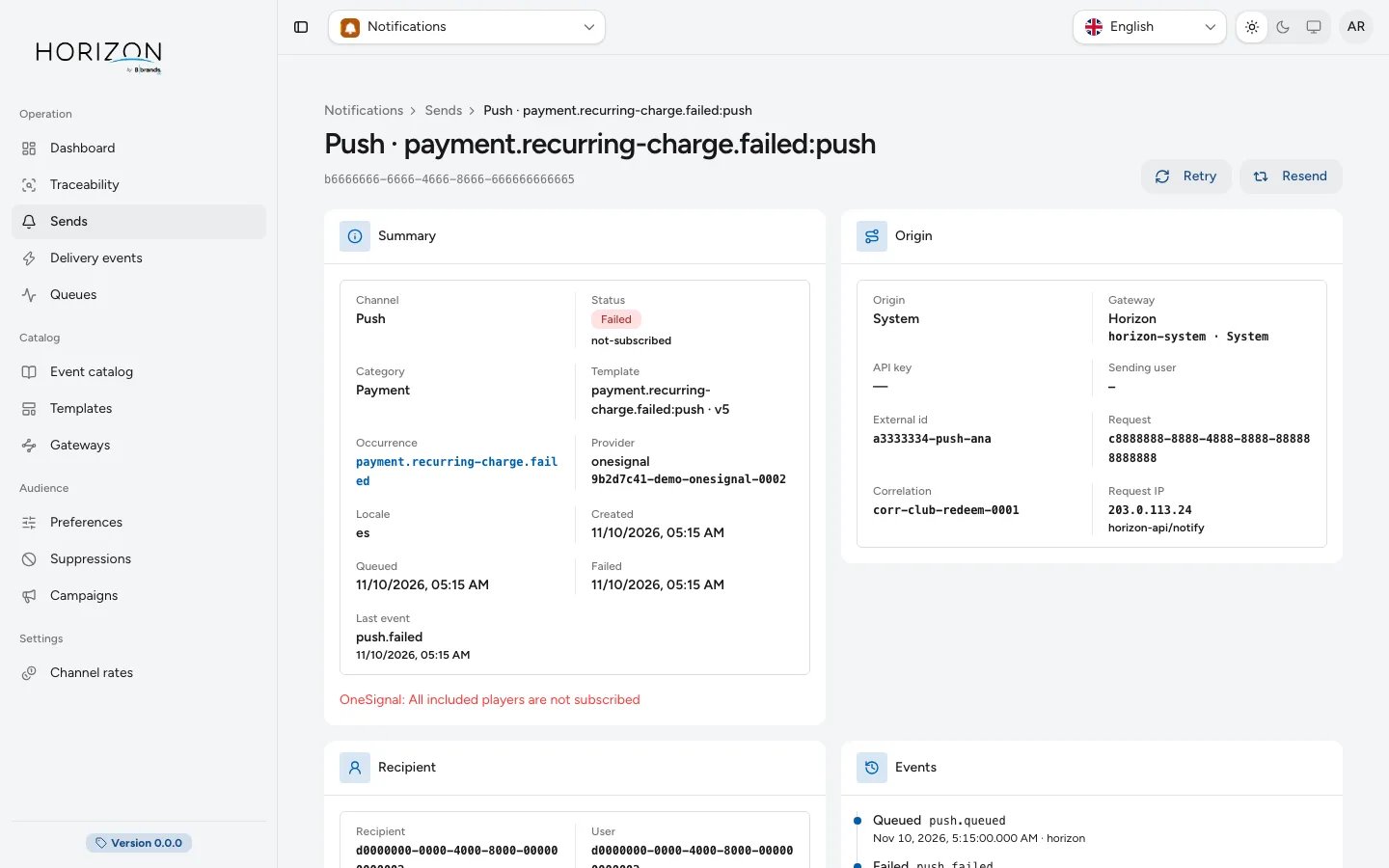
Send detail Push · payment.recurring-charge.failed:push with the Retry and Resend buttons; Summary with Status Failed and not-subscribed under it, Category Payment, Template v5, Provider onesignal, Queued and Failed dates, Last event push.failed, and in red OneSignal: All included players are not subscribed.

A failed push: Retry and Resend in the header and the provider error under the summary.

Step by step

Resend a message the customer lost

1

Open the send

Find it in Sends by the customer’s email and open it.
2

Press Resend

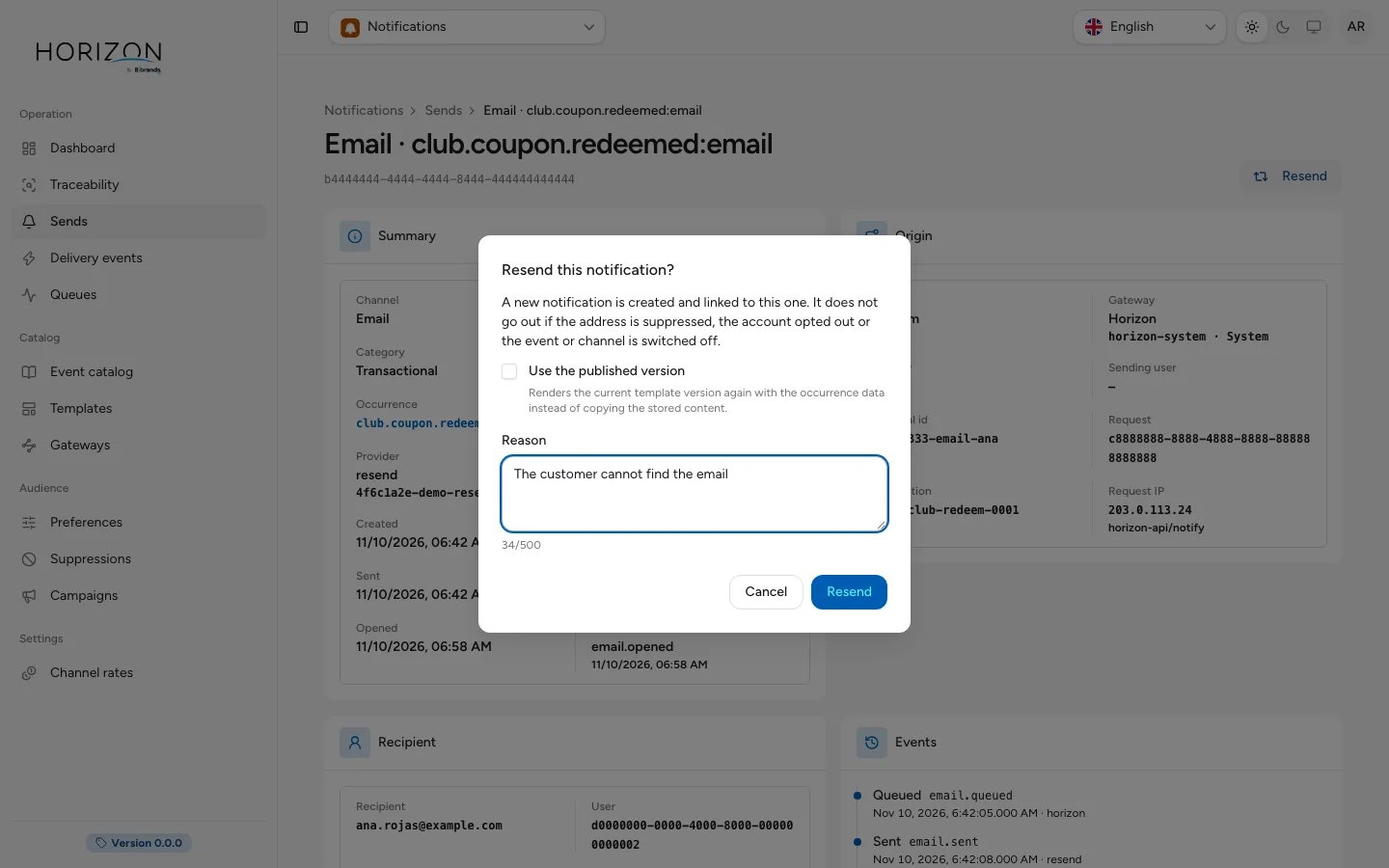
The Resend this notification? dialog opens: “A new notification is created and linked to this one. It does not go out if the address is suppressed, the account opted out or the event or channel is switched off.”
3

Pick the content to send (email, push or SMS)

By default the same content the customer got is sent. Tick Use the published version to render the current template version again with the occurrence data, for example after a copy fix. The box only shows on emails, pushes and SMS that come from an occurrence.
4

Write the reason

At least 3 characters, for example “The customer cannot find the email”. Resend stays disabled until then.
5

Confirm

Press Resend. You see Resend queued: “The new notification is linked to the original.” The screen opens the new send, whose summary shows Resend of with the original and your reason.
Resend this notification? dialog over the email detail: the text A new notification is created and linked to this one. It does not go out if the address is suppressed, the account opted out or the event or channel is switched off., the Use the published version box with its help, the Reason field with The customer cannot find the email, the counter 34/500 and the Cancel and Resend buttons.

The resend dialog with the published-version box and its reason.

Resend an email older than 180 days

1

Press Resend and confirm

If the stored HTML expired, you see The stored content is no longer available and the screen ticks Use the published version for you. The dialog stays open with your reason.
2

Confirm again

Press Resend again: the email goes out with the current template version and the occurrence data.

Retry a failed send

1

Check why it failed

Read the error in red and the Failed event. Retrying only helps if the cause is gone: for example, the customer turned push back on, or the provider had an outage.
2

Press Retry

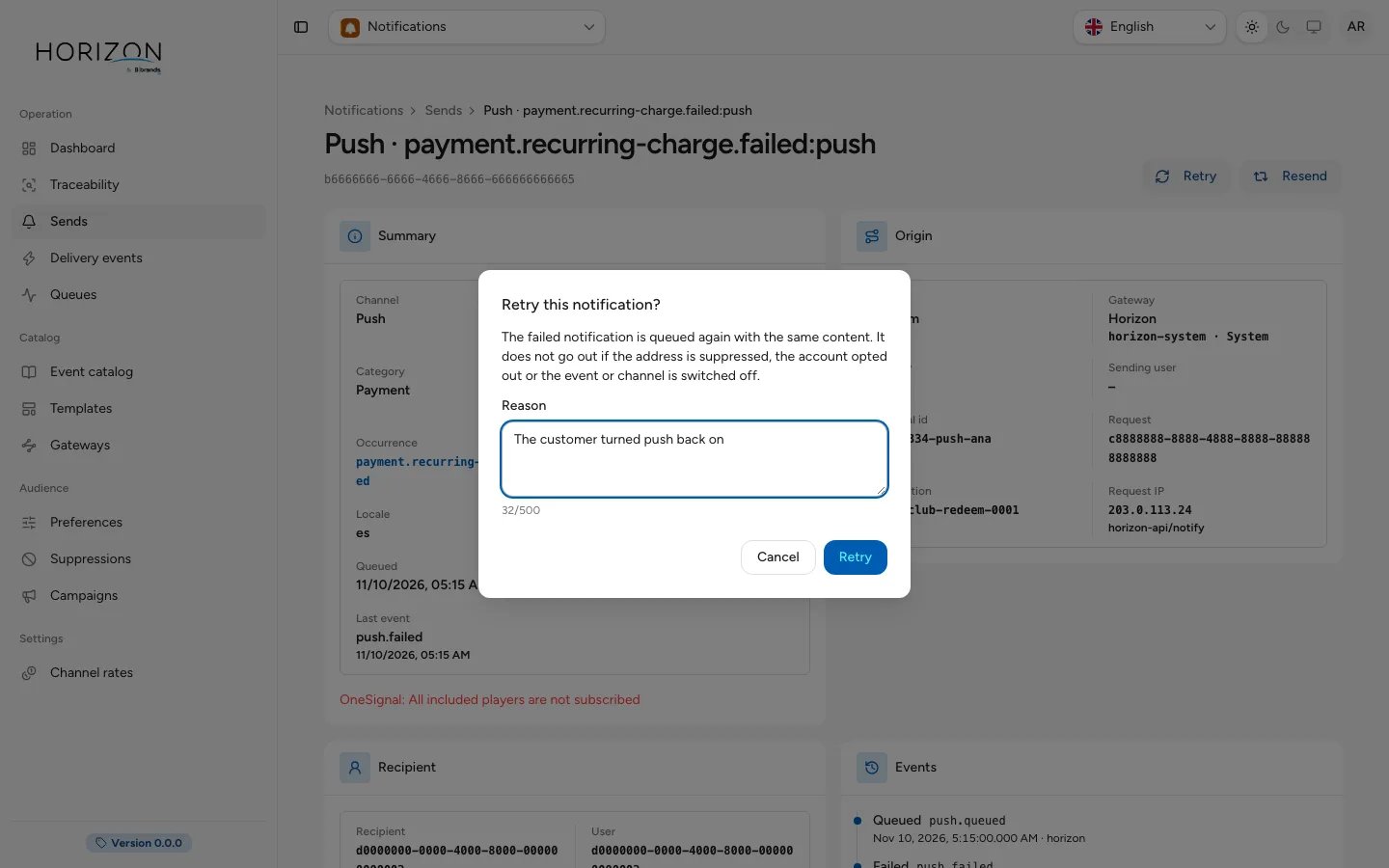
The Retry this notification? dialog says “The failed notification is queued again with the same content. It does not go out if the address is suppressed, the account opted out or the event or channel is switched off.”
3

Write the reason and confirm

Press Retry. You see Retry queued: “The notification goes back to the queue.” The same send goes back to Queued; no new one is created.
Retry this notification? dialog over the failed push: The failed notification is queued again with the same content. It does not go out if the address is suppressed, the account opted out or the event or channel is switched off., Reason The customer turned push back on and the Cancel and Retry buttons.

Retry of a failed push.

Cancel a send that has not left

1

Open the scheduled or queued send

For example, a marketing push waiting for the quiet hours to end.
2

Press Cancel send

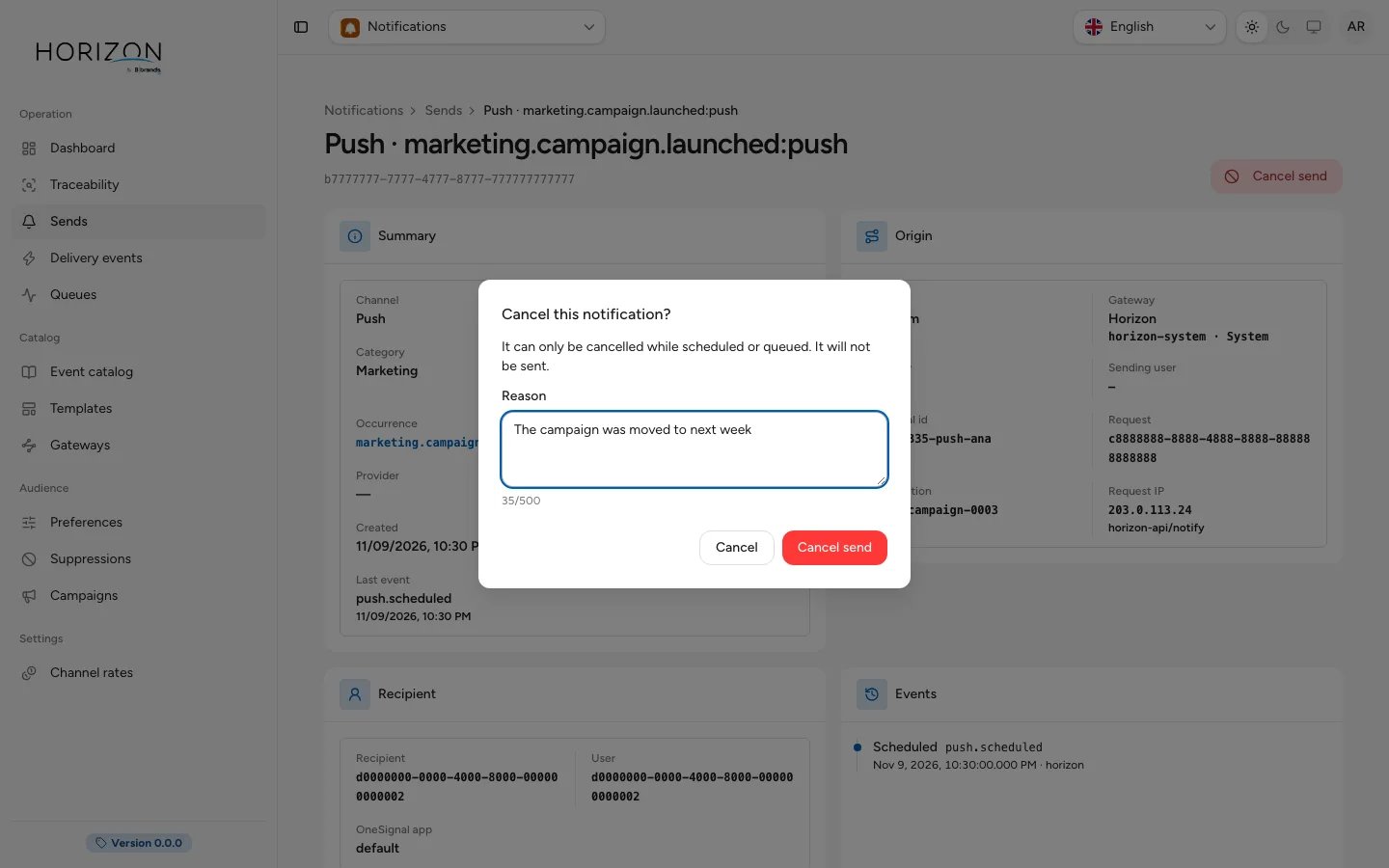
The Cancel this notification? dialog says “It can only be cancelled while scheduled or queued. It will not be sent.”
3

Write the reason and confirm

Press Cancel send. You see Notification cancelled: “It will no longer be sent to its recipients.” The summary shows Cancelled and the Cancel reason.
Cancel this notification? dialog over a scheduled push of marketing.campaign.launched: It can only be cancelled while scheduled or queued. It will not be sent., Reason The campaign was moved to next week and the Cancel and Cancel send buttons.

Cancelling a scheduled marketing push.

Business rules

States and messages

Errors

Why it works this way

Retry and Resend look alike but solve different problems. A retry fixes a delivery that failed for a temporary reason, so it reuses the same send and its history stays in one place. A resend is a new decision of an operator (“send it again”), so it is a new send linked to the original: the customer’s history shows both, and the reason explains why it went out twice. Cancelling is only possible before the message leaves, because once the provider has it, Horizon can no longer stop it. An operator decides to resend, but cannot override what the customer chose or insist on an address the provider rejected: that is why both actions repeat the suppression and opt-out check the engine runs when it releases a deferred send. Quiet hours and the frequency cap protect against bulk automatic sends; a manual resend is a one-off and does not go through them.

Technical detail

FAQ and support cases

Retry when the cause was temporary and the same message is still right: it keeps one send. Resend when you want a new send on record, for example after the customer fixed their device.
Horizon would not send that message today (R-05). The reason says why: a suppression, an opt-out of the customer or a switched-off event or channel. Nothing was queued or recorded as a resend.
A permanent bounce suppresses the address, so the resend is refused. Ask the customer for a new email first; if the mailbox works again, lift the suppression in Suppressions and resend.
When the template copy was fixed after the send, or when the email is older than 180 days and its HTML is no longer stored. The message is built from the data the occurrence kept, in the original locale.
The Content section needs notification:view-content. If you have it and see “no longer available”, the email is older than 180 days.