

At a glance
What it is for
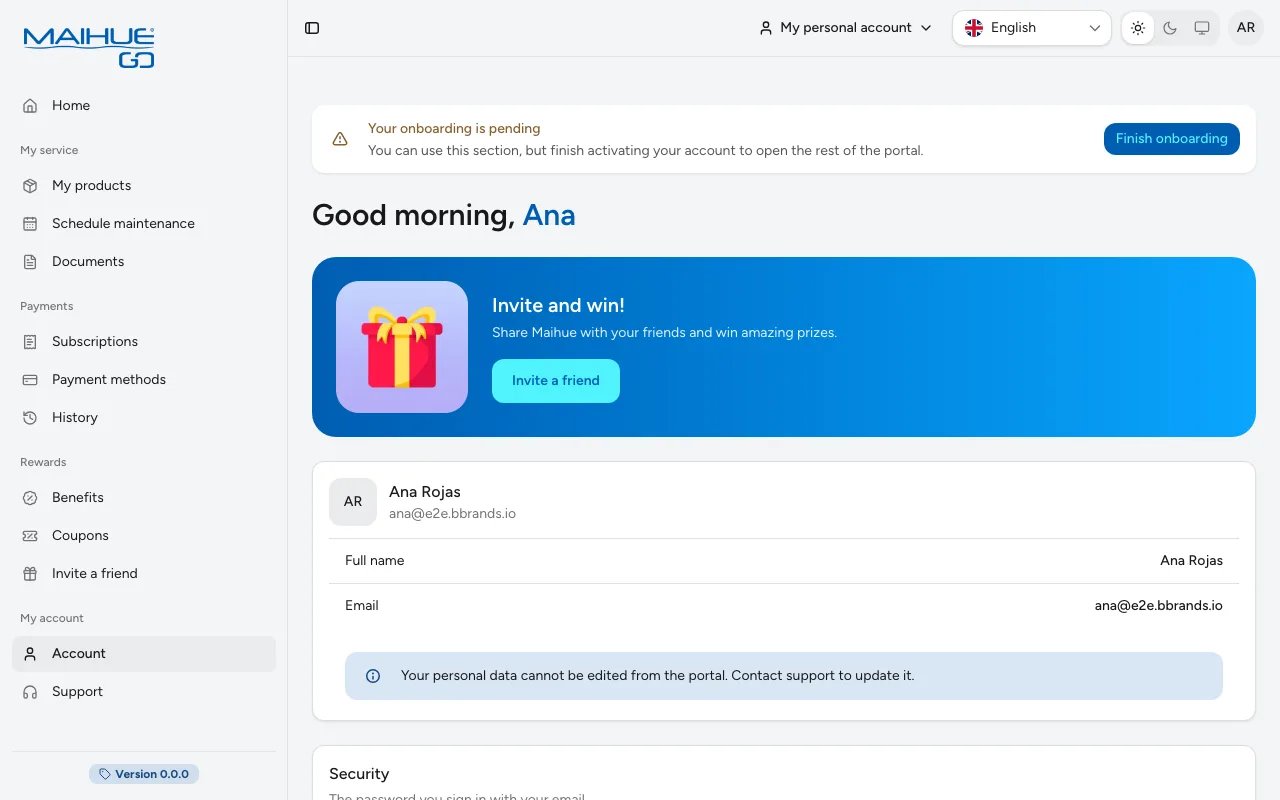
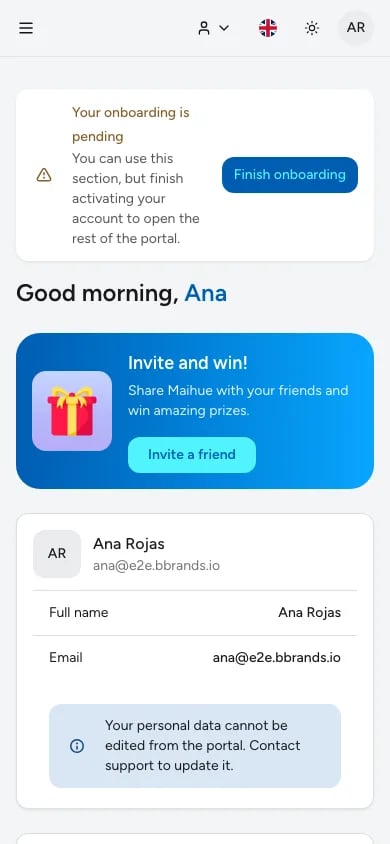
While the onboarding is pending, the portal does not let the customer use every section: those that help finish it (Account, Payment methods and Support) open with a notice, and the rest go straight to the wizard.How to get there
It shows when entering the portal with the onboarding pending.
Which sections open with a pending onboarding
What the customer sees
- Desktop
- Mobile
Step by step
1
Enter the portal
If they open a closed section, the portal takes them to the wizard.
2
Finish onboarding
From an open section, the notice button resumes the onboarding and, when done, returns to the section they were on.
Business rules
States and messages
Errors
Why it works this way
The open sections are exactly those that allow finishing (enrolling a payment method, reviewing the account) or asking for help.Technical detail
FAQ and support cases
The customer cannot open Benefits
The customer cannot open Benefits
Their onboarding is pending: they must finish it. From Account they can tap Finish onboarding.