

At a glance
What it is for
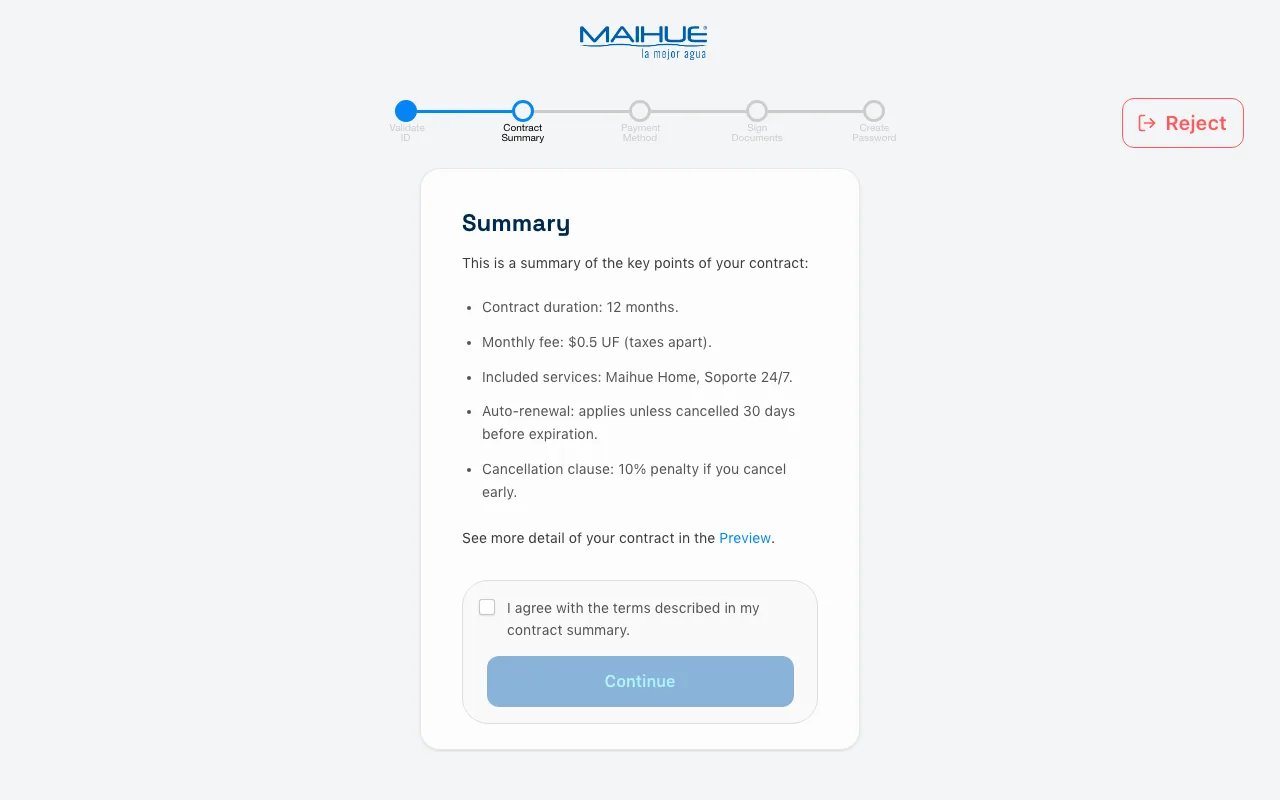
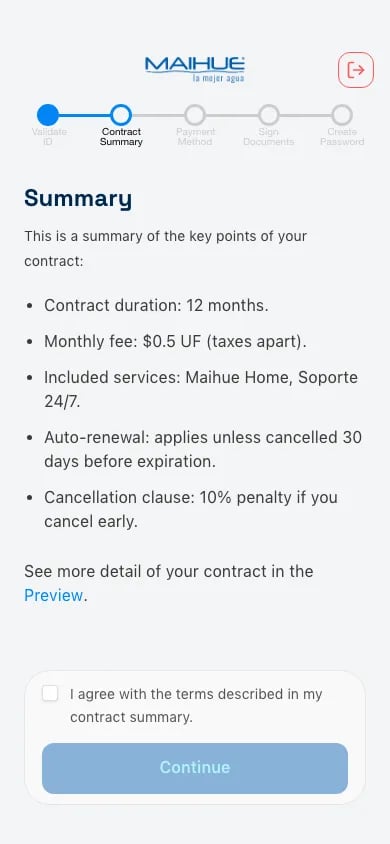
Shows the key contract points in plain words (duration, fee, services, renewal and penalty) and asks the customer to confirm they agree. From here they can open the full contract preview.How to get there
After Validate ID. Before signing, this step can be revisited with the back arrow.
Digital contract journey
What the customer sees
- Desktop
- Mobile
Step by step
1
Read the key points
Optionally opens the preview to see the full contract.
2
Accept
Ticks the agreement box.
3
Continue
Continues to Payment method (or to Sign, for a later company administrator).
Business rules
States and messages
Errors
Why it works this way

Where the summary sits in the process
Technical detail
FAQ and support cases
The customer disagrees with a value
The customer disagrees with a value
They should not accept. They can use Reject or ask Maihue to correct the registration and send a new contract.